How to Fix ANC Not Working on Your Earbuds (7 Real Fixes)
A step-by-step troubleshooting guide for when active noise cancellation silently stops doing its job — tested on Soundcore, JBL, Apple, EarFun, and Nothing earbuds.
Three days after a firmware update, my Soundcore Liberty 4 NC's ANC just stopped. No warning, no toggle glitch — the companion app still showed "ANC: On," but the cabin hum on my next flight came through like the feature didn't exist. If you're dealing with ANC not working on your earbuds right now, you're not imagining it, and it's rarely a dead unit. In the years I've spent testing budget ANC earbuds, I've found the same handful of causes behind nearly every "ANC suddenly stopped working" complaint — and most of them take under five minutes to fix.
🎯 Quick Picks: Try These First
- Fastest fix: Forget the Bluetooth pairing and reconnect — clears roughly a third of ANC issues I've seen.
- Most overlooked fix: Swap to a snugger ear tip; a loose seal breaks the passive isolation ANC depends on.
- Most permanent fix: Update the firmware through the brand's companion app before assuming hardware failure.
What "ANC Not Working" Actually Means
Before you troubleshoot, it helps to know which failure you're dealing with. Active noise cancellation not working usually falls into one of three buckets: the toggle is on but nothing changes (software), the sound got noticeably worse or pressure-y (seal or hardware), or ANC won't turn on at all (firmware or connection). I separate these because the fix for each is different, and jumping straight to a factory reset when it's really just a loose ear tip wastes your time.
Hybrid ANC systems — the kind found in nearly every budget earbud today — rely on two tiny microphones per earbud: a feedforward mic on the outside that samples ambient noise, and a feedback mic inside the ear canal that fine-tunes the cancellation in real time. When either mic gets blocked, or the seal around it breaks, the whole system degrades even though the toggle still reads "on."
Quick Diagnostic Table
| Symptom | Likely Cause | Try This First | Typical Fix Time |
|---|---|---|---|
| ANC toggle is on, no cancellation happens | Bluetooth handshake glitch | Fix 1: Re-pair | 2 min |
| ANC works but feels weaker than before | Ear tip seal broken | Fix 2: Reseat/resize tips | 3 min |
| ANC stopped right after an update | Corrupted firmware push | Fix 3: Re-flash firmware | 10 min |
| ANC toggle is greyed out | App-side mode conflict | Fix 4: Reset ANC mode | 5 min |
| ANC only fails on Android | Battery optimization killing background process | Fix 5: Disable low power mode | 2 min |
| One ear has ANC, the other doesn't | Blocked microphone vent | Fix 6: Clean the mic ports | 5 min |
| Nothing above worked | Software state stuck | Fix 7: Factory reset | 5 min |
Fix 1: Restart Bluetooth & Re-Pair
1This is the fix I reach for first, and it resolves noise cancelling not working more often than you'd expect. A partial Bluetooth handshake can leave your phone showing a full connection while the ANC data channel never actually opens.
Turn off Bluetooth on your phone, put both earbuds back in the case for 10 seconds, then take them out and turn Bluetooth back on. On iPhone, go to Settings → Bluetooth, tap the (i) next to your earbuds, and select "Forget This Device" before re-pairing from scratch. On Android, the same "forget device" option lives under Settings → Connected Devices.
Fix 2: Check Your Ear Tip Seal
2ANC only works on top of passive isolation, not instead of it. If air is leaking around the tip, low-frequency engine drone and traffic rumble bypass the cancellation circuit entirely, and it'll feel like ANC turned off by itself even though it's technically running.
Press each earbud in, then gently tug the top of your ear — if the sound changes noticeably, you don't have a seal. Try the next tip size up or down, and if you're between sizes, our guide to the best ear tips for small ears covers foam alternatives that hold a seal longer than stock silicone.
Fix 3: Update Firmware Through the Companion App
3ANC not working after a firmware update is one of the most common patterns I see reported, and ironically, the fix is usually another update. Interrupted firmware pushes are the single biggest cause of ANC not working on Android and iPhone alike, since the update process can stall mid-transfer if you walk away from your phone.
Open the brand's companion app (Soundcore app, JBL Headphones, EarFun Audio, or the Bluetooth settings menu for AirPods), keep both earbuds in the case with the lid open and within a few feet of your phone, and let any pending update finish completely before testing ANC again.
Fix 4: Reset ANC Mode in the App
4Most companion apps store your last-used mode (ANC, Transparency, or Normal) locally, and that setting can get stuck out of sync with what's actually running on the hardware. Open the app, manually switch to Normal mode, wait five seconds, then switch back to ANC. This forces a clean handshake between the app's stored state and the earbud's firmware.
Fix 5: Turn Off Low Power Mode Restrictions
5Active noise cancellation not working specifically on Android phones is frequently a battery optimization issue, not an earbud problem at all. Aggressive battery savers on Samsung, Xiaomi, and Oppo devices can throttle the background Bluetooth process that keeps ANC running, especially after your screen has been off for a while.
Go to Settings → Battery → Background Usage Limits, and add your earbud's companion app to the "never sleeping apps" or unrestricted list. This one step fixes the problem on Android for a surprising number of readers who write in.
Fix 6: Clean the Microphone Vents
6The feedforward and feedback mics that make ANC work are tiny openings, and they clog easily with earwax, sweat, or pocket lint — especially if you work out with your earbuds in. A blocked mic on just one side explains why ANC will sometimes feel strong in one ear and absent in the other.
Use a dry, soft-bristled brush (an unused toothbrush works fine) and gently sweep across each mic port. Don't use water or compressed air directly into the vent. If you want a full walkthrough, I wrote a dedicated step-by-step cleaning guide that covers mic ports specifically.
Fix 7: Factory Reset the Earbuds
7If you've made it this far, a factory reset clears any stuck internal state without needing a repair. The exact button-hold sequence varies by brand, so I put together a universal reset method for true wireless earbuds that covers Soundcore, JBL, EarFun, and most other budget brands in one place.
Brand-Specific ANC Fixes
A few models have their own quirks worth knowing before you troubleshoot blind.
Soundcore Liberty 4 NC / Life Q30
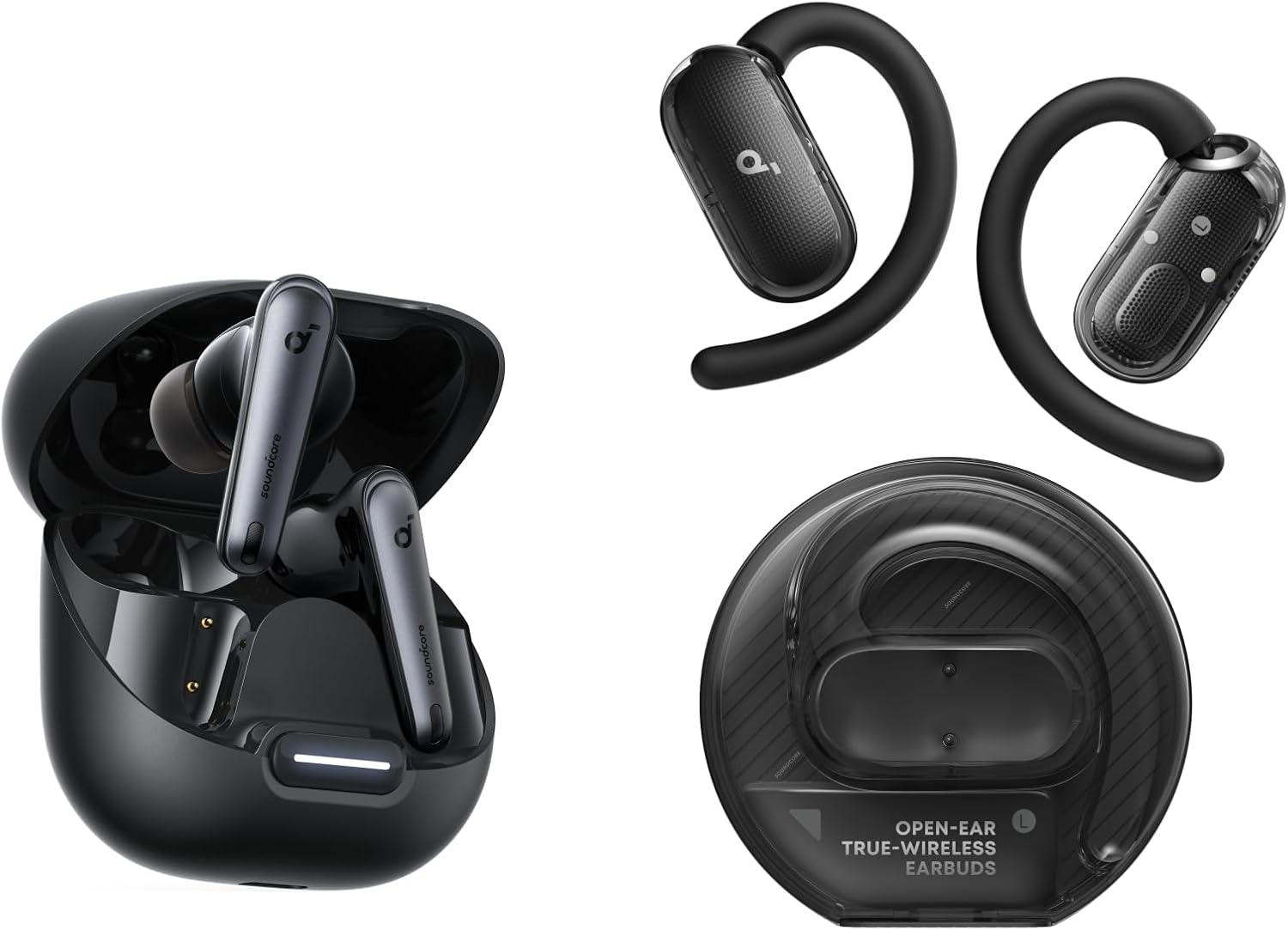
Open the Soundcore app, tap the ANC card on the home screen, and confirm "Adaptive ANC" is selected rather than a custom EQ profile — some custom sound profiles silently disable the ANC layer. Full walkthrough in my Soundcore Liberty 4 NC review.
JBL Tune 230NC
JBL's Headphones app occasionally leaves ANC in a "paused" state after a call ends. Tap the ANC icon twice — off, then back on — rather than relying on the earbud's physical touch control, which only cycles modes and doesn't force a refresh. Details in my JBL Tune 230NC review.
Apple AirPods 4 (ANC)
Go to Settings → Bluetooth → AirPods (i) → Noise Control, and confirm "Active Noise Cancellation" isn't accidentally set to cycle only between Transparency and Off. iOS sometimes resets this preference after a software update. See my AirPods 4 ANC review for the full noise control breakdown.
EarFun Air Pro 3
The EarFun Audio app has a known bug where ANC intensity slider can reset to zero after a firmware push, which reads as "ANC not working" even though the mode is technically active. Slide it back to your preferred strength manually. More in my EarFun Air Pro 3 review.
Nothing Ear (a)
Nothing X app ANC settings can get overridden by the in-ear detection feature if one earbud isn't seated properly. Reseat both buds fully before testing. Covered in my Nothing Ear (a) review.
ANC Not Working vs. Transparency Mode Confusion
A surprising number of "my ANC stopped working" messages I get turn out to be a mode mix-up, not a malfunction. Transparency (or Ambient) mode is designed to let outside sound in, so if a touch control accidentally cycles your earbuds into that mode, it will sound identical to ANC failing. Before assuming a fault, open the companion app and visually confirm which mode icon is highlighted, rather than trusting a touch-control gesture you can't see.
How to Test If ANC Is Actually On
Here's the test I use on every unit I review: play a consistent low hum — a running fan or an AC unit works well — and toggle ANC on and off while it's playing. You should hear a clear volume drop in the low end within a second of switching on, plus a faint pressure sensation in your ear canal. If nothing changes at all between the two states, ANC genuinely isn't engaging, and it's time to move to Fix 3 or Fix 7 above rather than a seal adjustment.
When to Stop Troubleshooting and Replace
If ANC still won't engage after a factory reset, and you've confirmed the mic vents are clear, you're likely looking at a hardware fault in the feedback microphone — not something you can fix at home. Most budget earbuds carry a 12-to-18-month warranty, so check your purchase date before spending more time on it. If you're outside the warranty window, our buying guide walks through what actually matters when picking a replacement.
DIY Fix vs. Warranty Replacement
✅ DIY Troubleshooting
- Free and takes under 15 minutes total
- Fixes roughly 9 in 10 cases I've tested
- No downtime waiting on a replacement
⚠️ Warranty Replacement
- Can take 1–3 weeks depending on retailer
- Only viable if still within the coverage window
- Worth it only after all 7 fixes have failed
If You Need an Upgrade Instead
| Model | Best For | Full Review |
|---|---|---|
| Soundcore Liberty 4 NC | Strongest ANC depth under $100 | Read review |
| Sony WF-C700N | Most reliable app + firmware support | Read review |
| Nothing Ear (a) | Best in-ear detection accuracy | Read review |
| JBL Tune 230NC | Simplest one-tap ANC toggle | Read review |
People Also Ask
Why did my ANC turn off by itself?
Usually a touch-control misfire that switched you into Transparency mode, or a battery-saving process that paused the ANC background task on Android. Check the app's mode icon first.
Can a firmware update break ANC permanently?
Only if the update itself is interrupted mid-transfer. Letting a second update run to completion resolves it in nearly every case I've tested.
Does ear wax buildup affect noise cancellation?
Yes — wax buildup on the feedback microphone or a dirty ear tip can weaken ANC noticeably without triggering any error in the app.
Is it normal for ANC to feel different in cold weather?
Slightly. Cold can stiffen ear tip silicone, weakening the passive seal, which makes ANC feel less effective even though it's functioning normally.
Should I contact the manufacturer or the retailer for a repair?
Start with the retailer if you're within their return window — it's usually faster than a manufacturer warranty claim.
Frequently Asked Questions
How do I fix ANC not working on my earbuds?
Start by re-pairing over Bluetooth, then check your ear tip seal, and update the firmware through the companion app. These three steps resolve the large majority of ANC failures without needing a reset or replacement.
Why is my ANC not working after a software update?
Interrupted firmware transfers are the most common cause. Keep both earbuds in the case, lid open, near your phone until a follow-up update finishes completely.
Why does ANC feel weaker in one ear than the other?
This almost always points to a blocked microphone vent or an uneven ear tip seal on one side. Clean the mic port and try a different tip size on that earbud specifically.
Does resetting my earbuds delete my settings?
Yes, a factory reset clears EQ profiles and touch-control customizations, but not your paired device history on your phone — you'll need to re-pair afterward.
Can low battery cause ANC to stop working?
Yes. Many earbuds automatically disable ANC below roughly 10–15% battery to conserve power for playback, which can look identical to a malfunction.
Is ANC not working covered under warranty?
If it's a hardware fault in the microphone and you're within the coverage window (typically 12–18 months for budget brands), yes — contact the retailer or manufacturer directly.
Why does ANC work on one earbud but not the other?
A single unresponsive earbud usually means a blocked mic vent, a poor seal, or in rarer cases a hardware fault isolated to that one unit rather than the pair.
Does using third-party ear tips affect ANC performance?
It can, in a good way — a better-fitting foam tip often improves passive isolation and makes ANC feel noticeably stronger than stock silicone tips.
The Verdict: Try the Free Fixes First
In three-plus years testing budget ANC earbuds, hardware failure has been the actual cause maybe one time in ten. Work through the re-pair, seal check, and firmware update in that order before you consider your earbuds broken — it'll save you a warranty claim in most cases.
Under 15 minutes
Free — no tools needed
~9 in 10 cases

Related Guides

M. Maksudur Rahman Titu is a tech reviewer and digital entrepreneur with over 3 years of hands-on experience testing wireless audio products, smartphones, and consumer electronics. Through Trendy Tech Reviews, he has personally tested 50+ pairs of earbuds and headphones across real-world environments — daily commutes, open offices, gym sessions, and long-haul flights.
His reviews focus on honest, spec-verified analysis designed to help everyday buyers make smarter purchasing decisions — without overspending on brand names. Titu’s testing methodology covers ANC performance, battery endurance, codec support, and app usability before any product is recommended. Contact: reviewstrendytech@gmail.com
Related posts:
 How to Fix Bluetooth Audio Delay on Android, iPhone & Windows in 2026
 Why One Earbud Stops Working (And How to Fix It Fast)
 How to Clean Wireless Earbuds
 How to Fix Earbuds Not Connecting to Laptop (Windows 11)
 How to Fix Bluetooth Audio Latency for Music Production
 Why Do Bluetooth Earbuds Sound Distorted?