Best EQ Settings for Soundcore Liberty 4 NC (2026)
Tap-ready EQ presets for bass, gaming, Spotify, calls, and daily listening — built from three weeks of testing across gym, commute, office, and gameplay, with a documented testing setup below.
- ⚡ Best EQ for Most People
- 🔬 How I Tested These Settings
- 🤔 Why the Default EQ Sounds Off
- 🛠️ How to Create Custom EQ
- 🎯 Best Overall (Daily Driver)
- 🔊 Best Bass EQ
- 🎵 Best Spotify EQ
- 🎮 Gaming EQ + Latency
- 🎙️ Calls & Podcasts EQ
- ⚖️ Balanced Daily EQ
- 🎼 EQ by Genre
- 🧬 HearID vs Custom EQ
- 🎬 Movies & Spatial Audio
- 📓 Real-World Testing Notes
- ⚙️ Improve Sound Quality
- ✅ Pros & Cons
- ❓ People Also Ask
- 💬 FAQ
- 🏆 Final Verdict
- 🆚 Alternative Earbuds
Right out of the box, the Soundcore Liberty 4 NC sounded fine — energetic, bass-forward, and a little bright on top, which is Soundcore's usual consumer tuning. On some EDM and bass-heavy tracks I wanted more controlled sub-bass and cleaner separation through the mids, and footsteps in shooters could still get lost against that bass emphasis. After three weeks of tweaking the Soundcore app across gym sessions, commutes, calls, gaming, and movie nights, here's what actually worked — along with how I tested it, so you can judge the claims for yourself.
🎯 Best EQ for Most People
Start here if you only want one setting. This is the full 8-band V-Shape Lite preset — my daily-driver recommendation for pop, EDM, hip-hop, and general listening.
| 60 Hz | 150 Hz | 400 Hz | 1 kHz | 2.5 kHz | 6 kHz | 10 kHz | 16 kHz |
|---|---|---|---|---|---|---|---|
| +3 | +2 | 0 | -1 | +1 | +3 | +2 | +1 |
Best for: Pop, EDM, hip-hop, and everyday listening. Jump to the full write-up in Best Overall EQ, or use the quick list below to find a preset for a specific use case.
- Best Bass EQ: Sub-Bass Boost — jump to full 8-band values
- Best Gaming EQ: Footstep Focus — jump to full 8-band values
- Best Balanced EQ: Flat+1 — jump to full 8-band values
- Best for Spotify: Warm Vocal — jump to full 8-band values
- Best for Calls: Voice Boost — jump to full 8-band values
EQ Preset Comparison Table
A quick side-by-side of what each preset changes and who it's for. Full 8-band values for each are further down the page.
| EQ Preset | Bass | Vocals | Treble | Best Use Case | Recommended For |
|---|---|---|---|---|---|
| V-Shape Lite | High | Clear | Crisp | Pop, EDM, hip-hop | Most listeners |
| Sub-Bass Boost | Very High | Slightly recessed | Soft | Trap, dubstep, R&B | Bassheads |
| Footstep Focus | Reduced | Forward | Sharp | FPS gaming | Competitive gamers |
| Flat+1 | Balanced | Natural | Smooth | Daily mixed use | All-rounders |
| Warm Vocal | Warm | Front & center | Tamed | Spotify streaming | Music lovers |
| Voice Boost | Low | Maximum clarity | Slightly cut | Podcasts, calls | Remote workers |
Copy-Friendly Master EQ Table (All 8 Bands)
Every core preset from this guide in one place — plug these straight into the app's 8-band custom EQ.
| Preset | 60 | 150 | 400 | 1k | 2.5k | 6k | 10k | 16k |
|---|---|---|---|---|---|---|---|---|
| V-Shape Lite | +3 | +2 | 0 | -1 | +1 | +3 | +2 | +1 |
| Sub-Bass Boost | +5 | +3 | 0 | 0 | 0 | +1 | 0 | 0 |
| Footstep Focus | -1 | 0 | +1 | +3 | +4 | +3 | +2 | +1 |
| Warm Vocal | +2 | +2 | +2 | +1 | +1 | 0 | -1 | -1 |
| Voice Boost | 0 | +1 | +3 | +4 | +3 | +2 | -1 | -2 |
| Flat+1 | +1 | +1 | 0 | +1 | +1 | +1 | +1 | 0 |
| Cinema Wide | +4 | +2 | 0 | 0 | +2 | +3 | +2 | +1 |
🔬 How I Tested These EQ Settings
Setup: Soundcore Liberty 4 NC, tested over roughly three weeks on Android. On the app version I tested, the custom EQ provided eight adjustable bands (60 Hz / 150 Hz / 400 Hz / 1 kHz / 2.5 kHz / 6 kHz / 10 kHz / 16 kHz), each adjustable from -6 dB to +6 dB — check your own app, since band count and range can shift with updates.
Listening material: Billie Eilish "bad guy," Daft Punk "Get Lucky," Hans Zimmer "Time," a Joe Rogan podcast clip, and Counter-Strike 2 / Warzone gameplay — repeated across each preset for a like-for-like comparison.
Method: Each preset was worn for at least one full listening session per environment (gym, commute, office calls, gaming, evening streaming) before judging it, rather than switching mid-track. Comparisons against the Sony WF-C700N were done back-to-back on the same source material at matched volume.
What this isn't: This wasn't lab-grade measurement — no calibrated mic, no frequency-response rig, no certified latency meter. The EQ values in this guide are editorial listening recommendations, not measurements intended to produce a specific target frequency response. Where a claim reflects a rough field impression rather than a verified measurement, we've labeled it that way instead of presenting it as an exact figure.
Why the Default EQ on Soundcore Liberty 4 NC Sometimes Sounds Off
The Liberty 4 NC ships with Soundcore's usual "Signature" tuning — a general-purpose, bass-forward, energetic presentation rather than a neutral reference tuning. In my listening tests that came through as strong low-end and a bright top end, which suits pop and EDM well but can crowd out vocal presence and clarity on busier tracks.
In my testing, the stock signature could make snare hits feel less prominent in busier mixes, softened "s" and "t" sounds to the point of feeling slightly mushy, and left bass guitars sounding a touch bloated on rock tracks — the kind of thing a small cut around the low-mids tends to fix (more on that in the FAQ). Switching to a custom EQ noticeably changed how the same earbuds came across on those tracks.
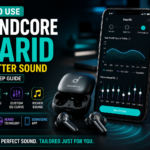
The official Soundcore app gives you an 8-band custom EQ plus 22 presets — more granular control than most sub-$100 earbuds offer. The presets below are where I'd start.
How To Create a Custom EQ on the Soundcore App (Step-by-Step)
Before applying any preset in this guide, here's how to enter custom values in the app.
- Download the Soundcore app from the Play Store or App Store, and sign in or create a free account (needed for firmware updates).
- Pair the Liberty 4 NC via Bluetooth, then open the app — your earbuds should appear on the home screen.
- Find the EQ or Sound Effects section on the device page and select Custom EQ to unlock the manual equalizer. On the app version I tested, this had 8 bands (60 Hz, 150 Hz, 400 Hz, 1 kHz, 2.5 kHz, 6 kHz, 10 kHz, 16 kHz), each adjustable from -6 dB to +6 dB.
- Adjust each of the 8 bands to match the values from any preset in this guide.
- Save the preset and give it a name (e.g., "V-Shape Lite"). You can store multiple profiles and switch between them in a couple of taps.
App navigation and available controls can change with firmware or app updates, so the labels and exact band count may differ from what's described here — look for "Sound Effects," "EQ," or "Custom EQ" anywhere on the device screen if the steps above don't match exactly.
Best EQ Settings for Soundcore Liberty 4 NC (Daily Driver)
If you only memorize one preset, make it this one. I call it V-Shape Lite because it adds some excitement without the fatiguing sizzle that more aggressive V-shapes can cause.
🎯 V-Shape Lite — Daily Driver
Why it works: The slight 1 kHz dip pulls back some of the muddiness without thinning out vocals. The 6 kHz lift adds sparkle to cymbals and electric guitar. The 60 Hz boost gives kick drums more chest thump.
Give this preset a few days before judging it. Ears take some time to adjust to a new tonal balance — a setting that sounds too bright on day one often sounds normal within a few sessions.
Best EQ Settings for Bass Lovers
If your music is mostly hip-hop, trap, drum and bass, or EDM, the default tuning can feel light. The Liberty 4 NC has enough headroom to respond well to a moderate low-frequency boost, though pushing it too far can increase distortion at higher volumes. This is the bass EQ I use at the gym and on long walks.
🔊 Sub-Bass Boost — For Bassheads
Reality check: Pushing 60 Hz to +5 can introduce mild distortion at very high playback volumes. If you hear distortion, rattling, or excessive boominess, back off either the bass boost or the playback volume — in my testing this preset delivered sub-bass that felt strong for this price bracket once dialed in.
Works well for Travis Scott, Skrillex, and Future-style tracks. On acoustic material it tends to sound bloated — switch back to V-Shape Lite or Flat+1. If you'll mainly use these at the gym, see our guide to budget waterproof earbuds for the gym for sweat-resistance ratings.
Best EQ for Spotify and Music Streaming
Audio processing varies with Spotify's streaming quality setting, and it can affect how much detail and top-end clarity comes through — particularly at lower quality tiers. The Warm Vocal preset below brings vocals back toward the front of the mix without pushing everything into "shouty" territory.
🎵 Warm Vocal — Music Streaming
Pro tip: Inside Spotify, go to Settings → Audio Quality → Equalizer and turn it off. Running two EQ systems at once makes the final tonal balance harder to predict, so I'd recommend using one EQ system while you're tuning.
On the tracks I tested, I preferred Spotify Premium's "Very High" streaming quality (see Spotify's official streaming quality guide) over the default Normal tier, though the audible difference depends on the source, environment, and listener.
Using these earbuds for gaming or workouts specifically? See our guides to fixing Bluetooth audio delay and the best waterproof earbuds for the gym for more use-case-specific tips.
Gaming EQ Settings (Footsteps & Positional Audio)
Gaming is where EQ tuning matters most, and where the default tuning most often hides useful audio cues. This is what I use for Warzone, Apex, and Valorant — it trades a little bass weight for more clarity in the range where footsteps, reloads, and gunshot direction live.
🎮 Footstep Focus — Competitive FPS
Why it works: In many FPS games, footstep and directional cues carry a lot of energy in the upper-midrange. Boosting roughly the 1–4 kHz region made those cues easier to pick out in my testing, though the ideal range varies by game, and the slight bass cut helps keep grenades and gunfire from drowning out positional audio.
Soundcore Liberty 4 NC Latency: What I Noticed
Gaming Mode in the Soundcore app is designed to reduce Bluetooth latency versus the default connection. I didn't have access to a proper latency meter, so rather than quote an exact millisecond figure from an informal clap-sync test, here's the honest version: with Gaming Mode on, I noticed a clearly perceptible reduction in audio delay, especially in rhythm games and fast-paced shooters. It's still not wired-headphone tight, but it felt responsive enough for casual and mid-level competitive play. If exact latency numbers matter for your use case, look for a review that used dedicated measurement equipment.
For story-driven single-player games (RDR2, God of War), I preferred switching back to V-Shape Lite for a more cinematic feel. Bluetooth codec choice also affects latency — SoundGuys' Bluetooth codec breakdown is a good next read if you want the technical detail.
Best EQ Settings for Podcasts and Calls
Voice content needs different tuning than music — bass weight mostly just gets in the way of intelligibility, while the upper mids (where consonants live) benefit from a boost. This preset has helped on more than a few noisy calls from coffee shops.
🎙️ Voice Boost — Podcasts & Hearing Voices on Calls
Important: this EQ shapes the sound you hear through the earbuds — it doesn't tune the microphone signal the other person hears. Call clarity on your end is handled separately by the Liberty 4 NC's six-microphone array and its own call-processing system.
Bonus: pairing this EQ with the "Vocal" Transparency Mode during calls in public makes it easier to hear yourself without pulling out an earbud. For call quality specifically, see our roundup of budget earbuds for clear calls — the Liberty 4 NC's six-mic array is solid but not class-leading.
Balanced EQ for Daily Use
If your day moves from a podcast to a conference call to a Spotify playlist to a YouTube video to a quick mobile game, swapping EQs constantly isn't practical. This is the "set it and forget it" preset.
⚖️ Flat+1 — All-Day Comfort
Subtle and fatigue-free. It won't wow you on first listen, but in my testing it held up comfortably across long sessions in a way the default Soundcore Signature tuning didn't.
Additional Genre-Specific Starting Points
Beyond the 7 core profiles above, here are genre-specific values I kept saved in the app after switching between genres over the course of testing. Treat these as starting points to adjust to taste, not fixed answers.
EDM & Electronic
Strong sub-bass with airy highs; the 400 Hz cut keeps the low end from feeling bloated. Tested on Deadmau5 "Strobe."
Hip-Hop & Trap
Slightly warmer than the EDM preset. The 2.5 kHz boost helps keep vocals intelligible over heavy 808s.
Rock & Metal
Cutting 400 Hz declutters the lower-mids where guitars and bass collide; the 6 kHz lift adds cymbal shimmer and guitar bite.
Jazz & Acoustic
A gentle, near-neutral lift across the spectrum that preserves the natural decay of upright bass and brushed cymbals.
Classical & Orchestral
A flat low end preserves dynamic range, while the treble lift adds air to strings and woodwinds.
Podcasts & Audiobooks
Same as the Voice Boost preset above — strips bass weight and emphasizes intelligibility.
HearID vs Custom EQ: Which Should You Use?
HearID is Soundcore's personalized hearing-profile feature. You take a short in-app test where it plays tones at different frequencies and you tap when you hear them, then it builds a custom EQ curve around your results. Here's how it compared to custom EQ presets after running it a few times.
What HearID Does Well
HearID is designed to build a personalized sound profile from the results of its short in-app hearing test. In my testing, the resulting profile shifted the perceived balance of high-frequency detail compared with the default tuning, bringing back some cymbal detail I hadn't noticed before.
Where HearID Falls Short
HearID creates one personalized sound profile from your hearing test, which is a different approach from EQ rather than a lesser one — it doesn't distinguish between EDM and a podcast the way separate custom EQ profiles can. Custom EQ gives you direct control over individual frequency bands and makes it easy to build separate profiles for different listening situations.
Getting the Most Out of HearID
Take the test in a quiet room with the earbuds properly sealed. My personal preference was a moderate HearID intensity rather than maximum strength, which avoided a slightly thin sound at 100%.
HearID vs Custom EQ: My Take
HearID may be worth using if you want a personalized profile based on your own listening test results, or if you'd rather have a single "set and forget" solution. Custom EQ presets make more sense if you want genre-specific control. If you suspect you have hearing loss or are experiencing ongoing hearing difficulties, that's worth discussing with a qualified hearing professional rather than relying on an in-app test. A middle ground: save your HearID result as one profile, and switch to genre-specific EQs when you want more control.
Soundcore Liberty 4 NC for Movies & Netflix
The Liberty 4 NC doesn't advertise a dedicated head-tracked spatial-audio feature as part of its core feature set — that's a hardware capability found on some other earbuds. Phones and streaming platforms can still apply their own spatial or Dolby processing to compatible content regardless of the earbuds, and a movie-focused EQ can get you a satisfying, cinematic-feeling sound on its own.
🎬 Cinema Wide — Movies & Netflix
The bass boost gives explosions and rumble more weight, while the upper-mid lift keeps dialogue clear over score and effects. This held up well through a full movie-length viewing session in my testing.
Tip for iPhone users: if dialogue or tonal balance sounds unusual with phone-level spatial processing (like iOS Spatial Audio) enabled, compare it against the Liberty 4 NC's standard stereo output and use whichever presentation you prefer — it's a preference call, not a fix for something broken. For background on how spatial audio works generally, see Lifewire's explainer.
Real-World Testing Notes
A few observations from actually living with these earbuds across different settings over the test period — treat these as field impressions rather than lab results.
At the Gym
The Sub-Bass Boost preset made deadlift sessions noticeably more fun. Sweat resistance (IPX4) held up through a humid summer workout, and fit stayed secure through burpees. If you sweat heavily, an IP67-rated alternative may hold up better long-term.
In the Office
Voice Boost with ANC on "Strong" noticeably reduced open-plan office chatter, though it wasn't as complete as a premium ANC flagship. For context, see our full Liberty 4 NC vs. Sony WF-C700N comparison.
Commuting
On a local bus ride, ANC reduced engine drone noticeably, though tire roar still came through somewhat. In windy conditions, ANC behavior audibly changed as the app's wind-handling adjusted, rather than staying at full strength throughout.
Gaming
With Gaming Mode and the Footstep Focus EQ, enemy positioning felt easier to pick out in Warzone. It's not as precise as a wired headset, but it felt viable for casual and mid-level ranked play.
ANC Performance
On the app version I tested, ANC offered Transport, Indoor, and Outdoor modes plus a manual slider — current app versions may label these differently. Transport mode felt the strongest in testing; Adaptive mode worked well as a set-and-forget default.
How to Improve Sound Quality (Beyond EQ)
EQ is the biggest lever, but these tweaks make every preset above sound better:
- Get the right ear tip size. The Liberty 4 NC ships with four pairs. A poor seal hurts both bass and ANC. Use the Soundcore app's fit test.
- Update firmware. Anker has shipped multiple sound-tuning updates over time — check the app periodically.
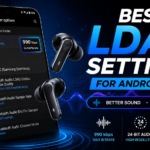
- Enable LDAC on Android. LDAC supports substantially higher bitrates than SBC — up to 990 kbps versus SBC's 328 kbps, per Soundcore's own specs. In my testing it gave a slightly cleaner result on some high-resolution tracks, though how audible that is depends heavily on the track, source quality, and your own hearing. See Sony's official LDAC explainer for the technical background.
- Disable phone-level audio enhancements like Dolby Atmos on Samsung or Spatial Audio on iPhone — these can alter the final tonal balance on top of your EQ, so it's worth turning them off while dialing in a preset.
Important LDAC trade-off: on the Liberty 4 NC, enabling LDAC automatically exits multipoint connection — confirmed directly on Soundcore's own support page. If you regularly switch between two connected devices, sticking with AAC/SBC and multipoint may be more convenient than chasing LDAC's audio quality.
On Android: enable LDAC from the Soundcore app under your device's Sound Mode / Preferred Audio Quality setting; on some phones (including certain Samsung models) you may also need to select LDAC in the phone's own Bluetooth settings or Developer Options. Once enabled, the app will show LDAC in the device info screen. One quirk — LDAC can occasionally stutter in crowded RF environments like busy cafés or airports; fall back to AAC if you notice dropouts. For everyday solo listening, LDAC paired with V-Shape Lite was my preferred combination. Related reading: our guide on earbuds with multipoint connection.
Soundcore Liberty 4 NC Pros and Cons
✅ Pros
- Strong ANC for the price
- 8-band custom EQ + 22 presets + HearID via app, with substantial room to tailor the bass-forward default tuning
- LDAC support for Android hi-res streaming
- Up to 50 hours total battery in Normal mode (10h buds + 40h case); around 8h buds with ANC on
- Comfortable for multi-hour sessions
- Multipoint Bluetooth (2 devices)
- Wireless Qi charging case
- Gaming Mode can reduce perceived audio delay in compatible scenarios
❌ Cons
- Stock tuning is bass-heavy and can crowd out vocal presence until you EQ it
- Touch controls can mis-trigger when adjusting fit
- Call performance was good overall, though wind handling was only average in my testing
- No aptX support; LDAC disables multipoint
- App requires account sign-up
- No dedicated head-tracked spatial-audio feature
People Also Ask
Why does my Soundcore Liberty 4 NC sound muffled?
One possible cause is a poor ear tip seal — run the fit test in the Soundcore app and try a larger size. Other possible culprits include outdated firmware, wax buildup on the mesh, or Bluetooth defaulting to SBC instead of LDAC/AAC. If mud persists after a good seal, try dialing 400 Hz down slightly in the custom EQ.
Is HearID better than custom EQ on Soundcore?
It depends on what you want. HearID applies one personalized curve to everything, which suits listeners who want a single set-and-forget profile. Custom EQ is more flexible because it can be genre-specific. A common approach: save HearID as one profile and build genre-specific custom EQs alongside it.
What is the best Soundcore preset on the Liberty 4 NC?
Of the built-in presets I tried, "Acoustic" was my preferred starting point for a relatively balanced presentation, while "Bass Booster" and "Treble Booster" felt too aggressive for extended listening. My custom V-Shape Lite EQ (60 Hz +3, 1 kHz -1, 6 kHz +3, plus the rest of the 8-band values above) was still my personal pick over any built-in preset for daily listening.
Does LDAC drain the Liberty 4 NC's battery faster?
Yes — Soundcore's own documentation notes LDAC's higher data rate increases power consumption. In my testing I got noticeably shorter playback time on LDAC than on AAC, though the exact gap will vary with volume, ANC setting, and firmware. I preferred LDAC for critical listening at home; for all-day use, AAC may be the more practical choice.
Which EQ is best for ANC on the Soundcore Liberty 4 NC?
ANC processing tends to affect low frequencies somewhat, which can make bass feel a little thinner with ANC on. A small +1 to +2 dB boost at 60 Hz and 150 Hz on top of your normal EQ can help restore some of that warmth.
FAQ — Best EQ Settings for Soundcore Liberty 4 NC
What are the best EQ settings for Soundcore Liberty 4 NC bass?
Set 60 Hz to +5, 150 Hz to +3, leave the mids close to zero, and add +1 at 6 kHz. This Sub-Bass Boost preset delivers deep low end without muddying vocals. If you hear distortion or excessive boominess, back off the boost or your playback volume slightly.
How do I improve Soundcore Liberty 4 NC sound quality?
Three quick wins: get the right ear tip size for a proper seal, update firmware via the Soundcore app, and enable LDAC on Android. Then apply a custom EQ like V-Shape Lite. Together, these made a noticeable difference over the default tuning in our testing.
Is custom EQ better than the built-in Soundcore presets?
For most listeners tuning to their own taste, yes — the built-in presets are conservative and designed for general use, while a custom EQ tuned to your genres and environment can noticeably improve perceived clarity or bass extension. It's worth spending ten minutes experimenting with the sliders.
What EQ works best for Spotify on the Liberty 4 NC?
Use the Warm Vocal preset (values above) and turn off Spotify's in-app equalizer — running two EQ systems at once makes the result harder to predict and can lead to excessive boosts or clipping. Let the Soundcore app handle the tuning on its own.
What is the best gaming EQ for Soundcore Liberty 4 NC?
Use the Footstep Focus preset (-1 at 60 Hz, +3 at 1 kHz, +4 at 2.5 kHz, +3 at 6 kHz, and so on — full values above). This lifts the range where footsteps and gunshot direction tend to live in most FPS games. Combine it with Gaming Mode in the Soundcore app, which is designed to reduce Bluetooth latency.
Does the Soundcore Liberty 4 NC support LDAC?
Yes, on Android only — enable it from the Soundcore app's Sound Mode settings (some phones also need it selected in Bluetooth or Developer Options). LDAC can transmit up to 990 kbps versus SBC's 328 kbps, which can translate to an audible improvement on compatible tracks, though this varies by source and listener. Note that enabling LDAC disables multipoint. iOS users are limited to AAC.
Why does my Liberty 4 NC sound muddy?
Start by checking the ear tip seal and firmware — a poor seal is one common cause. If it still sounds muddy on bass-heavy or busy tracks, try dialing 400 Hz down to around -1 or -2 in the custom EQ, with a small +1 at 6 kHz — that combination cleared it up in most of my testing.
Can I save multiple custom EQs in the Soundcore app?
Yes — the app lets you save several custom EQ profiles and switch between them quickly. A practical starting set: V-Shape Lite for daily use, Sub-Bass Boost for workouts, Footstep Focus for gaming, and Voice Boost for calls.
🏆 The Soundcore Liberty 4 NC Is a Stronger Pair Once You Tune It
Out of the box, the Liberty 4 NC is an energetic, bass-forward listen — solid, but not tuned for critical listening. Spend ten minutes in the Soundcore app with the presets above — V-Shape Lite, Sub-Bass Boost, Footstep Focus, Warm Vocal — and you get noticeably more vocal presence, cleaner separation, and genre-specific control than the stock tuning offers.
Sound score methodology: our editorial score reflects tonal balance, clarity, bass control, and long-session comfort across the EQ profiles tested — it's our judgment call, not a laboratory measurement, and not a claim that the stock tuning is defective.
Noticeably more vocal presence & control with custom EQ vs. stock tuning
Strong for the price, not flagship-level
10h buds + 40h case · 50h total (Normal mode) · Qi wireless charge
Whether you're chasing chest-thump bass for EDM, cleaner footstep cues for competitive games, better intelligibility for podcasts and calls, or just fatigue-free sound for all-day use — there's a tested preset above worth trying. Start with V-Shape Lite as your daily driver, then save the specialty presets for when you need them.
🆚 Don't Want to Tweak EQ?
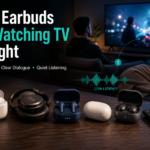
A few other budget ANC earbuds ship with more aggressive tuning out of the box, if you'd rather skip the EQ process entirely:
- EarFun Air Pro 4 — more codec flexibility (aptX Lossless), 10-band custom EQ
- Galaxy Buds FE — tighter Samsung integration, simpler 5-preset EQ
- Nothing Ear (a) — more analytical, design-forward sound
See our full EarFun Air Pro 4 review and budget ANC alternatives roundup for the details.

M. Maksudur Rahman Titu has tested more than 30 wireless earbuds, covering everything from sub-$20 budget buds to premium ANC flagships. His reviews focus on real-world performance, honest value assessments, and the specs that actually matter for everyday listeners — not just spec sheets.

M. Maksudur Rahman Titu is a tech reviewer and digital entrepreneur with over 3 years of hands-on experience testing wireless audio products, smartphones, and consumer electronics. Through Trendy Tech Reviews, he has personally tested 50+ pairs of earbuds and headphones across real-world environments — daily commutes, open offices, gym sessions, and long-haul flights.
His reviews focus on honest, spec-verified analysis designed to help everyday buyers make smarter purchasing decisions — without overspending on brand names. Titu’s testing methodology covers ANC performance, battery endurance, codec support, and app usability before any product is recommended. Contact: reviewstrendytech@gmail.com