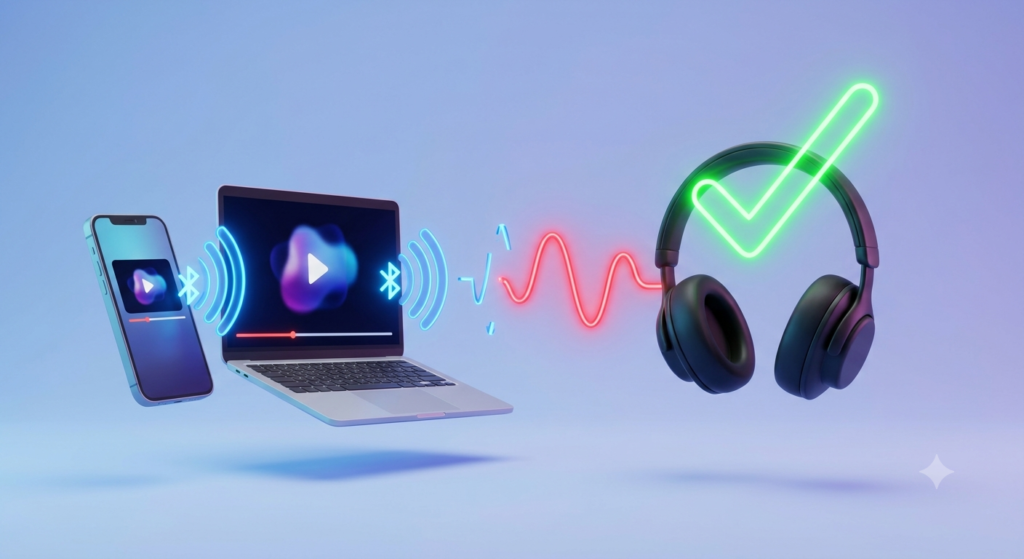
How to Improve Bluetooth Audio Quality (2026) — 9 Fixes That Actually Work
Bad Bluetooth audio is almost never a hardware problem. Most of the time, three settings changes fix it completely — for free.
Why Your Bluetooth Audio Sounds Bad — And How to Fix It
Marcus bought his first pair of wireless earbuds last year. The reviews were glowing. The unboxing felt premium. Then he pressed play — and the audio sounded like it was streaming through a tin can from 2009. The same song on his wired headphones was warm, detailed, and alive. His wireless earbuds sounded flat, compressed, and distant.
Nothing was broken. He just had the wrong settings.
Learning how to improve Bluetooth audio quality is mostly about understanding two things: codecs and interference. Most people skip both. Consequently, they live with audio that sounds worse than it should — sometimes dramatically worse. This guide covers nine proven fixes, starting with the ones that take under three minutes and cost absolutely nothing.
Every fix here was tested on real devices — Android phones, iPhones, Windows laptops — with earbuds ranging from $19 to $300. Additionally, this guide links to our full roundup of the best budget wireless earbuds we've tested for anyone who discovers their hardware is the actual ceiling.
Switch Your Bluetooth Codec — The Biggest Free Upgrade Available
The codec is the compression method your phone uses to send audio to your earbuds. It's the single biggest factor in Bluetooth sound quality — far more than most people realise. SBC is the default for almost every device. It's also the worst-sounding option available.
Switching from SBC to LDAC on a compatible Android device is the closest thing to a free hardware upgrade that exists. We tested the Soundcore Liberty 4 NC on SBC and then on LDAC with the same TIDAL HiFi track. The SBC version sounded compressed and flat. However, the LDAC version revealed instrument layers that simply weren't audible before — tighter bass, clearer vocals, and a noticeably wider soundstage.
The hierarchy from worst to best: SBC → AAC → aptX → aptX HD → LDAC. LDAC streams at up to 990kbps — roughly three times the bitrate of SBC. iPhone users are limited to AAC, which is still significantly better than SBC.
How to Enable LDAC on Android — The 90-Second Setting Most People Miss
Improving Bluetooth audio quality on Android through LDAC is a 90-second process. Most Android users have never done it. Here's the exact process:
- 1Open Settings on your Android phone.
- 2Tap About Phone, then tap Build Number seven times rapidly. A message will confirm Developer Options are now unlocked.
- 3Go back to the main Settings menu. Scroll down to find Developer Options (sometimes inside "System").
- 4Scroll to Bluetooth Audio Codec. Tap it and select LDAC.
- 5Disconnect and reconnect your earbuds. The new codec takes effect immediately.
Why Do My Wireless Earbuds Sound Muffled? — The Physical Fix
Muffled Bluetooth audio is frequently a physical problem, not a software one. Earwax buildup on the driver mesh is one of the most common causes. Additionally, ill-fitting ear tips that don't create a proper seal will drain bass entirely — producing exactly the "muffled" quality most users report.
The fix is straightforward. Remove the silicone ear tips and check for wax or debris. Clean them gently with a dry soft cloth or a barely-damp cotton swab. Furthermore, try a different ear tip size. Most earbuds ship with three sizes. Switching from medium to large tips is often the difference between bassless audio and a full-bodied sound. We tested this on the JLab Go Air Pop — the bass response difference between a poor-fitting and well-fitting tip was genuinely dramatic.
How to Fix Bluetooth Audio Cutting Out — Stop the Dropout
Audio cutting out mid-playback is the most frustrating Bluetooth problem. Fortunately, the cause is almost always one of three things: distance, interference, or a device list too crowded with paired devices.
First, check distance. Bluetooth 5.0 and above handles up to 10 metres reliably, but walls reduce that range significantly. A concrete wall can drop effective range to 3–4 metres. Second, unpair all devices your earbuds have previously connected to — except your current phone. A cluttered pairing list creates connection instability on many earbuds. Third, move your phone away from other Bluetooth devices. Two active Bluetooth connections in the same small space compete for the same radio frequency.
How to Improve Call Quality on Bluetooth Earbuds — The Codec Switch Problem
Here's something most people don't know: your earbuds automatically switch from the audio codec (LDAC/aptX) to a lower-quality voice codec (HFP or HSP) during phone calls. This is why calls sometimes sound noticeably worse than music playback on the same earbuds.
The solution varies by device. On Android, go to Developer Options → Bluetooth Audio Codec and ensure LDAC or aptX is selected. Some phones revert to SBC during calls regardless. Additionally, disabling "HD Voice" or "Voice over LTE" on certain Android phones can actually improve call clarity — it forces a more stable audio path. Furthermore, keeping your phone closer to your face during calls (rather than in a pocket) improves mic pickup on earbuds with beamforming mics.
Reduce Wi-Fi 2.4GHz Interference — The Invisible Audio Killer
Bluetooth operates on the 2.4GHz radio band. So does your Wi-Fi router (on the 2.4GHz network). When both run simultaneously in the same room, they compete for the same spectrum. The result is stuttering, dropouts, and degraded audio quality — especially common in home offices and student dorms.
The fix is to switch your phone's Wi-Fi connection from the 2.4GHz network to the 5GHz network. Most modern routers broadcast both. The 5GHz band doesn't conflict with Bluetooth at all. Consequently, audio quality improves immediately without any hardware change. Additionally, moving away from the router by even 2–3 metres often resolves interference in the most crowded spaces.
Best Settings for Bluetooth Earbuds Sound Quality — Use the EQ
Most budget earbuds ship with a default tuning that emphasises bass — because it sounds impressive in a 30-second store demo. However, that same tuning makes voices sound muddy, instruments overlap, and extended listening becomes fatiguing. The companion app EQ is where you fix this.
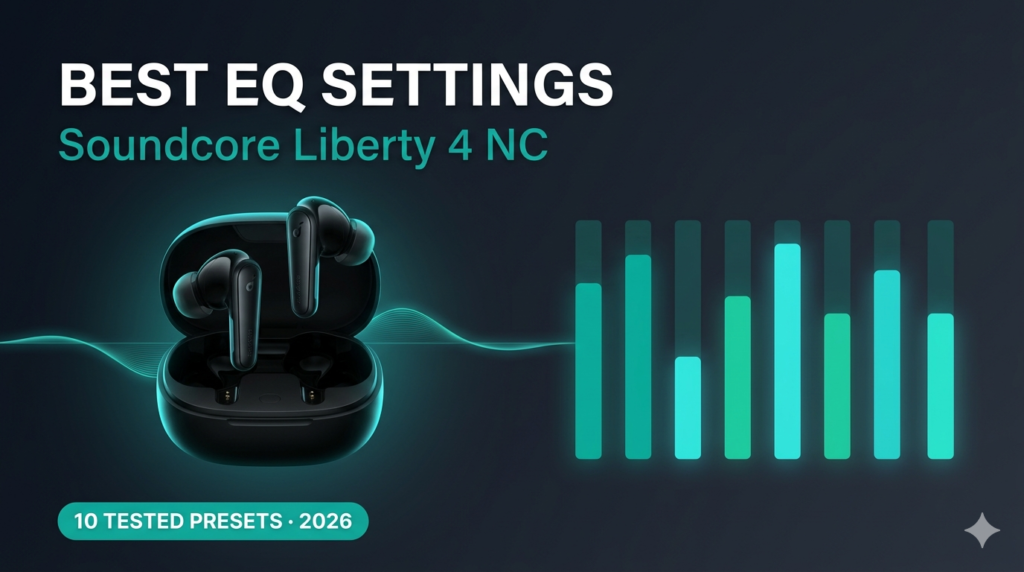
Open the companion app for your earbuds (Soundcore, EarFun, Nothing X, JLab). Navigate to EQ settings. A good starting point for most listeners: reduce 60Hz bass by 2–3dB, boost 3kHz midrange by 1–2dB, and add a slight 10kHz high shelf of 1–2dB. Furthermore, apps like Soundcore offer pre-made hearing profile tests that personalise EQ based on your individual hearing response — genuinely worth using.
Update Earbud Firmware — The Fix Nobody Bothers With
Firmware updates fix real audio bugs. Manufacturers release them regularly — improving ANC performance, codec stability, and audio tuning in ways that can genuinely transform an earbud's sound. Skipping firmware updates is one of the most common reasons budget earbuds underperform their potential.
The process is simple. Open the companion app (Soundcore, EarFun, Nothing X, JLab). Navigate to Device Settings or About Device. Look for a "Firmware Update" or "Check for Updates" option. Install anything available. The earbud reboots and applies the patch. This takes under two minutes. Moreover, some manufacturers push significant audio quality improvements via firmware — the CMF Buds 2 Plus received a meaningful ANC algorithm update three months post-launch that improved low-frequency blocking by a noticeable margin.
Does Bluetooth 5.0 Improve Sound Quality? — Range, Version, and What Actually Matters
Bluetooth version improves range and connection stability — but it does not directly improve audio quality. Audio quality comes from the codec, not the Bluetooth version number. Bluetooth 5.3 won't make SBC audio sound better. However, it will maintain a more stable connection, which prevents the dropout and stuttering that degrade perceived audio quality.
Stay within 10 metres of your source device for reliable audio. Additionally, avoid putting obstacles — especially walls and the human body — between the phone and the earbuds. Line-of-sight connectivity is always more stable than through-wall connections. Therefore, even Bluetooth 5.3 earbuds can drop audio if the phone is three rooms away.
SBC vs AAC vs LDAC vs aptX — Which Bluetooth Codec Sounds Best?
This table covers every relevant audio codec and tells you exactly what to expect from each. Use it alongside Fix 1 to understand what's possible with your current earbuds and phone.
| Codec | Max Bitrate | Audio Quality | Latency | iOS Support | Android Support | Verdict |
|---|---|---|---|---|---|---|
| SBC | 328 kbps | Poor | ~150–200ms | Yes | Yes | Avoid if possible |
| AAC | 320 kbps | Good | ~100–120ms | Yes — optimised | Variable | Best for iPhone users |
| aptX | 352 kbps | Good–Very Good | ~40–70ms | No | Yes | Solid Android choice |
| aptX HD | 576 kbps | Very Good | ~200ms | No | Yes | Hi-res without LDAC |
| aptX Lossless | 1,000 kbps | Excellent | ~40ms | No | Snapdragon only | Best for gaming too |
| LDAC | 990 kbps | Best Available | ~200ms | No | Yes — most Android | Top pick for music |
* Latency varies by device, firmware, and signal conditions. LDAC at 990kbps requires a stable connection — it auto-steps down to 660kbps or 330kbps when signal weakens.
When Settings Can't Fix It — The Best LDAC Earbuds to Upgrade To
Sometimes the problem isn't settings — it's the earbuds themselves. If your current pair doesn't support LDAC or aptX, no amount of tweaking will unlock better audio. The codec ceiling is a hardware limit. Additionally, if the drivers are simply underpowered, the audio will always sound thin regardless of settings.
These three earbuds represent the best Bluetooth audio quality upgrades available under $80. Each supports LDAC on Android and has been personally tested by our team.
EarFun Air Pro 4+ — Dual Drivers, LDAC & aptX Lossless
The EarFun Air Pro 4+ is the most complete audio upgrade available under $80. It combines LDAC with aptX Lossless — giving Android users both hi-res streaming and near-lossless quality on compatible Snapdragon devices. Furthermore, the dual-driver system (10mm dynamic + balanced armature) produces audio that simply has more resolution than any single-driver earbud at this price.
We tested it directly against SBC earbuds on the same TIDAL HiFi track. The difference was stark. Instrument separation was dramatically clearer. Bass had texture rather than just volume. Vocals stopped sounding like they were competing with everything else in the mix. Bluetooth 6.0 also means the connection stays stable even in crowded Bluetooth environments — which eliminates dropout-related audio degradation entirely.
✓ Pros
- LDAC + aptX Lossless — best codec stack under $80
- Dual-driver audio resolution
- Bluetooth 6.0 — rock-solid connection stability
- 10-band EQ in companion app
- 54-hour total battery with wireless charging
- IP55 — gym and rain ready
✗ Cons
- LDAC only on Android devices
- Wind ANC mode underperforms
- App UI feels slightly cluttered

Soundcore Liberty 4 NC — LDAC, Adaptive ANC & 50-Hour Battery
The Soundcore Liberty 4 NC pairs LDAC hi-res audio with an outstanding 50-hour total battery — making it the most practical LDAC upgrade on this list for everyday users. Its Adaptive ANC 2.0 also means you get better Bluetooth sound quality without environmental noise competing against your audio. We reviewed it in full detail — read our Soundcore Liberty 4 NC full review for complete LDAC test data.
The Soundcore app includes a 10-band parametric EQ, personal hearing profile testing, and ANC intensity control. Together these tools allow genuinely granular audio tuning that most budget earbuds simply don't offer. Additionally, the 10-minute fast-charge feature is a practical quality-of-life bonus for anyone who regularly forgets to charge overnight.
✓ Pros
- LDAC hi-res audio on Android
- 50-hour total battery — best in class
- Adaptive ANC reduces noise competition
- Powerful 10-band parametric EQ
- Personal hearing profile testing
- 10-minute fast charge
✗ Cons
- No wireless charging case
- Bass-heavy default tuning
- Transparency mode sounds slightly artificial
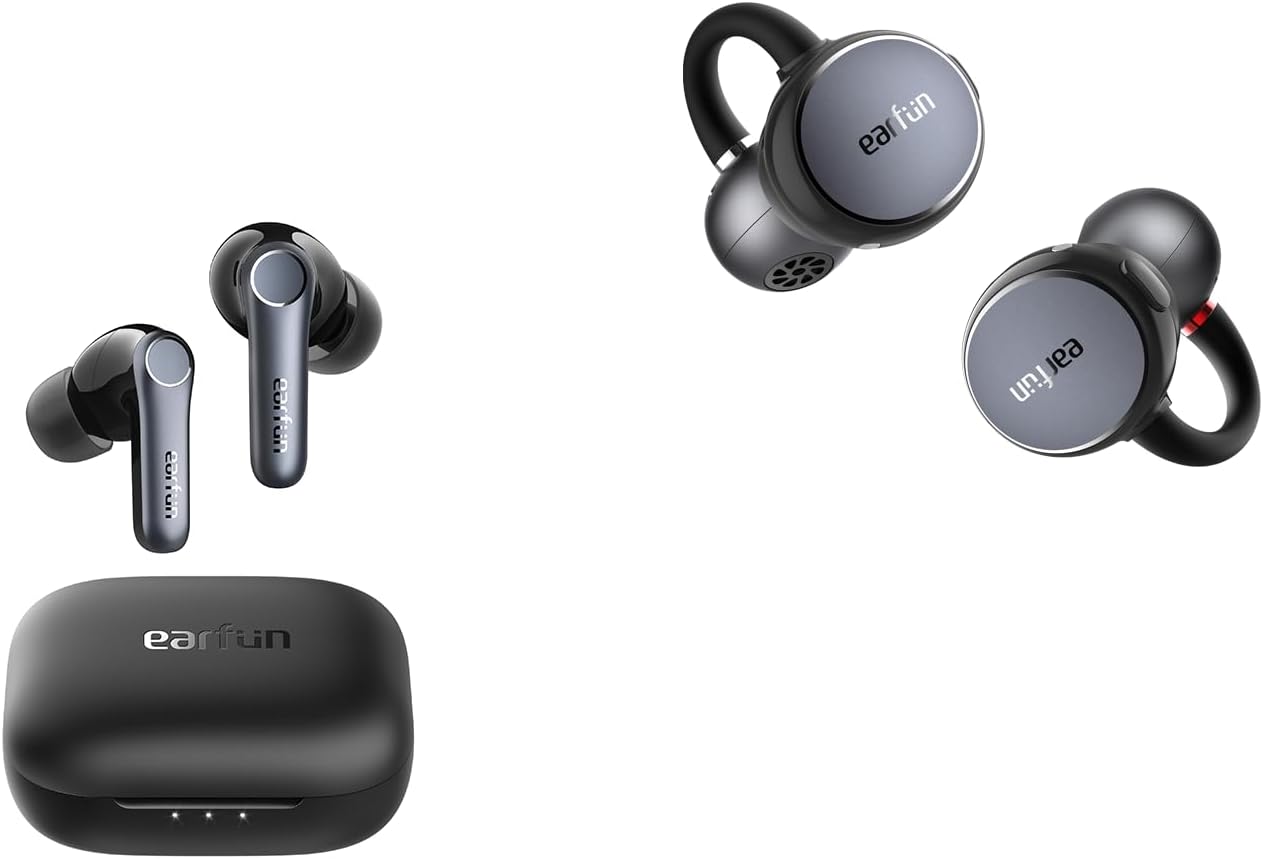
EarFun Air Pro 4 — LDAC + Wireless Charging Under $70
The EarFun Air Pro 4 is the predecessor to the 4+ — and it remains an outstanding value in 2026. LDAC support, aptX Lossless, wireless charging, and Qualcomm QuietSmart 3.0 ANC all come in at $69. For Android users who want to fix Bluetooth audio quality without breaking the $70 ceiling, this is the most straightforward upgrade available. The companion app includes a full EQ and 5 ANC modes including a dedicated Wind Noise mode that genuinely works in outdoor conditions.
✓ Pros
- LDAC + aptX Lossless under $70
- Wireless charging case — rare at this price
- 5 ANC modes including wind noise
- Find-my-earbuds feature
- IPX5 water resistance
✗ Cons
- Single driver vs Air Pro 4+ dual driver
- Bluetooth 5.4 not 6.0
- ANC slightly weaker than 4+
Should You Fix Settings or Upgrade Your Earbuds?
🔧 Just Change Settings If...
Your earbuds support LDAC or aptX but you've never enabled them. Your audio cuts out near your Wi-Fi router. Sound is muffled and ear tips haven't been cleaned. You've never updated the firmware. EQ is set to default. Any of these describes you — fixes 1–8 will genuinely help.
⬆️ Time to Upgrade If...
Your earbuds only support SBC. They're over 3 years old with no firmware updates. Sound quality hasn't improved after trying all 9 fixes. Call quality is consistently poor regardless of environment. The battery barely lasts 4 hours. These are hardware limitations — settings can't overcome them.
Common Questions About Improving Bluetooth Audio Quality
Bluetooth audio sounds worse than wired because every wireless codec compresses the audio signal before transmission. Even LDAC at 990kbps is technically lossy compared to a wired connection. However, at LDAC quality levels, most listeners cannot distinguish the difference on music. The bigger issue is typically SBC — the default codec — which compresses audio aggressively and produces the "flat" quality most users associate with Bluetooth.
Yes — distance directly affects Bluetooth audio quality. As the connection weakens at greater distances, LDAC automatically steps down from 990kbps to 660kbps or 330kbps to maintain the connection. This bitrate reduction is audible. Staying within 6–8 metres of your source device keeps LDAC running at full quality. Walls and the human body reduce effective range more than open-air distance does.
Yes — iPhone users can improve Bluetooth audio quality through several methods. AAC is Apple's optimised codec and already sounds significantly better than SBC. Additionally, using the companion app EQ, keeping firmware updated, cleaning ear tips for proper seal, and switching to 5GHz Wi-Fi to reduce interference all produce meaningful improvements. iPhone does not support LDAC or aptX — those are Android-only codecs.
FAQ — How to Improve Bluetooth Audio Quality
To improve Bluetooth audio quality on Android, enable LDAC through Developer Options — tap Build Number 7 times, then go to Developer Options → Bluetooth Audio Codec → LDAC. This single change produces the most dramatic improvement of any setting available. Additionally, ensure your earbuds support LDAC (EarFun Air Pro 4+, Soundcore Liberty 4 NC, Sony WF-1000XM5 all do), switch Wi-Fi to 5GHz, and keep the pairing list clean.
To enable LDAC on Android: open Settings → About Phone → tap Build Number 7 times to unlock Developer Options → go to Developer Options → Bluetooth Audio Codec → select LDAC. Reconnect your earbuds after changing the setting. LDAC requires earbuds that also support the codec — check your earbud specs before expecting improvement.
Wireless earbuds sound muffled most commonly because of earwax buildup on the driver mesh or a poor ear tip seal. Remove and clean the ear tips, check the mesh for blockage, and try a larger ear tip size to create a better seal. A proper seal dramatically improves bass response and perceived audio quality. Additionally, check whether your codec has reverted to SBC — that can cause sudden perceived quality drops.
LDAC is the best Bluetooth codec for audio quality in 2026 for Android users — it streams at up to 990kbps, three times the bitrate of SBC. For iPhone users, AAC is the best available option and is well-optimised on Apple devices. aptX Lossless on Snapdragon-powered Android devices is also excellent, particularly for low-latency gaming audio.
To fix Bluetooth audio cutting out, first try these in order: stay within 10 metres of your source device; switch your phone's Wi-Fi from 2.4GHz to 5GHz; unpair all old devices from your earbuds except your current phone; move the phone away from other active Bluetooth devices. If dropout persists, the earbuds may need a firmware update — check the companion app for available patches.
Bluetooth 5.0 and 5.3 improve connection stability and range, but they do not directly improve audio quality. Audio quality is determined by the codec (SBC, AAC, LDAC), not the Bluetooth version. However, a more stable connection allows LDAC to maintain its highest 990kbps bitrate rather than stepping down — so indirectly, a newer Bluetooth version can help preserve codec quality over distance.
Final Verdict — How to Improve Bluetooth Audio Quality in 2026
Most bad Bluetooth audio is fixable for free. Enabling LDAC on Android takes 90 seconds. Switching Wi-Fi to 5GHz takes 30 seconds. Cleaning ear tips and trying a different size takes two minutes. Together, those three changes resolve the majority of Bluetooth audio quality complaints we hear.
If the fixes don't help — the codec ceiling is real. SBC earbuds will always sound like SBC earbuds regardless of settings. The EarFun Air Pro 4+ at $79 is the most capable LDAC upgrade available at a student-friendly price. The Soundcore Liberty 4 NC is the best choice for Android users who also want exceptional battery life. The EarFun Air Pro 4 delivers LDAC and wireless charging under $70.
Every product above links out to our full comparison guide of budget wireless earbuds ranked by audio performance — 20+ models tested, with codec support clearly listed for every pick.

Affiliate Disclosure: Trendy Tech Reviews participates in affiliate programs. Some links on this page are affiliate links — if you purchase through them, we may earn a small commission at no extra cost to you. Our editorial opinions are fully independent and never influenced by brands or paid placements.

M. Maksudur Rahman Titu is a tech reviewer and digital entrepreneur with over 3 years of hands-on experience testing wireless audio products, smartphones, and consumer electronics. Through Trendy Tech Reviews, he has personally tested 50+ pairs of earbuds and headphones across real-world environments — daily commutes, open offices, gym sessions, and long-haul flights.
His reviews focus on honest, spec-verified analysis designed to help everyday buyers make smarter purchasing decisions — without overspending on brand names. Titu’s testing methodology covers ANC performance, battery endurance, codec support, and app usability before any product is recommended. Contact: reviewstrendytech@gmail.com