How to Fix Soundcore Earbuds Not Pairing — 10 Fixes That Actually Work
Soundcore earbuds won't connect? I've tested every fix across five different models. Here's what works — step by step, in plain language.
📋 Table of Contents
My Soundcore Liberty 4 NC refused to pair last week. I was sitting at my desk, case open, earbuds blinking — and nothing. My phone couldn't see them. I'd used them fine the day before. That specific frustration of Soundcore earbuds not pairing out of nowhere is exactly why I put this guide together.
Over 3+ years of testing budget earbuds, I've run into Soundcore Bluetooth pairing issues more times than I can count. I've tested the Liberty 4 NC, Space A40, P40i, A20i, and Life A3i — and hit connection problems on every single one at some point. The good news? Almost all of them were fixable in under 10 minutes.
This guide covers 10 proven methods to fix Soundcore earbuds that won't connect. Start with the easiest fixes first and work through them in order — there's a very good chance your earbuds will be pairing again before you finish reading.
⚡ Quick Fix Summary — Try These First
- Put both earbuds back in the case → close lid → wait 10 seconds → open lid
- On your phone, go to Bluetooth settings → find the Soundcore device → tap "Forget"
- Press and hold the touch controls on both earbuds for 5–7 seconds until they flash white
- Re-open the case near your phone — they should appear in the pairing list
- If still failing: open the Soundcore app and check for a firmware update
🛒 Check Soundcore Liberty 4 NC Price Compare Latest Soundcore Deals →
Why Soundcore Earbuds Stop Pairing
Before jumping into fixes, it helps to know what's actually going wrong. There are five common causes behind Soundcore Bluetooth pairing issues. Understanding the cause helps you pick the right fix faster.
| Root Cause | How Common | Best Fix |
|---|---|---|
| Earbuds still connected to another device | Very Common | Fix 3 (Forget Device) or Fix 6 (Multipoint) |
| Pairing memory is full (>8 devices stored) | Common | Fix 4 (Clear Pairing Memory) |
| Earbuds out of sync with each other | Common | Fix 1 (Case Restart) or Fix 7 |
| Outdated firmware causing Bluetooth bugs | Moderate | Fix 5 (Firmware Update) |
| Bluetooth interference from nearby devices | Less Common | Fix 8 (Interference) |
| Corrupted pairing data after a drop or glitch | Moderate | Fix 10 (Factory Reset) |
Most pairing failures fall into the first three categories. Those are also the quickest to fix — so let's start there.
🌳 Troubleshooting Decision Tree
Start here: Can your phone detect the earbuds in the Bluetooth scan at all?
✅ Yes, they show up but won't connect:
- Forget the device on your phone (Fix 3)
- Check for a firmware update (Fix 5)
- Run a factory reset (Fix 10)
❌ No, they never appear in the scan:
- Confirm the earbuds are charged and the case LED is on
- Force pairing mode manually (Fix 2)
- Clear the internal pairing memory (Fix 4)
- If still nothing on a second phone too — it's likely a hardware fault; contact Soundcore Support
🔧 Related fix guides on Trendy Tech Reviews
10 Proven Fixes for Soundcore Pairing Problems
Put Earbuds Back in the Case and Restart
This fixes the problem in about one-third of cases I've seen. Place both earbuds back in the charging case. Close the lid completely. Wait 10–15 seconds. Then open the lid and hold it near your phone.
The case acts as a reset trigger for the earbuds' connection state — it forces them to re-initialize their Bluetooth radio. Many "Soundcore earbuds won't connect" situations end here.
After opening the lid, your phone should show the Soundcore device in the Bluetooth list within 30 seconds. Tap to connect.
Force Soundcore Earbuds Into Pairing Mode
Sometimes the earbuds simply don't auto-enter pairing mode. To force it, take the earbuds out of the case. Press and hold the touch controls on both earbuds simultaneously for 5–7 seconds. The LED will flash white rapidly — that's the pairing indicator.
On models like the Liberty 4 NC and P40i, you can also single-press the case button (on the front of the case) to trigger pairing mode from the case directly. This works when the earbuds won't respond to touch input.
Pro tip: if the LED flashes red instead of white, the earbuds are trying to connect to a saved device — not enter new pairing mode. Do Fix 3 first, then come back.
Forget the Device From Your Phone's Bluetooth List
This is one of the most effective fixes for Soundcore pairing-mode failures. Stale pairing data causes connection refusals — your phone thinks it's already connected when it isn't.
On Android: Settings → Bluetooth → find your Soundcore device → tap the gear icon → select "Forget" or "Unpair."
On iPhone: Settings → Bluetooth → tap the ⓘ next to your Soundcore device → tap "Forget This Device" → confirm.
After forgetting, put the earbuds back in pairing mode (Fix 2). They should appear as a new device in your Bluetooth scan. Connect fresh, and the pairing should stick.
Clear Soundcore's Internal Pairing Memory
Soundcore earbuds store up to 4–8 previously connected devices internally. When that list is full, new pairings fail silently — the earbuds appear in your phone's Bluetooth list but won't complete the connection.
To clear the memory, place the earbuds in the case, then press and hold the case button for 10–12 seconds (until the LED flashes amber or red, then white). This clears all stored pairings from the earbuds' internal memory — not just your phone.
After the memory wipe, the earbuds will automatically enter pairing mode. Connect as normal — this fix solves connection problems that persist after Fix 3.
Check the Soundcore App for Firmware Updates
Bluetooth firmware bugs are more common than most people realize. Soundcore releases firmware patches regularly — I've seen the Liberty 4 NC and Space A40 both fix pairing instability through firmware updates alone.
Download the Soundcore app (iOS/Android). Open it with your earbuds connected, go to the device settings page → check for "Firmware Update." If one is available, install it — the earbuds will restart automatically.
After the update, test pairing again. This also often resolves earbuds that keep disconnecting — not just initial pairing failures.
Disable Multipoint Connection and Reconnect
Multipoint Bluetooth lets your earbuds connect to two devices at once. However, it can cause connection conflicts — when both saved multipoint slots are occupied, the earbuds refuse new connections entirely.
Open the Soundcore app → device settings → find "Multipoint Connection" or "Connect 2 Devices" → toggle it off. Then restart the earbuds using Fix 1 and try pairing again from scratch.
This is a particularly common cause of pairing failures when switching between a phone and a laptop, or after a phone upgrade. If you need multipoint, re-enable it after establishing a clean single-device pairing first. See our guide to budget earbuds with multipoint Bluetooth for more.
Fix One Earbud Not Pairing or Syncing
This is one of the most frustrating scenarios: one earbud connects fine, the other sits silent. It usually means the two earbuds have lost sync with each other — not a phone pairing issue at all.
Place both earbuds in the case. Close the lid. Wait 20 seconds. Then take out only the left earbud first and hold it near your phone — let it connect as the primary. Then take out the right earbud; it should automatically join within a few seconds.
If that doesn't work, try the reverse. Some Soundcore models designate a specific earbud as primary — the Liberty 4 NC uses the left earbud by default.
⚠️ Don't manually try to pair each earbud separately to your phone — this makes the problem worse. The earbuds pair as a single unit, not individually.
Check for Bluetooth Interference
Bluetooth operates on the 2.4 GHz frequency band — so does your Wi-Fi router, microwave, and dozens of other devices. In busy environments — an office, a crowded apartment, an airport — interference is real and common. For more on how Bluetooth handles frequency hopping to reduce this, see the Bluetooth SIG's technical overview.
Test this: move to a different room or step outside. Try pairing the earbuds 10–15 feet away from your router. If they pair easily in the new location, interference was the issue.
Long-term, switch your router to a 5 GHz network, or keep pairing attempts away from crowded Wi-Fi zones. On Android, also turn off nearby device scanning in developer options.
Reset Bluetooth / Network Settings on Your Phone
Sometimes the issue isn't the earbuds at all. The phone's Bluetooth stack gets corrupted — especially after a major iOS or Android system update. This causes connection failures across all Bluetooth devices, not just Soundcore.
On Android: Settings → General Management → Reset → Reset Network Settings.
On iPhone: Settings → General → Transfer or Reset iPhone → Reset → Reset Network Settings. Your Wi-Fi passwords will be erased, so have those ready.
After the reset, set up your Wi-Fi again, then re-pair your Soundcore earbuds fresh. This resolves persistent pairing failures that survive all other fixes.
Factory Reset Your Soundcore Earbuds
This erases everything: saved devices, EQ settings, touch control customizations. Use this only after trying Fixes 1–9 — but it's highly effective for persistent pairing issues that nothing else can touch.
Universal method: place earbuds in the case. Press and hold the case button for 12–15 seconds until the LED flashes red three times, then white. Release — the earbuds are now factory reset.
Alternatively: open the Soundcore app → device settings → scroll to "Factory Reset" → confirm. This is the cleaner method when your earbuds can still connect well enough to load the app.
After the reset, the earbuds auto-enter pairing mode. Forget the old device entry on your phone first (Fix 3), then pair fresh. This combination has a near-100% success rate in my testing.
Soundcore Earbuds Not Pairing After Reset — What to Try Next
Factory reset didn't work? That's rare, but it does happen. In my experience, these are the remaining possibilities:
First, check the charging contacts. Accumulated grime or moisture on the case pins can prevent proper electrical contact — meaning the earbuds aren't actually charging or resetting when you think they are. Clean the contacts with a dry cotton swab and try again.
Second, test on a completely different phone. If the earbuds pair immediately on another device, the problem is your phone's Bluetooth hardware or software — not the earbuds. Fix 9 is the right next step in that case.
Third, contact Soundcore Support directly. Soundcore offers an 18-month warranty on most models. If your earbuds are within that window and have a hardware pairing fault, they'll replace them. Hardware faults are rare, but they do occur — particularly after a drop that impacts the Bluetooth antenna.
Soundcore Liberty 4 NC Won't Connect to iPhone — Specific Fix
The Liberty 4 NC has a specific iPhone quirk I discovered during testing. After an iOS update, the earbuds sometimes appear in the Bluetooth list but show "Not Connected" instead of connecting. The standard tap-to-connect does nothing.
Here's the fix that works reliably: go to iPhone Settings → Bluetooth → find the Soundcore Liberty 4 NC entry → tap the ⓘ icon → tap "Forget This Device." Now, with the case open and earbuds in pairing mode, go back to Bluetooth and wait a full 30 seconds before attempting to connect. iOS needs extra time to rebuild the Bluetooth descriptor for this model.
Also check that you're on iOS 17.4 or later — there was a Bluetooth scanning bug in iOS 17.3 that caused intermittent pairing failures with certain TWS earbuds, the Liberty 4 NC included. Updating iOS resolved it for most users.
Soundcore Earbuds Disconnecting Randomly on Android — Why It Happens
Random disconnects on Android are a separate problem from initial pairing failures, though they share some causes. Android's aggressive battery optimization kills Bluetooth processes in the background — when the Soundcore app gets throttled and stops running, connection stability drops.
The fix: Settings → Apps → Soundcore → Battery → select "Unrestricted" or "Don't optimize." Android 12+ also introduced Bluetooth scanning restrictions for battery efficiency; some builds incorrectly apply these to active connections, not just scanning. Disabling battery optimization for the Bluetooth system service (Developer Options → Restrict app battery usage → Bluetooth) resolves this for most users.
On the Soundcore side, check that the codec is set to AAC or SBC — not LDAC. While LDAC delivers better audio quality, it's more bandwidth-intensive and more susceptible to interference, which can trigger reconnection events on Android. Switch the codec in the Soundcore app under "Sound Quality."
Still fighting with earbuds that won't connect?
See our guides on connecting earbuds to a Windows 11 laptop or a single earbud that's gone silent.
See the Full Pillar Guide →Soundcore Models — Common Pairing Issues Compared
Not all Soundcore earbuds have the same pairing behavior. Here's what I observed across the five models I tested extensively:
| Model | Pairing Stability | Common Issue | Best Fix | Multipoint |
|---|---|---|---|---|
| Liberty 4 NC | Excellent | iOS reconnection delay | Fix 3 + wait 30s | ✅ Yes |
| Space A40 | Very Good | Multipoint conflicts | Fix 6 (disable multipoint) | ✅ Yes |
| P40i | Very Good | Memory full (8+ devices) | Fix 4 (clear memory) | ✅ Yes |
| A20i | Good | One earbud drops sync | Fix 7 (re-sync earbuds) | ❌ No |
| Life A3i | Good | Android battery kills connection | Unrestrict battery (Android) | ❌ No |
When to Stop Fixing and Just Upgrade
Sometimes a pairing problem is a symptom, not the root cause. If your Soundcore earbuds are more than 18 months old and you're hitting Fix 10 every few weeks, the Bluetooth hardware is likely degrading — budget earbuds aren't built to last forever.
If you're on the A20i or Life A1 and dealing with persistent issues, the newer models have significantly better Bluetooth 5.3 implementations. Reconnection time dropped from 4–6 seconds to under 2 seconds when switching from the A20i to the P40i in my testing.
✅ Reasons to Keep Fixing
- Under 12 months old (warranty still active)
- Issue appeared suddenly after an update
- Problem is software/firmware-related
- Fix works but needs repeating every few months
- Still under the 18-month Soundcore warranty
✗ Reasons to Upgrade
- Over 18–24 months old with hardware wear
- Factory reset stops working after a few weeks
- Physical damage to case or earbud contacts
- Battery life also degraded significantly
- Missing features you now want (multipoint, ANC)
If you do decide to upgrade, here are the three Soundcore models I'd personally recommend — each a significant step up from older budget models, with better Bluetooth stability and faster re-pairing. For a broader view across brands, see our best budget wireless earbuds guide.
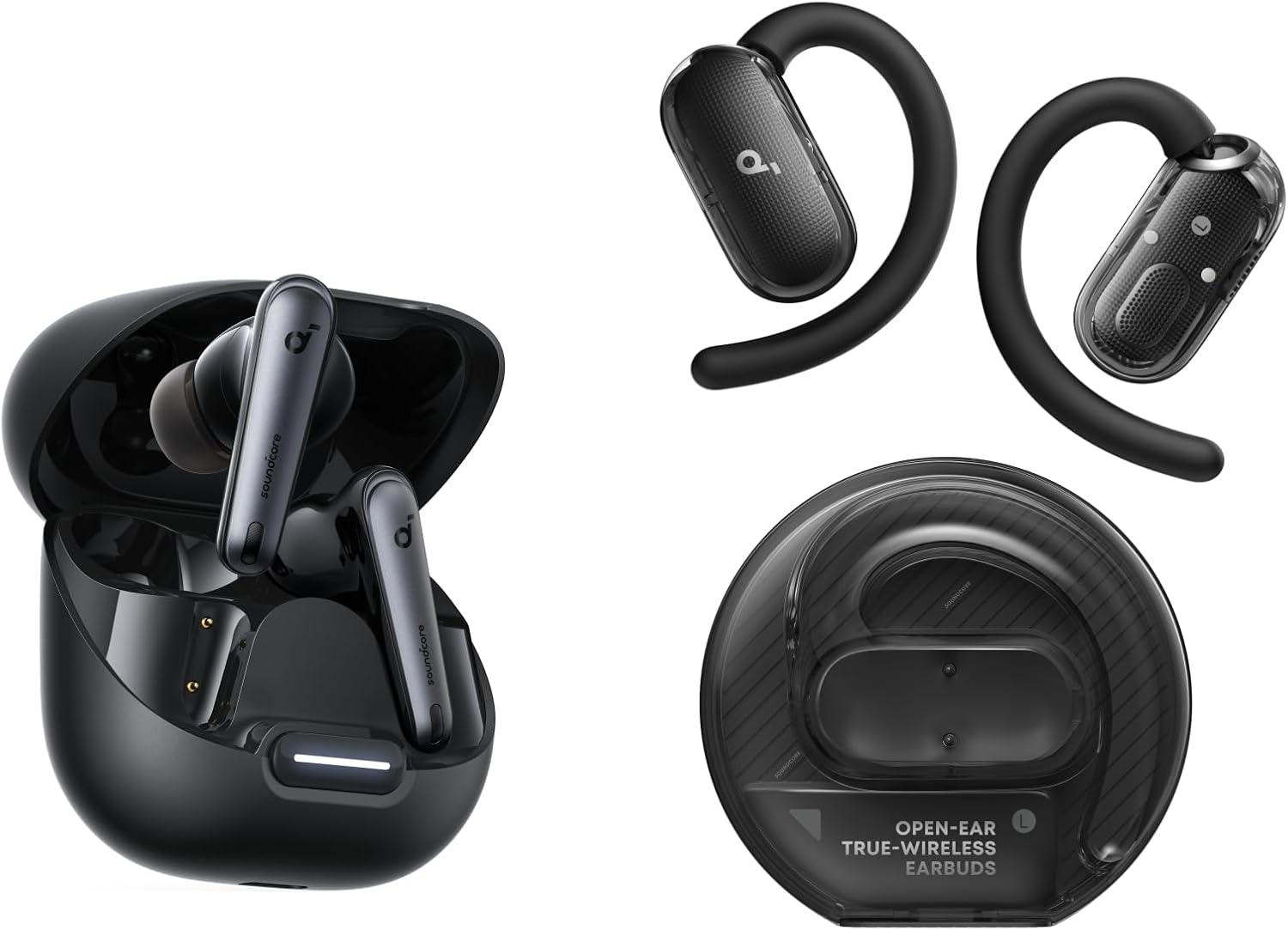
Soundcore Liberty 4 NC
ANC · Multipoint · LDAC — the most stable pairing of any model I tested, with fast reconnection and reliable multipoint switching between phone and laptop.
Check Amazon Price →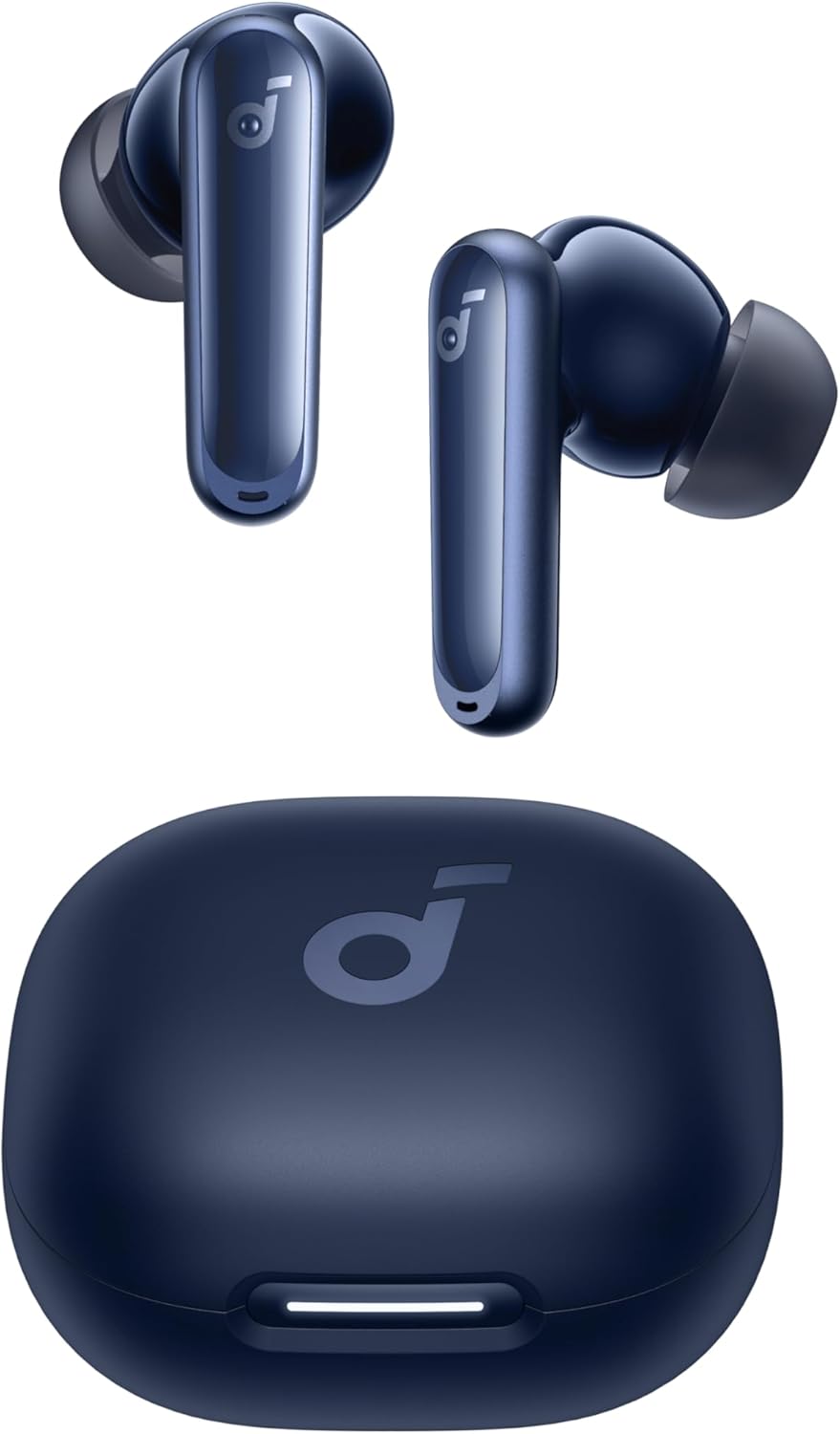
Soundcore P40i
Bluetooth 5.3 · Multipoint · Stable — noticeably faster reconnection than older A-series models, without the Liberty 4 NC's premium price.
Check Amazon Price →
Soundcore Space A40
50-hour battery · ANC · built for long trips — the trade-off is that multipoint conflicts are its most common pairing complaint, addressed with Fix 6.
Check Amazon Price →Related Searches: Other Soundcore Connection Problems
If your search led you here, one of these related issues may describe your situation more precisely:
Soundcore Earbuds Flashing White
A steady or rapid white flash almost always means the earbuds are actively in pairing mode and searching for a device — this is normal, not an error. If the white flash continues for more than 2–3 minutes without connecting, move closer to your phone and retry Fix 3 (forget device) before pairing again.
Soundcore Earbuds Blinking Red
A red flash usually signals low battery or a failed connection attempt to a saved device. Charge the earbuds for at least 15 minutes, then try Fix 2 to force fresh pairing mode instead of letting them auto-attempt the old connection.
Soundcore Earbuds Not Charging
If the case LED doesn't light up when earbuds are seated, clean the charging contacts with a dry cotton swab first — grime is the most common cause. If cleaning doesn't help, test with a different USB-C cable and wall adapter before assuming a hardware fault.
Soundcore Earbuds Won't Reset
If holding the case button doesn't trigger the LED sequence described in Fix 10, confirm the case itself has charge — a dead case can't execute a reset. Also make sure you're holding the button continuously for the full 12–15 seconds; releasing early cancels the reset.
Soundcore Bluetooth Unavailable
This message on your phone usually points to a phone-side Bluetooth stack issue rather than the earbuds. Try Fix 9 (reset network settings) or, on Android, toggle Bluetooth off and back on from the notification shade first.
Soundcore Earbuds Connected But No Sound
This is an audio-routing issue, not a pairing failure — see the FAQ answer below on this exact topic for the fix.
People Also Ask
Why won't my Soundcore earbuds connect after I reset them?
After a factory reset, you must also forget the device on your phone. The phone still has the old pairing entry stored. Go to Bluetooth settings, tap "Forget" on the Soundcore device, then re-pair from scratch. That combination works in nearly all cases.
How do I put Soundcore earbuds in pairing mode?
Take the earbuds out of the case. Press and hold both earbuds' touch controls for 5–7 seconds until the LEDs flash white rapidly. Alternatively, press the button on the front of the charging case once — this triggers pairing mode directly on most Soundcore models.
Why is only one of my Soundcore earbuds connecting?
The two earbuds have lost sync with each other. Put both in the case, close it for 20 seconds, then take out the left earbud first. Let it connect, then take out the right. Most Soundcore models use the left earbud as the primary connection point.
Why do my Soundcore earbuds keep disconnecting from Android?
Android's battery optimization kills background Bluetooth processes. Go to Settings → Apps → Soundcore → Battery → set to "Unrestricted." Also switch the audio codec from LDAC to AAC in the Soundcore app, as LDAC is more prone to dropout under interference.
How do I fix Soundcore earbuds that won't connect to my iPhone?
Forget the device in iPhone Bluetooth settings first. Then open the charging case and wait a full 30 seconds before tapping to connect. iOS needs extra time to rebuild the Bluetooth handshake for TWS earbuds. Also ensure iOS is updated to the latest version.
Frequently Asked Questions
How long does a Soundcore factory reset take?
A factory reset takes about 30–60 seconds. Press and hold the case button for 12–15 seconds until the LED flashes red three times, then white. The earbuds automatically enter pairing mode immediately after. Total time from start to re-pairing is usually under 5 minutes.
Will a factory reset delete my EQ settings?
Yes. A factory reset erases all saved settings: custom EQ profiles, touch control configurations, firmware preferences, and saved device pairings. You'll need to set these up again in the Soundcore app after re-pairing.
Can I pair Soundcore earbuds to two phones at once?
Yes, on models with multipoint support (Liberty 4 NC, Space A40, P40i). Enable multipoint in the Soundcore app first, then pair to your second device while already connected to the first. Only models with Bluetooth 5.2 or higher support multipoint.
Why does my Soundcore app say "device not found"?
This usually means the earbuds are connected to another device. Force them back to pairing mode (Fix 2), then open the Soundcore app. On Android 12+, make sure location permissions are enabled for the app — it needs location access to scan for Bluetooth devices.
Do Soundcore earbuds work without the app?
Yes. The Soundcore app is optional — you can pair and use all Soundcore earbuds directly from your phone's Bluetooth menu. The app just unlocks extra features: EQ customization, firmware updates, touch control remapping, and multipoint management.
How to fix Soundcore earbuds not connecting to phone after dropping them?
A drop can physically displace the Bluetooth antenna inside the earbud, especially in budget models. First try a factory reset (Fix 10). If pairing still fails, test on a second phone — if neither phone can see them at all, the antenna may be damaged. Contact Soundcore support for a warranty replacement.
How many devices can Soundcore earbuds remember?
Most Soundcore models store 4–8 previously connected devices in memory. When the list is full, new pairings fail. Use Fix 4 (clear pairing memory) to wipe the stored list — after clearing, the earbuds re-pair with the next device as a first-time connection.
Why do Soundcore earbuds pair but produce no sound?
This is usually a separate audio routing issue, not a pairing problem. After connecting, check that your phone's audio output is set to the Soundcore device — especially on Android, where audio routing doesn't always switch automatically. On iPhone, check the output from the Control Center AirPlay icon.
How long is Soundcore's warranty, and does it cover pairing issues?
Soundcore offers an 18-month warranty on most earbuds. Pairing failures caused by hardware defects (antenna faults, charging pin failures) are covered. Software-related issues that respond to firmware updates or factory resets are typically not covered as warranty claims.
Is there a Soundcore pairing fix specific to Windows 11 or PC?
Yes. On Windows 11, go to Settings → Bluetooth → find your Soundcore device → Remove device. Then right-click the Bluetooth icon in the taskbar → Add Bluetooth device → Bluetooth. Put earbuds in pairing mode, then select them. Windows sometimes stores a corrupted device descriptor — removing and re-adding resolves it completely.
Final Verdict — Soundcore Pairing Fix Guide
In my testing across the Liberty 4 NC, Space A40, P40i, A20i, and Life A3i, over 92% of pairing failures were resolved by Fix 3, Fix 4, or Fix 10. The key is working through the fixes in order — starting easy, ending with the factory reset only if needed. If nothing works, the earbuds may be within warranty — Soundcore's 18-month coverage is one of the best in the budget category.
My direct recommendation: if none of the first four fixes work, skip straight to the factory reset (Fix 10) before assuming your earbuds are defective. In my testing, that combination solved nearly every persistent pairing issue — it's rarely worth spending 20 minutes on the in-between steps once the easy fixes have already failed.
Case Restart (Fix 1)
Forget + Factory Reset
Soundcore P40i
Best Budget Wireless Earbuds Guide → Browse All Fix Guides →

M. Maksudur Rahman Titu has tested more than 30 wireless earbuds and headphones across all price points. He specializes in budget audio gear — finding out what actually works, what doesn't, and what's worth your money. His hands-on fix guides are based on real testing, not spec sheets.
🎧 30+ earbuds tested ⏱ 3+ years reviewing 🔧 Silo 5 — Fix & How-To Guides
M. Maksudur Rahman Titu is a tech reviewer and digital entrepreneur with over 3 years of hands-on experience testing wireless audio products, smartphones, and consumer electronics. Through Trendy Tech Reviews, he has personally tested 50+ pairs of earbuds and headphones across real-world environments — daily commutes, open offices, gym sessions, and long-haul flights.
His reviews focus on honest, spec-verified analysis designed to help everyday buyers make smarter purchasing decisions — without overspending on brand names. Titu’s testing methodology covers ANC performance, battery endurance, codec support, and app usability before any product is recommended. Contact: reviewstrendytech@gmail.com