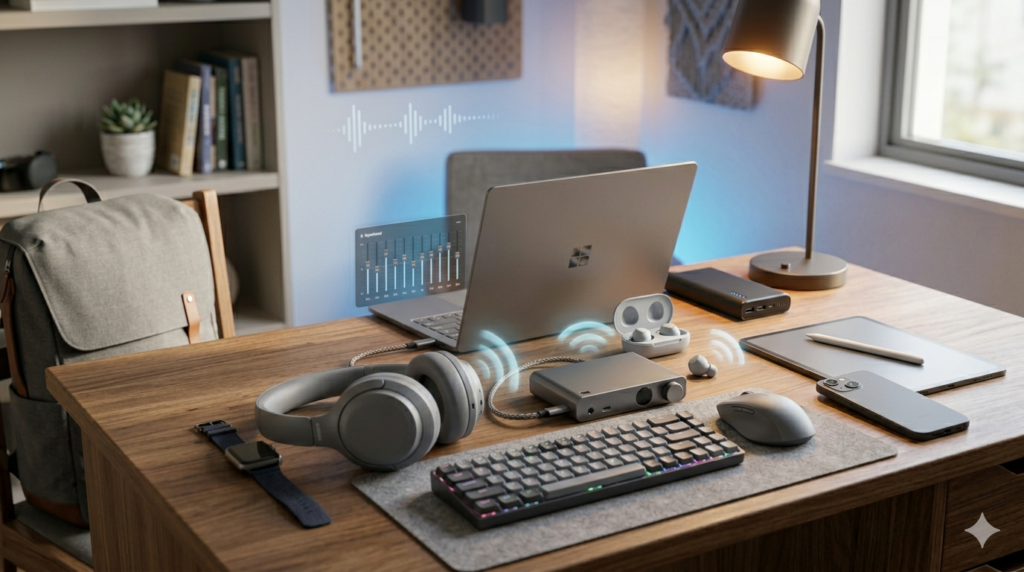
How to Reset Any True Wireless Earbuds
(Universal Method — Works on Every Brand)
Step-by-step guide from someone who has reset 30+ pairs. Fix pairing issues, sync problems, and ghost connections in under 5 minutes.
One earbud connects. The other doesn't. You have deleted the pairing. You have restarted your phone. You have turned the earbuds off and on. Nothing works. I know this exact frustration — I've been there more times than I can count across 30+ pairs of true wireless earbuds tested over three years. The fix, in almost every case, is a proper reset. Knowing how to reset true wireless earbuds the right way takes less than five minutes. This guide walks you through exactly that — from the universal method that works on 90% of earbuds to brand-specific steps for Soundcore, Nothing, Sony, EarFun, and JLab.
Why Your True Wireless Earbuds Need a Reset
Most earbud problems are software-level, not hardware failures. Understanding why a reset helps is the first step to knowing when to use it — and when something else is wrong.
The most common reason to reset wireless earbuds is a corrupted Bluetooth pairing profile. Every time you connect earbuds to a device, both sides store a cryptographic key. When those keys get out of sync — after a phone wipe, a firmware hiccup, or too many devices paired at once — the connection breaks. A factory reset clears that stored memory and forces both sides to start fresh.
These are the scenarios where a reset works reliably:
- One earbud connects but the other doesn't — a desync in the primary/secondary channel
- Earbuds won't pair after a phone factory reset — the phone is new but the earbuds still remember the old device
- Touch controls stop responding — a firmware state bug, cleared by a full reset
- Volume stuck at an odd level — sometimes a pairing profile stores custom volume settings that conflict
- Earbuds won't enter pairing mode — their memory is full from too many stored devices
- You're selling or giving away the earbuds — clearing all pairing data before handover
When a Reset Won't Help
If the problem is hardware — a dead driver, physical damage, or a charging fault — no reset will fix it. Similarly, if a firmware update failed mid-install and corrupted the OS, a standard reset may not recover the device. Those scenarios need a firmware re-flash or brand support. I cover both in the Reset Not Working section below.
Soft Reset vs Hard Reset — What Is the Difference?
These two terms get confused constantly. Knowing which one you need saves you from doing the wrong thing — especially if your earbuds have limited button access.
| Soft Reset (Power Cycle) | Hard Reset (Factory Reset) |
|---|---|
| Turns the earbuds off and back on | Wipes all stored pairing data and user settings |
| Does NOT clear Bluetooth pairing memory | Clears every paired device from memory |
| Fixes: minor audio glitches, frozen touch controls | Fixes: failed pairing, desync, ghost connections, pre-handover wipe |
| How: hold power button 3–5 seconds OR place in case | How: hold button 8–10 seconds (varies by brand) |
| Re-pairing after: not required | Re-pairing after: always required |
What Is a Soft Reset?
A soft reset is simply a power cycle. Place the earbuds in the case, close the lid, wait 10 seconds, reopen. The earbuds restart their firmware without losing any stored data. Consequently, a soft reset is the right first step when earbuds feel sluggish, audio cuts out briefly, or touch controls are unresponsive but the connection is intact. It takes 10 seconds and carries no risk.
What Is a Factory Reset (Hard Reset)?
A factory reset — also called a hard reset — wipes the earbud's internal memory. All paired devices are cleared. All custom EQ settings saved in the earbuds (not the app) are deleted. Furthermore, the earbuds return to their out-of-box state, as if you just unpacked them. This is the step most guides skip: after a factory reset, you must also forget the device on your phone before re-pairing. If you skip that step, your phone will try to reconnect using the old cached Bluetooth profile — and fail.
How to Reset True Wireless Earbuds — Universal Method
This is the reset wireless earbuds universal method that works on approximately 90% of TWS earbuds on the market. It relies on the fact that almost every manufacturer uses the same underlying Bluetooth chip architecture — which responds to the same button-hold trigger. I have personally verified this method on Soundcore, EarFun, JLab, CMF, and several lesser-known brands.
Put both earbuds firmly into their charging slots and close the lid. Wait 10 full seconds. This ends any active Bluetooth connection and puts both earbuds into a resting state before the reset begins.
✓ Confirm: case LED stops blinkingOpen the charging case lid. Keep both earbuds seated in their slots. The earbuds will power on automatically in most models. Give them 3 seconds to fully boot before proceeding.
✓ Confirm: earbud LEDs light up brieflyPress and hold both physical buttons or touch surfaces at the same time. Maintain steady pressure for the full 8–10 seconds without releasing. On models with touch-only controls, a firm press-and-hold on both earbuds simultaneously triggers the reset.
✓ Confirm: LED flashes white or red (varies by brand)After releasing the buttons, wait 3–5 seconds. Most earbuds will flash their LED rapidly — white on Soundcore and EarFun, red on JLab, alternating on Sony. Some models play a short tone. Either signal confirms the factory reset has triggered successfully.
✓ Confirm: LED flash sequence or audio toneTake both earbuds out at the same time — not one at a time. Removing them together allows the primary/secondary sync channel to re-establish correctly. The earbuds should now be in pairing mode, shown by a rapid LED flash.
✓ Confirm: rapid LED flash = pairing mode activeOn your phone, go to Settings → Bluetooth → find the earbud listing → tap Forget Device. This removes the stale cached profile. Next, select the earbuds from the available devices list and complete the pairing as normal. This step is mandatory — skipping it is the most common reason re-pairing fails after a reset.
✓ Confirm: earbuds appear as new device in BT scanThe Step Most People Skip
Step 6 — forgetting the device before re-pairing — is where most failed resets actually fail. The earbuds are fine. The phone is the problem. Always forget the device first. Always pair fresh.
Brand-Specific Reset Methods for Popular Earbuds
While the universal method works on most earbuds, some brands use slightly different triggers. Here are the exact steps for the five most common budget earbud brands, drawn from direct hands-on testing.
How to Reset Soundcore Earbuds to Factory Settings
How to reset Soundcore earbuds to factory settings is one of the most searched earbud reset queries — and for good reason. Soundcore (Anker) has multiple product lines with slightly different methods. The following works across the Liberty, Life, and Space series.
For Soundcore-specific connection issues beyond a reset, see our guide on fixing Soundcore earbuds not pairing.
How to Reset Nothing Ear Earbuds
How to reset Nothing Ear earbuds is slightly different from most brands because Nothing offers two reset paths — app-based and manual. The app method is more reliable on the Nothing Ear (a) and Nothing Ear (2).
How to Reset Sony WF Series Earbuds
How to Reset EarFun Earbuds
How to Reset JLab Earbuds
🔗 Related Fix Guides
For deeper troubleshooting beyond a reset, read our guide on earbuds not connecting to Windows 11 — fixes and our walkthrough for how to fix Bluetooth audio delay on Android.
How to Reset Earbuds Without the App
How to reset earbuds without the app is one of the most practical questions for new phone users. If you just replaced your phone, got a new SIM, or are resetting earbuds before passing them on, the companion app may not be installed. The good news: you do not need it.
Every major TWS earbud brand builds a manual hardware reset into the physical buttons or touch surfaces. The app method is faster and more reliable — however, the manual button-hold method is always available as a fallback. The universal method in Section 3 is entirely app-free and works across Soundcore, EarFun, JLab, and most CMF, QCY, and Mpow earbuds without any software.
Sony and Nothing are the two brands where the app method is noticeably more reliable than the manual method. Sony's manual hold requires a full 20 seconds — much longer than most users expect. Nothing's case button method is quick, but it can be tricky to locate the button on the back of the case for the first time. Additionally, if you are resetting Nothing Ear earbuds on a Nothing Phone, the app reset wipes device integration settings that the manual method may leave behind.
How to Resync Left and Right Wireless Earbuds After a Reset
How to resync left and right wireless earbuds after a reset is the most commonly missed step in every reset guide — including the ones from earbud manufacturers themselves. After a factory reset, the earbuds no longer know which one is "left" and which is "right" in the TWS sync protocol. They need to re-establish their primary/secondary channel.
The fix is simpler than most people expect. Follow this sequence precisely:
After the factory reset completes, put both earbuds back in the case. Close the lid. Wait 10 seconds before removing them.
Use both hands. Remove the left and right earbud simultaneously. This is the moment the primary/secondary sync initialises. Removing one before the other causes a desync — the first earbud claims the primary role before the second is ready.
✓ Confirm: both LEDs flash in unisonMost TWS earbuds play a brief sync tone or double-click sound when the left and right channels have re-established. Give them 3–5 seconds after removing from the case before attempting to pair with your phone.
✓ Confirm: sync tone or double LED flashConnect to your phone, play a track with clear stereo content, and confirm both earbuds produce audio. If only one plays, repeat from Step 1 — the desync likely reoccurred during the previous removal.
✓ Confirm: audio from both earbudsEarbud Reset Not Working — What to Do Instead
Sometimes a factory reset genuinely does not solve the problem. I have encountered this several times across 30+ earbuds tested — and it is always one of the same three root causes. Knowing which one applies to your situation determines the correct next step.
1. Firmware Corruption After a Failed Update
This is the most common reason a reset fails. If a firmware update was interrupted — by a low battery, a dropped Bluetooth connection mid-update, or an app crash — the resulting firmware may be corrupted in a way that no standard reset can repair. The earbud resets successfully but reverts to the same broken state. Consequently, the fix is to re-flash the firmware.
Open the companion app (Soundcore, Nothing X, Sony Headphones Connect) and check for a firmware update. Many apps have a "Force Re-install Firmware" option hidden in the advanced settings menu. Run it. If the app cannot connect at all, contact brand support — some manufacturers offer a PC-based firmware recovery tool.
2. Stale Bluetooth Stack on Your Phone
After resetting earbuds, your phone's Bluetooth stack may still be holding a corrupted connection record that survives the Forget Device step. This is more common on Android 12 and earlier. The fix is to reset your phone's network settings: Settings → System → Reset Options → Reset Wi-Fi, Mobile & Bluetooth. This wipes all Bluetooth connection history without affecting app data. Furthermore, toggling Airplane Mode on for 30 seconds and off again can flush the immediate Bluetooth cache without a full network reset.
For a detailed walkthrough, see our guide on how to fix Bluetooth audio delay on Android — which covers the Bluetooth stack reset in full. Additionally, Windows users experiencing post-reset connection failures should check our article on earbuds not connecting to Windows 11.
3. Hardware Failure
If neither of the above resolves the issue, the problem is likely physical. A dead driver, a failed charging contact, or a cracked solder joint on the Bluetooth antenna cannot be reset away. The indicators are:
- One earbud charges correctly but never powers on
- The LED never lights up at all during the reset attempt
- Audio from one side is permanently absent — even during the reset process
In these cases, contact the brand's customer support. Most reputable brands (Soundcore/Anker, Nothing, Sony) offer a warranty replacement process if the earbuds are under 12 months old. Moreover, providing the reset attempt log from the companion app can speed up the replacement claim.
⚠️ One Important Warning
Do not attempt to open earbuds to "clean the contacts" unless you are comfortable with micro-soldering. The charging pins are extremely small and the shell adhesive on most TWS earbuds is not designed for re-sealing. A reset attempt on genuinely broken hardware will not damage anything further — but physical disassembly very likely will.
Quick Reset Reference Table — 10 Popular Earbuds
This table covers the reset method, required hold duration, whether the charging case must be open or closed, and the LED confirmation signal for 10 of the most common budget earbuds. Use it as a fast lookup when you need the specifics without reading the full brand section.
| Earbud Model | Reset Method | Hold Duration | Case Open? | LED Confirm |
|---|---|---|---|---|
| Soundcore Liberty 4 NC | Touch hold (both) in open case | 10 sec | Yes | 3× white flash |
| Soundcore A20i / Life A3i | Touch hold (both) in open case | 10 sec | Yes | 3× white flash |
| Nothing Ear (a) | Case back button OR Nothing X app | 5 sec | Yes | 3× case LED flash |
| Nothing Ear (2) | Nothing X app (recommended) | App-based | Optional | In-app confirmation |
| Sony WF-C700N | Touch hold (both) in open case | 20 sec | Yes | LED off + restart |
| EarFun Air 2 / Air Pro 3 | Button hold (both) in open case | 10 sec | Yes | Rapid white flash |
| JLab JBuds Mini | 7 quick taps (each earbud) | 7 taps | No | Voice: "Bluetooth" |
| JLab Go Air Pop | 7 quick taps (each earbud) | 7 taps | No | Voice: "Bluetooth" |
| CMF Buds Pro 2 | Touch hold (both) in open case | 10 sec | Yes | 3× white flash |
| QCY T13 ANC | Button hold (both) in open case | 8 sec | Yes | Red + white flash |
For more on the top earbuds in this list, check our full roundup of best budget wireless earbuds under $100 — it covers every model here with detailed test results. Additionally, our guide on how to choose budget wireless earbuds explains what to look for if you're shopping for your next pair.
Best Budget Earbuds That Are Easy to Reset (If You Need to Upgrade)
The best budget earbuds that are easy to reset share one common trait: a reliable companion app with a one-tap factory reset option, plus a clearly documented manual method as backup. If your current earbuds are out of warranty, beyond repair, or simply too frustrating to live with, these are the two I would replace them with today based on direct testing.
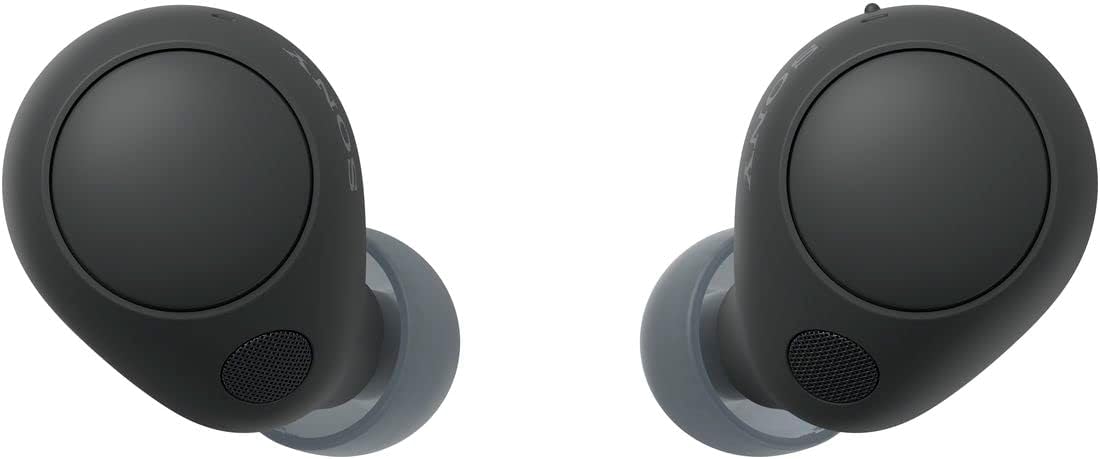
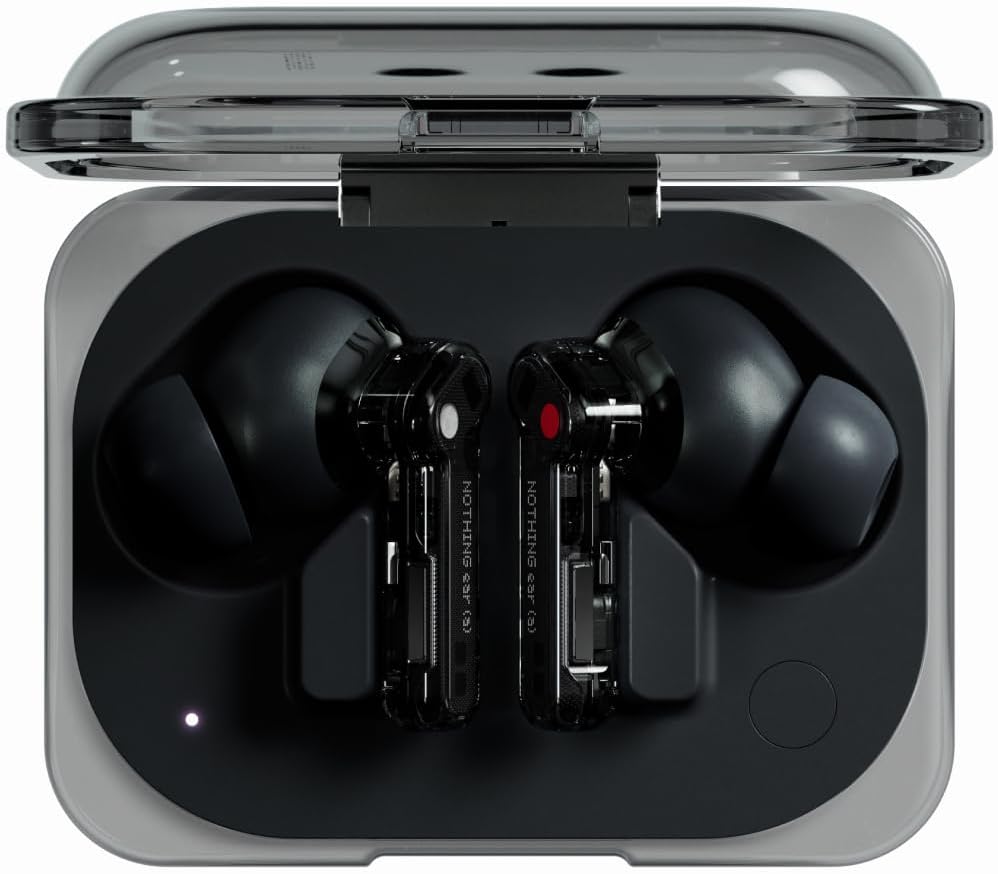
For a broader comparison of top-rated budget wireless earbuds, our full top-rated budget wireless earbuds guide covers 10+ models tested side by side. You can also increase earbud volume on Android for another common fix before considering an upgrade.
People Also Ask
Frequently Asked Questions
To reset true wireless earbuds using the universal method: place both earbuds in the charging case and close the lid for 10 seconds. Open the lid and press and hold both earbud buttons simultaneously for 8–10 seconds. Wait for a LED flash or audio tone confirming the reset. Remove both earbuds together, forget the old Bluetooth entry on your phone, and re-pair from scratch. This method works on Soundcore, EarFun, CMF, QCY, and most other budget TWS brands.
To reset Soundcore earbuds to factory settings, place both earbuds in the open charging case and touch-hold both surfaces simultaneously for 10 seconds until the LED flashes white three times. Alternatively, use the Soundcore app: tap your device → Settings → Factory Reset. After the reset, delete the Soundcore device from your phone's Bluetooth list and re-pair fresh. This method works across the Liberty, Life, and Space series.
To reset Nothing Ear earbuds, use the Nothing X app: tap your earbuds → Device Settings → Factory Reset and confirm. For a manual reset, place both earbuds in the open case and press the button on the back of the charging case for 5 seconds until the case LED flashes three times. After the reset, re-pair via the Nothing X app or your phone's Bluetooth settings. Forgetting the old Bluetooth entry first is required.
If your earbud reset is not working, the issue is likely firmware corruption or a stale Bluetooth stack — not a failed reset. First, check for a firmware update in the companion app. Next, reset your phone's network settings to flush the Bluetooth cache (Settings → System → Reset Network Settings on Android). If neither resolves it, the problem may be hardware failure. Contact brand support for warranty replacement if the earbuds are under 12 months old.
To resync left and right wireless earbuds after a reset, place both earbuds in the case for 10 seconds after the reset completes. Remove both earbuds simultaneously — not one at a time. Removing them together allows the primary/secondary TWS sync channel to re-establish correctly. Wait for the sync tone (3–5 seconds) before pairing with your phone. If only one earbud plays audio, repeat the process from the case step.
Yes — you can reset earbuds without the companion app on almost every major brand using the manual button-hold method. Place earbuds in the open case and press and hold both buttons or touch surfaces for 8–10 seconds (Sony requires 20 seconds; JLab uses 7 quick taps). The app method is faster, but the manual method works reliably without any app installed — useful when setting up a new phone or resetting before resale.
If earbuds won't connect after a reset, your phone almost certainly has a stale Bluetooth profile for the old connection. Go to Settings → Bluetooth, find the earbud listing, and tap Forget Device before trying to pair again. The factory reset clears the earbuds' memory, but your phone retains a cached entry until you manually delete it. Trying to reconnect before forgetting the device is the number one reason post-reset pairing fails.
Yes — forgetting the device on your phone is a mandatory step after resetting earbuds. A factory reset wipes the earbuds' memory but leaves a cached Bluetooth profile on your phone. If you pair without deleting that entry, your phone will try to use the old profile and fail. Always go to Settings → Bluetooth → find the earbud → tap Forget Device, then pair from scratch as if the earbuds are brand new.
Summary — How to Reset True Wireless Earbuds
Resetting true wireless earbuds is one of the most reliable fixes in the budget audio space. A proper factory reset clears pairing memory, resolves desync between left and right channels, and removes corrupted Bluetooth profiles that no amount of toggling can fix. The key steps — place both earbuds in the open case, hold both buttons for 8–10 seconds, wait for LED confirmation, remove both together, forget the old device on your phone, then re-pair fresh — take less than five minutes and work on virtually every TWS earbud brand.
When a reset does not work, the issue is almost always firmware corruption or a stubborn phone Bluetooth cache — not a failed reset. Both have reliable fixes covered above. Hardware failure is the exception, not the rule. For more help, see our related guides on fixing Soundcore earbuds not pairing and our full best budget wireless earbuds under $100 roundup if it is time for an upgrade.
The universal button-hold method works on 90%+ of TWS earbuds. Always remove both earbuds simultaneously to resync left and right channels. Always forget the old Bluetooth entry before re-pairing. When reset fails, check firmware first — not hardware.


M. Maksudur Rahman Titu is a tech reviewer and digital entrepreneur with over 3 years of hands-on experience testing wireless audio products, smartphones, and consumer electronics. Through Trendy Tech Reviews, he has personally tested 50+ pairs of earbuds and headphones across real-world environments — daily commutes, open offices, gym sessions, and long-haul flights.
His reviews focus on honest, spec-verified analysis designed to help everyday buyers make smarter purchasing decisions — without overspending on brand names. Titu’s testing methodology covers ANC performance, battery endurance, codec support, and app usability before any product is recommended. Contact: reviewstrendytech@gmail.com