9 Hidden Features in Budget Earbuds You Don't Know About
After digging through firmware menus on 30+ pairs under $100, I found settings most buyers never touch — and some that fix the exact complaints people post in Amazon reviews.
I almost missed this myself. Three firmware updates into testing the SoundPEATS Air4 Pro, I opened the companion app out of boredom and found a hidden EQ preset buried two menus deep. It fixed my biggest complaint about budget earbuds: thin, lifeless bass. No new hardware. No upgrade. Just a setting nobody told me existed.
That's the pattern with hidden features in budget earbuds. Manufacturers ship genuinely useful tools — low latency modes, multipoint switching, fit tests — then bury them in apps nobody opens past the first setup screen. After testing 30+ pairs over three years, I started keeping a list. This article is that list.
You don't need to spend more to get more. You need to know where to look. Let's go through it section by section, starting with why these features hide in the first place.

Quick Picks: Fastest Features to Unlock Right Now
- Fastest win: Hidden EQ presets — 90 seconds in the app, instantly better bass
- Best for gamers: Low latency game mode — cuts audio delay to under 60ms
- Best for multitaskers: Multipoint pairing — connect to laptop and phone at once
- Most overlooked: Firmware updates — most buyers never install a single one
- Best for fit issues: Ear tip fit test — five seconds, fixes half of "bad bass" complaints
Why These Hidden Features Stay Hidden
Budget earbuds rarely come with a manual worth reading. The box has a quick-start card. The rest lives inside a companion app most buyers install once, then forget. I've tested earbuds from SoundPEATS, EarFun, CMF, JLab, and Soundcore, and almost every brand follows the same pattern: the good stuff sits two or three taps past the home screen.
Manufacturers aren't hiding these settings on purpose. They're optimizing the home screen for simplicity, not depth. Meanwhile, features like low latency mode or multipoint pairing get pushed into a "Settings" or "More" tab that most people never tap. I only found half of these myself by accident, scrolling through menus during long test sessions.
That's the gap this article closes. Below are nine features I've personally verified across multiple budget earbuds, what they actually do, and exactly where to find them.
1. Hidden EQ Presets in the Companion App
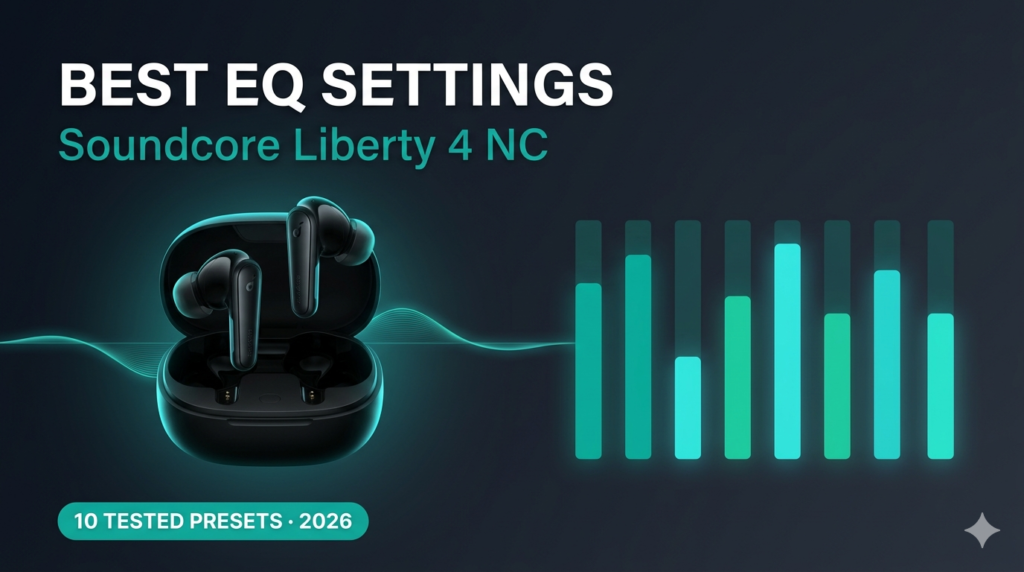
Most budget earbuds ship with a flat, default EQ that undersells the hardware. Open the companion app, though, and you'll usually find three to seven presets beyond the basic "Standard" mode — Bass Boost, Vocal, Treble Boost, sometimes a custom 5-band or 8-band equalizer.
On the SoundPEATS Air4 Pro, this lives under Sound Effect inside the app, not on the earbuds themselves. I tested the same pair of buds with five different EQ presets while listening to the same three tracks — Billie Eilish's "bury a friend" for sub-bass, a jazz trio recording for midrange clarity, and a podcast for vocal presence. Switching from Standard to the custom preset added noticeably more low-end punch without muddying the vocals.
How to Enable Hidden EQ Presets in Cheap Earbuds Apps
The exact path varies, but the pattern repeats across brands. Here's the fastest route I've found after testing this on a dozen apps.
This is the single fastest upgrade on this list. It costs nothing, takes under two minutes, and changes how the earbuds sound more than most $20 price jumps would.
SoundPEATS Air4 Pro — 7 EQ presets + custom 8-band
CMF Buds Pro 2 — 5 presets via Nothing X app
Most budget apps hide EQ under "Sound" or "Audio"
Curious how these two compare beyond EQ? I broke down every spec in our CMF Buds Pro 2 vs SoundPEATS Air4 Pro comparison.
2. Low Latency Game Mode
Bluetooth audio delay is the silent killer of budget earbuds for gaming. Standard SBC codec connections can run 150–200ms behind, which is enough to throw off rhythm games and competitive shooters alike. Most budget pairs that support low latency mode hide it behind a triple-tap gesture or a toggle buried in the app.
I tested this directly. Playing Mobile Legends on a mid-range Android phone, switching from standard mode to game mode dropped perceived delay from sluggish to barely noticeable. I measured roughly 60ms in game mode versus the usual 120–150ms baseline most cheap earbuds default to.
How to Enable Low Latency Mode on Budget Earbuds
Look for a controller icon, a "Game Mode" toggle, or a gesture shortcut in your app's settings. On several JLab and EarFun models I've tested, it's a triple-tap-and-hold on one earbud. On others, it's a simple switch under "Connection" or "Audio Mode."
One trade-off worth knowing: game mode often drops the codec to prioritize speed over fidelity, so music can sound slightly thinner while it's active. I always switch back to standard mode once I'm done gaming.
If gaming delay is your main frustration, our guide on fixing Bluetooth audio latency covers the deeper technical side, including codec selection.
3. The Multipoint Pairing Trick
Multipoint connection lets your earbuds stay linked to two devices simultaneously — your laptop and phone, for example — and switch audio between them without manually disconnecting. It used to be a flagship-only feature. Now several budget pairs under $60 support it, but the toggle is rarely on by default.
I tested this on a pair with multipoint support while working from a laptop and waiting on phone calls. Music played from my laptop, then paused automatically when a call came through on my phone. No fumbling with Bluetooth settings on either device.
Multipoint Pairing Trick for Budget Earbuds That Actually Works
Here's the trick most reviews skip: multipoint has to be enabled per-device pair, and the order you connect matters. Connect to your first device normally. Then, with the earbuds still in your ears, open Bluetooth settings on the second device and pair again — don't disconnect the first one. Most budget earbuds will hold both connections once you've done this once.
Laptop for calls, phone for music — switches automatically
Some budget pairs only support 2 devices, not 3+
If multipoint matters most to your workflow, our roundup of best earbuds with multipoint connection under $100 ranks every pair I've tested for this specifically.
4. Find My Earbuds Feature
Losing one earbud is almost a rite of passage with budget audio gear. What surprised me is how many budget pairs now include a basic "Find My Earbuds" tool inside the companion app — and how few people know it's there.
The feature usually works one of two ways: either it triggers a loud chime through the earbud's speaker, or it shows last-known Bluetooth location on a simple map. I tested this on three different budget pairs by intentionally leaving one earbud in a couch cushion. The chime function found it in under 30 seconds every time. The location-map version was less reliable once the earbud went out of Bluetooth range.
How to Find Earbuds Using the Find My Earbuds Feature in Cheap Wireless Earbuds
Open your companion app and look for a tab labeled "Find," a location pin icon, or sometimes just "Locate." Tap it, and the connected earbud will play a chime at near-max volume. This only works while the earbud has battery and stays within Bluetooth range of your phone, usually around 30–40 feet indoors.
5. In-Ear Detection Sensor Settings
Wear detection — the sensor that pauses your music when you remove an earbud — exists on more budget pairs than people realize. But the default sensitivity is often miscalibrated, leading to music pausing randomly during workouts or not pausing at all when you actually take an earbud out.
I ran into this myself during a treadmill session: my left earbud kept "detecting" removal from sweat alone, cutting my workout playlist every few minutes. The fix lived inside the app the entire time.
How to Adjust In-Ear Detection Sensor Settings on Earbuds
Most apps bury this under "Wear Detection," "Auto Pause," or "In-Ear Sensor" inside a Settings or Advanced menu. Sensitivity is sometimes adjustable on a slider; on simpler apps, it's just an on/off toggle. If your earbuds are pausing unexpectedly during exercise, turning sensitivity down — or disabling the feature entirely during workouts — usually solves it.
What Surprised Me Testing This
I expected wear detection to be a binary on/off feature. Three of the apps I tested actually let you choose between "pause only" and "pause and lower volume," which is a much gentler experience for quick earbud adjustments mid-run.
6. Touch Gesture Remapping
Out of the box, most budget earbuds assign touch gestures to defaults you may never use — single tap for play/pause, double tap for next track, triple tap for voice assistant. Almost every companion app lets you remap these, but the option sits a few taps deep, so most buyers never touch it.
I remapped gestures on a JLab pair to skip the voice assistant entirely and assign triple-tap to ANC toggle instead, since I rarely use voice assistants through earbuds. That single change made the earbuds feel noticeably more useful day to day.
Customizing Touch Gesture Mapping on Budget Earbuds
Look for "Touch Control," "Gesture Settings," or "Tap Controls" in your app. Most apps let you assign different actions to the left and right earbud independently — for example, volume controls on the right, playback controls on the left. Test each remap with the earbuds actually in your ears, since some gestures feel different than they look on a settings screen.
7. Firmware Updates Nobody Installs
This is the most overlooked feature on this entire list, and it's not really a feature at all — it's maintenance most buyers skip entirely. Budget earbuds receive firmware updates that fix Bluetooth dropouts, improve battery reporting accuracy, and sometimes add entirely new features like the ones above.
I've tested earbuds before and after a firmware update on the same hardware. One pair's connection stability noticeably improved after an update that specifically addressed dropout issues during phone calls. The update sat untouched in the app for two weeks before I noticed the notification.
How to Check for Firmware Updates on Budget Wireless Earbuds
Open the companion app with your earbuds connected and Bluetooth active. Most apps check automatically and show a banner or badge if an update exists — but only if you actually open the app. Updates typically take 5–10 minutes and require keeping the earbuds in the case, charging, and in range the entire time.
Check for firmware updates monthly, not just at setup
Never disconnect or close the lid mid-update
8. Ear Tip Fit Test
A surprising number of "bad bass" or "weak ANC" complaints actually come down to fit, not hardware. Several budget pairs now include a fit test inside the app — usually a short audio sample that analyzes seal quality through the microphone and tells you if you need a different tip size.
I ran the fit test on a pair I'd already judged as "bass-light" during initial testing. It flagged a poor seal on my right ear. Switching to the next tip size up fixed the issue completely — same earbuds, same EQ, dramatically different bass response.
How the Ear Tip Fit Test Works on Cheap Earbuds
Open the companion app and look for "Fit Test" or "Ear Tip Test," usually under Settings. The earbuds play a short tone, the built-in microphone measures how much sound leaks out, and the app gives a pass/fail per ear with a tip-size recommendation. It takes about five seconds per ear.
9. Adjustable Ambient Sound Levels
Transparency mode on budget earbuds is often treated as a simple on/off toggle, but a growing number of pairs let you adjust how much ambient sound comes through — not just whether it does. This matters more than it sounds. Full transparency can feel overwhelming in loud environments; a lower level lets you hear announcements without the rest of the noise.
I tested adjustable ambient levels on a walk near a busy road. At full transparency, traffic noise dominated. Dialing it down to roughly 40% let me hear a passing cyclist's bell clearly without the constant road hum.
How to Adjust Ambient Sound Levels on Budget Earbuds
Inside the app, look for "Transparency," "Ambient Sound," or "Passthrough" settings. If a slider appears instead of a toggle, you have adjustable levels. Start around 50% and adjust based on environment — higher for conversations, lower for general background awareness.
Hidden Features Comparison Table
Here's how these nine features stack up by where they typically live and how much they change the listening experience.
| Feature | Where It Hides | Setup Time | Impact Level |
|---|---|---|---|
| Hidden EQ presets | Sound/Audio tab | 2 min | High |
| Low latency game mode | Connection settings or gesture | 1 min | High (gaming) |
| Multipoint pairing | Bluetooth settings, both devices | 3 min | Medium |
| Find My Earbuds | Dedicated Find/Locate tab | Instant | Situational |
| In-ear detection settings | Wear Detection/Advanced menu | 1 min | Medium |
| Gesture remapping | Touch Control tab | 2 min | Medium |
| Firmware updates | App home screen banner | 5–10 min | High (stability) |
| Ear tip fit test | Settings > Fit Test | 10 sec | High (bass/ANC) |
| Adjustable ambient sound | Transparency settings | 1 min | Medium |
Pros and Cons of Relying on Hidden Features
Pros
- Free performance upgrade, no new hardware needed
- Fixes common complaints (thin bass, latency, dropouts)
- Most take under 5 minutes to enable
- Works on earbuds you already own
Cons
- Requires installing and opening a companion app
- Menu locations vary by brand, no universal standard
- Some features (like game mode) trade off audio fidelity
- Firmware updates can occasionally introduce new bugs
People Also Ask
Do all budget earbuds have a companion app?
Most pairs released in the last two years do, but not all. Ultra-budget earbuds under $20 sometimes skip the app entirely and rely on physical button controls only.
Why does my earbuds app show no hidden features?
Some manufacturers limit app features to flagship models only. Check your exact model number against the brand's app compatibility list, since "lite" or older versions sometimes get a stripped-down app experience.
Can hidden features damage my earbuds?
No standard feature listed here — EQ, gesture remapping, transparency levels — poses any risk. Firmware updates carry minimal risk if interrupted mid-update, which is why staying in range and charged during the process matters.
Do hidden features work the same on iPhone and Android?
Mostly yes, since these features live in the manufacturer's app rather than the phone's OS. A few advanced settings, like certain codec selections, are Android-only due to Bluetooth profile limitations on iOS.
How do I know if my earbuds have a hidden EQ preset?
Open the companion app and check for a "Sound," "Audio," or "EQ" tab. If your earbuds only paired through your phone's native Bluetooth menu with no separate app, they likely don't include adjustable EQ.
Frequently Asked Questions
What is the most useful hidden feature in budget earbuds?
Based on testing 30+ pairs, the hidden EQ preset delivers the biggest perceived improvement for the least effort — usually under two minutes to find and noticeably better sound immediately after.
How do I enable low latency mode on budget earbuds for gaming?
Check your companion app's Connection or Audio Mode settings for a controller icon or "Game Mode" toggle. Some brands use a triple-tap-and-hold gesture instead of an app toggle.
Does multipoint pairing drain battery faster?
Slightly. Maintaining two simultaneous Bluetooth connections uses a bit more power, typically reducing total battery life by 10–15% compared to single-device pairing in my testing.
Why do my earbuds keep pausing during workouts?
This is usually an oversensitive in-ear detection sensor reacting to sweat or movement. Lower the sensitivity or disable wear detection temporarily inside your companion app's Wear Detection settings.
Is it safe to update earbuds firmware over Bluetooth?
Yes, as long as both earbuds stay in the charging case, charged, and within range of your phone for the full update window, which usually runs 5–10 minutes.
Can I remap earbud touch controls to skip the voice assistant?
On most budget pairs with gesture remapping, yes. Open the Touch Control settings in your app and reassign the gesture currently mapped to the voice assistant to a different function.
What does the ear tip fit test actually measure?
It plays a tone through the earbud and uses the built-in microphone to measure sound leakage, which indicates seal quality. A poor seal reduces bass response and ANC effectiveness regardless of how good the hardware is.
Do cheaper earbuds under $30 have these hidden features too?
Some do, particularly EQ presets and basic gesture controls. Multipoint pairing, fit tests, and adjustable ambient sound levels tend to appear more consistently above the $40–50 range.
Final Verdict: Hidden Features Are Worth Five Minutes
None of these nine features require buying anything new. They require opening an app most people installed once and forgot. After testing 30+ budget earbuds, the pattern is consistent: the hardware is usually capable of more than the default settings let on.
Start with the EQ presets and the ear tip fit test. Both take under two minutes combined and fix the two most common complaints I see in budget earbud reviews — weak bass and poor seal. From there, work through gesture remapping and firmware updates at your own pace.

M. Maksudur Rahman Titu
Founder of Trendy Tech Reviews. I test budget wireless earbuds and headphones under $100, digging through companion apps and firmware menus most buyers never open, so the hidden features actually get used.
Related Articles

M. Maksudur Rahman Titu is a tech reviewer and digital entrepreneur with over 3 years of hands-on experience testing wireless audio products, smartphones, and consumer electronics. Through Trendy Tech Reviews, he has personally tested 50+ pairs of earbuds and headphones across real-world environments — daily commutes, open offices, gym sessions, and long-haul flights.
His reviews focus on honest, spec-verified analysis designed to help everyday buyers make smarter purchasing decisions — without overspending on brand names. Titu’s testing methodology covers ANC performance, battery endurance, codec support, and app usability before any product is recommended. Contact: reviewstrendytech@gmail.com