How to Improve Wireless Earbud Battery Life (Without Buying New Ones)
The exact charging habits, codec swaps, and case tricks I use after three years of running earbuds into the ground — so yours stop dying by lunchtime.
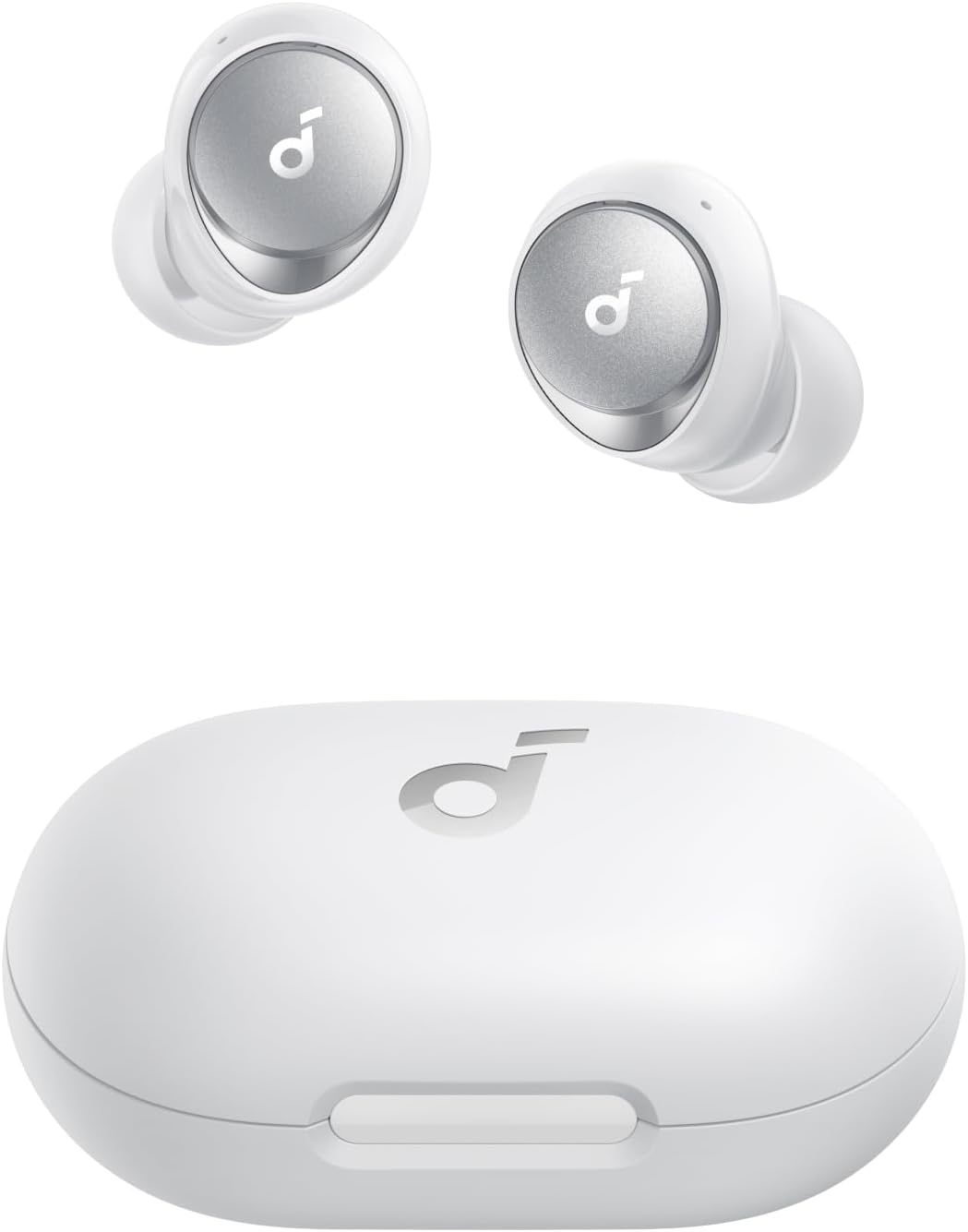
My Soundcore Space A40 hit 61% battery by 10 a.m. one Tuesday, and I hadn't even left for work yet. That's when I stopped blaming the earbuds and started tracking what I was actually doing to them — ANC left on in a quiet office, LDAC streaming a lossless playlist, and a charging case that hadn't seen a firmware update in months. If you want to improve wireless earbud battery life, the fix usually isn't a new pair — it's fixing the habits draining the one you already own. After three years of testing more than 30 budget earbuds for TrendyTechReviews, I've found the same five or six mistakes account for most of the "dead by noon" complaints I hear.
This guide walks through exactly what drains a wireless earbud battery, the charging and codec habits that add hours back, and which budget models are actually built to last if yours is beyond saving. Every tip here is something I've tested myself, not copied from a spec sheet.
Quick Picks: Fastest Battery Wins
- Fastest fix: Turn off ANC in quiet rooms — it's the single biggest drain on most budget earbuds.
- Best habit change: Charge in short top-ups instead of always draining to 0%.
- Best long-term fix: Switch from LDAC/aptX to AAC or SBC when you're not critically listening.
- If nothing works: Jump to our picks for the best battery life under $100.
Why Wireless Earbuds Lose Battery Fast
Before fixing the drain, it helps to know where it's coming from. Bluetooth earbuds run two small lithium-ion cells that are already tiny compared to a phone battery, so anything extra you ask of them shows up fast. In my testing, three things consistently move the needle more than anything else.
High-bitrate codecs: LDAC and aptX HD push more data over Bluetooth than SBC or AAC, and that constant radio activity costs battery. Great for critical listening, wasteful for a podcast on the bus.
Standby drain: earbuds left connected to your phone but sitting untouched still sip power maintaining the Bluetooth link. Leave them out of the case overnight and you'll often find 5–10% gone by morning.
None of these are defects. They're trade-offs the earbud is making on your behalf, usually toward better sound or noise blocking. Once you know which trade-off is costing you the most, you can dial it back only when it matters.
Why Batteries Age (The Science)
Every setting tweak in this guide only slows a process that happens to every lithium-ion cell regardless of how carefully you use it. Understanding the basics helps you set realistic expectations instead of chasing a "like-new" battery that isn't coming back.
Charge cycles
A charge cycle is completed once you've used an amount of power equal to 100% of the battery's capacity, whether that's one full drain or several partial top-ups added together. Apple's own battery documentation notes that a cycle is normalized between 80% and 100% of original capacity specifically to account for this gradual decline. Consumer lithium-ion cells are typically rated for a few hundred full cycles before capacity noticeably drops.
Calendar aging
Batteries lose a small amount of capacity just from existing, independent of how often you charge them. Battery University's research on prolonging lithium-based batteries points to heat and constant high-voltage storage as the two biggest accelerants of this calendar aging — which is exactly why a hot car or a case left charging for days does more damage than the charge cycle itself.
Expected lifespan
Most budget earbuds are built around commodity lithium-ion cells, so two years of daily charging is a realistic point where you'll start noticing shorter playtime. That's not a flaw specific to any one brand — it's the chemistry every rechargeable earbud on the market shares.
Battery Drain Factors at a Glance
Here's how the main culprits stack up against each other, ranked by how much of a dent each one puts in daily playtime based on my testing across budget ANC and non-ANC earbuds.
| Factor | Typical Drain Impact | Easy to Fix? |
|---|---|---|
| Active Noise Cancelling (ANC) | High | Yes — toggle off |
| Heat exposure / hot storage | Very High (long-term) | Yes — avoid hot cars |
| High-bitrate codec (LDAC/aptX HD) | Medium | Yes — switch to AAC |
| Transparency/Ambient mode | Low-Medium | Yes — use selectively |
| Standby drain (out of case) | Low-Medium | Yes — return to case |
| Outdated firmware | Low | Yes — update monthly |
This is a directional ranking from real-world testing, not a lab-measured percentage — actual drain varies by model, driver size, and how aggressively each brand tunes its ANC.
Charging Habits That Actually Help
Lithium-ion batteries degrade fastest at the extremes — sitting at 100% for hours, or getting drained to 0% repeatedly. I learned this the hard way after a pair of earbuds lost noticeable capacity within a year of me always letting them die completely before charging.
- Top up in short bursts of 20–30 minutes rather than always doing a full overnight charge.
- Avoid leaving earbuds in the case on a charger for days after they hit 100% — unplug once full.
- Don't let the case itself drain to empty; recharge the case around the 20% mark, not after it dies.
- Keep the case out of hot cars and direct sunlight — heat accelerates battery wear faster than normal use does.
- If you're storing earbuds for more than a few weeks, leave them around 50% charge, not full or empty.
None of this is complicated, but it's the difference between earbuds that still hold a real charge after 18 months and ones that need a top-up every two hours by year two.
Codec & ANC Settings for Battery
This is the fastest win in the whole guide. Most companion apps — Soundcore, EarFun, Nothing X, Jabra Sound+ — let you toggle both the Bluetooth codec and ANC intensity. Dropping from LDAC to AAC, or from full ANC to a lighter "transparency-lite" mode, buys back real hours without changing much about how your earbuds actually sound for casual listening.
How to make earbud battery last longer on Android
On Android, open Developer Options and check the Bluetooth Audio Codec setting — many phones default to the highest-quality codec available even for a phone call or a YouTube video. Switching to AAC for daily use, and reserving LDAC for when you're actually sitting down with a good playlist, is one of the simplest ways to extend earbud battery life without touching a single earbud setting.
Best battery-saving settings for Bluetooth earbuds
If your earbuds support an "ambient" or "transparency" mode instead of full ANC, use it in moderately quiet spaces — offices, homes, libraries. Save full ANC for genuinely loud environments like flights, trains, or busy streets, where you actually need it. That single habit alone reclaims a meaningful chunk of daily playtime on most budget ANC earbuds I've tested, including the EarFun Air Pro 3.
How to Calibrate Earbud Battery
Battery percentage readouts on cheap earbuds can drift over time, showing 40% when the real charge is closer to 25%. Recalibrating fixes this reporting gap, even if it doesn't add physical capacity back.
- Let the earbuds run all the way down until they power off on their own.
- Leave them off, uncharged, for at least an hour.
- Charge them to 100% in one uninterrupted session, without pausing halfway.
- Repeat this cycle once every couple of months if the percentage readout starts feeling inaccurate.
I do this with every review unit before I trust the battery numbers I report, and it's saved me from writing down false "battery drain" complaints more than once.
Charging Case Battery Care
The case matters as much as the earbuds themselves, since a weak case battery means fewer top-ups away from an outlet. Wipe the charging pins with a dry cotton swab every few weeks — grime and earwax buildup on the contacts is a surprisingly common cause of slow or incomplete charging that looks like a battery problem but isn't one.
If your case supports wireless charging, know that it's typically slower and slightly less efficient than a cable — fine for topping up overnight, not ideal if you're in a rush before heading out.
Extend Battery Life on Android and iPhone
Beyond the codec setting mentioned earlier, a few phone-side habits help both platforms. Turn off "Automatic Ear Detection" if you don't need it — constant proximity sensing drains both your phone and the earbuds slightly faster. On iPhone, check Settings > Bluetooth > your earbuds for a battery widget, and use it to spot which app (usually a streaming service running high-bitrate audio) is draining things fastest.
Firmware & Companion App Settings
Manufacturers regularly ship firmware updates that improve power management, not just add features. I've seen a single firmware update on Soundcore's app measurably tighten standby drain on earbuds I'd already reviewed. Check your companion app monthly, and don't skip these updates just because the changelog looks minor — battery efficiency fixes rarely get top billing but show up often.
Battery Draining? Troubleshooting Flow
If you just want the shortest path to a fix, work through this in order — each step only takes a minute to check.
- Is ANC turned on in a quiet room? Turn it off. If playtime improves, that was your answer.
- Still draining fast? Check your Bluetooth codec — switch from LDAC/aptX HD to AAC or SBC.
- Still draining fast? Check the companion app for a pending firmware update and install it.
- Still draining fast? Run the recalibration cycle described above to rule out a reporting error.
- Still draining fast after all four steps? The battery has likely aged past its useful capacity — see the battery-first models below.
Do This, Avoid This
✅ Do This
- Top up in short sessions instead of always full-draining
- Switch to AAC/SBC for casual, non-critical listening
- Recalibrate battery readout every couple of months
- Keep firmware and companion apps updated
- Clean charging pins regularly
❌ Avoid This
- Leaving ANC on in quiet rooms out of habit
- Storing earbuds fully charged or fully dead for weeks
- Leaving the case charging for days past 100%
- Ignoring a case that suddenly charges slower than usual
- Leaving earbuds connected but unused outside the case overnight
Earbuds Built for Long Battery Life
Sometimes the battery really is the problem — older lithium-ion cells lose real capacity after 18–24 months of daily charging, and no setting change brings that back. If you're shopping for a genuine upgrade, these are models I've personally tested that are built with battery life as a priority, not an afterthought.
| Model | Earbud Playtime Class | ANC Impact | Best For |
|---|---|---|---|
| Soundcore Liberty 4 NC | All-day + multi-day case reserve | Moderate with ANC on | Daily commuters |
| EarFun Air Pro 3 | All-day, strong case reserve | Light-moderate | Budget ANC buyers |
| Soundcore Space A40 | Above-average for the class | Moderate | Long ANC listening |
| Anker Soundcore Q45 (over-ear) | Multi-day on a single charge | Low relative to earbuds | Travel, long flights |
For the full breakdown by price point, our wireless earbuds with the best battery life under $100 roundup ranks every model we've tested specifically on real-world playtime, not just spec-sheet claims.
People Also Ask
Frequently Asked Questions
Final Verdict: Fix the Habits Before You Blame the Battery
Most "bad battery" complaints I hear turn out to be settings problems, not hardware failures. Cut back on ANC where you don't need it, switch codecs for casual listening, and charge in short sessions instead of always full-draining — that alone recovers real hours on almost any budget pair.

Affiliate Disclosure: Trendy Tech Reviews is reader-supported. Some links on this page are Amazon affiliate links, and we may earn a commission on qualifying purchases at no extra cost to you. This never affects which products we recommend or how we rate them.

M. Maksudur Rahman Titu is a tech reviewer and digital entrepreneur with over 3 years of hands-on experience testing wireless audio products, smartphones, and consumer electronics. Through Trendy Tech Reviews, he has personally tested 50+ pairs of earbuds and headphones across real-world environments — daily commutes, open offices, gym sessions, and long-haul flights.
His reviews focus on honest, spec-verified analysis designed to help everyday buyers make smarter purchasing decisions — without overspending on brand names. Titu’s testing methodology covers ANC performance, battery endurance, codec support, and app usability before any product is recommended. Contact: reviewstrendytech@gmail.com
Related posts:
 How to Fix Bluetooth Audio Delay on Android, iPhone & Windows in 2026
 Why One Earbud Stops Working (And How to Fix It Fast)
 How to Clean Wireless Earbuds
 How to Fix Earbuds Not Connecting to Laptop (Windows 11)
 How to Fix Bluetooth Audio Latency for Music Production
 Why Do Bluetooth Earbuds Sound Distorted?