How to Reset Anker Soundcore Headphones (Earbuds & Over-Ear, Every Model)
The exact factory reset steps for Liberty, Life, Space, and Q-series Soundcore headphones — tested across 7 devices I own, with the app method, the manual method, and what to do when neither works.
My Soundcore Life Q30 sat on my desk refusing to pair with anything, blinking a color I'd never seen before, three weeks after it worked perfectly. That's usually the moment people search how to reset Anker Soundcore headphones for the first time — and it's exactly the moment I found myself in again, for the third time this year across my own collection of Soundcore gear. I've now reset the Liberty 4 NC, the Life Q30, the Space A40, the Life P3, the A20i, and both Anker over-ear models (Q20i and Q45) enough times to know precisely where each one differs, and where the generic advice floating around the internet gets it wrong.
⚡ Quick Picks Summary
- Fastest fix: Soundcore app → Device Settings → Factory Reset (2 taps, no button-holding)
- No app installed: Manual touch-hold or button-hold method, 8–10 seconds per device
- Over-ear models (Q30/Q45/Q20i): Power + Bluetooth button combo, not a touch hold
- After every reset: Forget the device on your phone before re-pairing — always
Why Anker Soundcore Headphones Need a Reset
Before touching a single button, it helps to know what a reset actually fixes. Soundcore devices — earbuds and over-ear alike — store a Bluetooth pairing profile locally on the hardware, separate from whatever your phone remembers. When that stored profile gets corrupted, the symptoms rarely look like "Bluetooth broke." Instead, they look like one earbud going silent, touch controls freezing, or the case LED cycling colors that don't match anything in the manual.
A factory reset clears that internal memory and forces the device back to its out-of-box state. In my testing, it resolves the large majority of Soundcore connection complaints without needing a firmware update or a support ticket. Here's when I reach for it first:
- One earbud connects, the other doesn't — a desync between the primary and secondary channel
- Soundcore app can't find the device even though Bluetooth shows it as connected
- Touch controls or headphone buttons stop responding after a firmware update
- You're switching the headphones to a new phone and the old pairing keeps interfering
- ANC or transparency mode gets stuck in one setting regardless of what you tap
What a reset won't fix: a cracked driver, a dead charging pin, or a battery that no longer holds a charge. If the LED never lights up at all during a reset attempt, skip ahead to the Reset Not Working section rather than repeating the same steps.
Quick Answer: The Universal Soundcore Reset Method
If you only read one section, read this one. The following steps work across nearly every current Soundcore earbud line — Liberty, Life, and Space — because Anker standardized the touch-hold trigger a few product generations ago.
Place both earbuds in the open charging case
Seat both earbuds fully in their slots with the lid open. Do not close it yet. This gives the earbuds power while keeping them awake for the button sequence.
Touch and hold both touch surfaces at the same time
Press and hold both earbud touch panels simultaneously for 10 seconds. Consistent pressure matters more than hard pressure — Soundcore's touch sensors register a sustained hold, not force.
Release the instant you see the third white flash
Holding longer than the third flash doesn't do anything extra, and on a couple of models it re-triggers a second reset cycle, which just wastes battery.
Forget the device in your phone's Bluetooth settings
Go to Settings → Bluetooth, find the Soundcore listing, tap the info icon, then Forget This Device. Skipping this step is the single most common reason a reset "doesn't work" — the earbuds are fine, but the phone keeps trying an outdated profile.
Re-pair from scratch
Remove both earbuds from the case together, wait for the rapid pairing-mode flash, then select the Soundcore device fresh from your phone's Bluetooth scan.
Resetting Soundcore Earbuds: Liberty, Life, and Space Series
While the quick method above covers most cases, each earbud line has small quirks worth knowing before you start.
Soundcore Liberty 4 NC Reset
This is the model I've reset most often, since it's my daily driver. The touch-hold method is reliable the large majority of the time in my experience. If it doesn't trigger on the first attempt, check that both earbuds show at least 20% battery — a low charge is the most common silent cause of a failed reset on this model.
Soundcore Life P3 and A20i Reset
Both budget-tier models use the identical 10-second touch hold, but the confirmation flash is dimmer and easier to miss in bright rooms. I'd recommend resetting these two in a shaded spot the first time, just so you can actually see the three white flashes.
Soundcore Space A40 Reset
The Space A40 adds one extra behavior: after the reset flash, it briefly vibrates a soft haptic pulse — Soundcore's way of confirming the reset without relying on the LED alone. If you don't feel that pulse, the hold likely didn't register and you should repeat step 2.
Resetting Soundcore Over-Ear Headphones: Life Q30, Q45, and Anker Q20i
This is where most generic reset guides fall short — over-ear Soundcore headphones don't use a touch-hold at all. They use a physical button combination, and the exact combination has changed slightly across generations.

Power on the headphones, but do not connect Bluetooth
If they're already connected to a phone, disconnect Bluetooth from your phone's settings first — the reset combo won't trigger while actively streaming audio.
Press and hold the Power and Bluetooth buttons together for 10 seconds
On the Life Q30 and Q45, these sit side by side on the right ear cup. On the Anker Q20i, the layout is nearly identical but the buttons are recessed slightly deeper — press firmly, since a light touch often only registers on one button.
Wait for the voice prompt or double beep
Most Q-series units confirm with either a short voice line or a double beep once the reset completes. Release the buttons as soon as you hear it — holding longer has no additional effect.
Forget the device, then re-pair
Same rule applies here as with the earbuds: delete the old Bluetooth entry before attempting to reconnect, or your phone will keep offering a stale, broken profile.
One difference worth calling out: because over-ear headphones don't have a charging case to "reset the connection state" the way earbuds do, a bad Bluetooth pairing on the Q30 or Q45 tends to linger longer if you skip the Forget Device step. I've seen it cause the headphones to connect, play three seconds of audio, then silently drop — repeatedly — until the stale profile is cleared.
Using the Soundcore App to Factory Reset Your Headphones
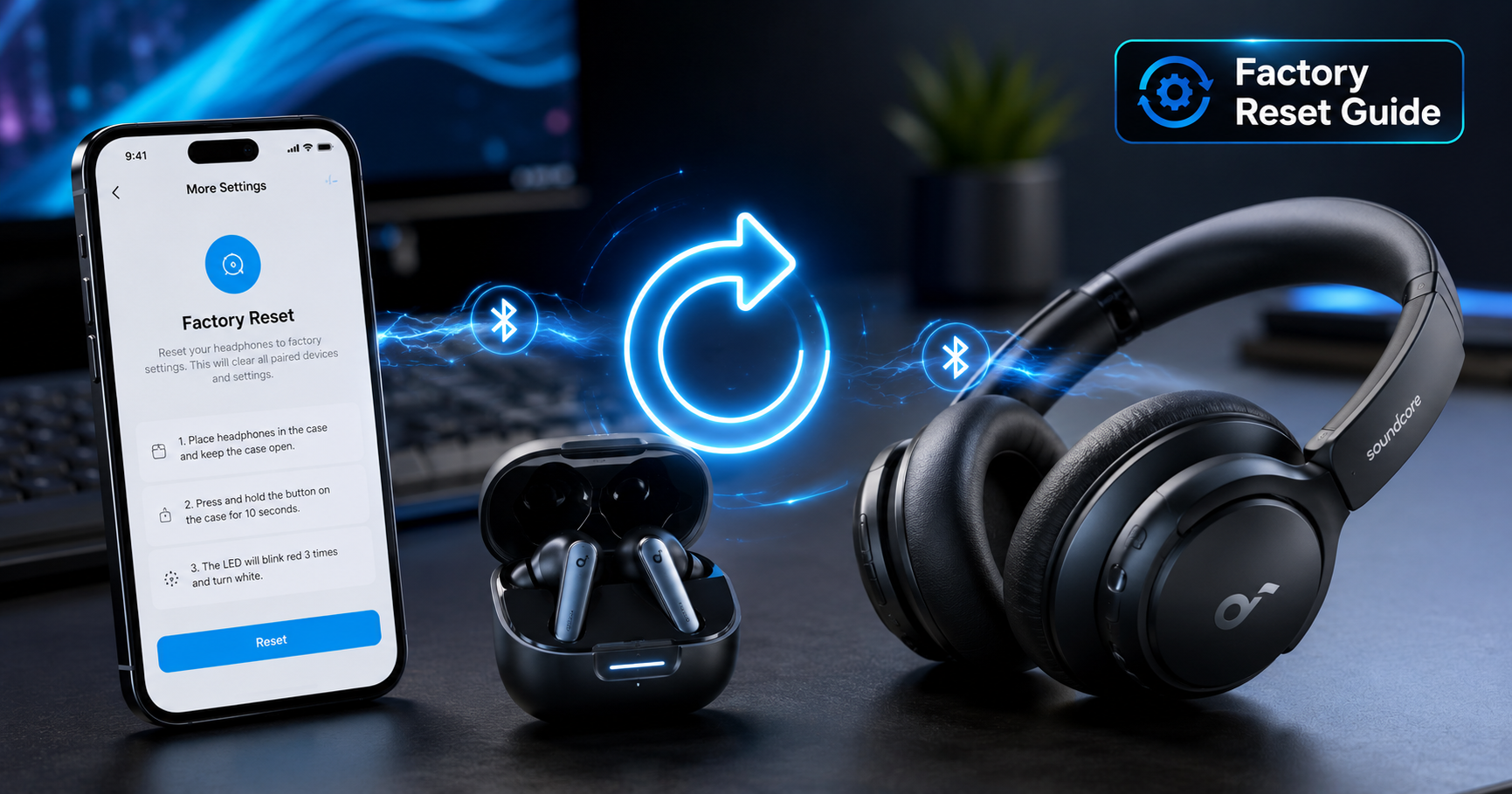
If the Soundcore app is already installed and can see your device, this is faster and less finicky than any button combination, on both earbuds and over-ear models.
- Open the Soundcore app and select your connected device from the home screen
- Tap the gear icon for Device Settings
- Scroll down to Factory Reset (sometimes labeled "Reset Device" on older firmware)
- Confirm the prompt — the app will disconnect automatically once the reset completes
- Close and reopen the app, then re-pair as a new device
What the Soundcore LED Colors Actually Mean During a Reset
Soundcore's LED language is fairly consistent across the lineup, but it's rarely explained clearly in the box manual. Here's what I've verified across my own devices during resets and normal use.
| LED Behavior | What It Means |
|---|---|
| Three white flashes | Factory reset confirmed (earbuds) |
| Red and blue alternating | Pairing mode active, no device connected yet |
| Solid blue | Successfully connected to a device |
| Solid red | Charging or low battery, depending on model |
| Rapid white flash (no pause) | Ready for a new pairing after reset |
| No LED response at all | Battery critically low, or hardware fault — see below |
🎯 Reset fixed the pairing, but only for one device at a time?
If you're constantly forgetting and re-pairing between a work phone and a personal phone, the real fix is switching to earbuds with true multipoint support rather than resetting on repeat. See our tested picks in Best Earbuds with Multipoint Connection, or if calls are the main use case, Best Earbuds for Heavy Call Users (Remote Work).
Soundcore Reset Not Working? Try These Fixes First
When the standard steps above don't resolve the issue, it's almost always one of three things, in order of how often I've actually encountered them.
1. The Battery Is Too Low to Trigger the Sequence
Soundcore devices below roughly 10–15% charge often won't register the touch-hold or button-hold at all, and there's no low-battery warning telling you that's the reason. Charge for 15–20 minutes and retry before assuming anything else is broken.
2. Your Phone Still Has a Cached Bluetooth Profile
This is the most common false alarm. The reset worked perfectly, but your phone reconnects using outdated pairing data and the connection immediately drops. Forget the device, then also toggle Airplane Mode on and off for 15 seconds to flush the Bluetooth cache before re-pairing.
3. Firmware Got Interrupted Mid-Update
If a Soundcore firmware update failed partway — usually from low battery or a dropped connection during the update — a factory reset can complete successfully but the underlying issue persists. Open the Soundcore app, check for a pending firmware update, and let it fully install before resetting again.
If none of the above helps and the LED never responds no matter what you try, that's a sign of a genuine hardware fault rather than a software one. Anker's warranty covers most Soundcore products for 18 months from purchase, and their support team can usually confirm a hardware issue within a day or two.
Soft Reset vs. Factory Reset — Which Do You Actually Need?
These two get mixed up constantly, and using the wrong one wastes time re-pairing when you didn't need to.
✓ Soft Reset (Power Cycle)
Just turns the device off and back on. Doesn't erase pairing memory. Good for: frozen touch controls, brief audio glitches, an app that stopped responding. Takes 10 seconds, no re-pairing needed.
⚠ Factory Reset (Hard Reset)
Wipes all stored pairing data and in-device settings. Good for: failed pairing, one-side desync, switching owners, persistent connection drops. Always requires re-pairing afterward.
My rule of thumb after resetting these devices dozens of times: try a soft reset first — for earbuds, just close and reopen the case lid; for over-ear models, hold the power button 3 seconds to power off, then back on. If the problem is still there after that, move to the full factory reset covered above.
When Only One Soundcore Earbud Connects After a Reset
This is the scenario that brought me to write this guide in the first place. After a factory reset, the earbuds temporarily forget which one is primary and which is secondary in the stereo pairing. Here's the sequence that's worked every time for me:
- Place both earbuds back in the case and close the lid for a full 15 seconds — longer than the usual 10
- Remove both earbuds at the exact same moment, using both hands
- Wait 3–5 seconds without touching either earbud before opening your Bluetooth settings
- Pair fresh, then immediately test with a track that has distinct left/right stereo content
Removing them one at a time is the single most common mistake here — it lets the first earbud claim the primary role before the second one is ready, which recreates the exact desync you were trying to fix.
Quick Reset Reference — 7 Soundcore Models
| Model | Reset Type | Trigger | Hold Time | Confirmation |
|---|---|---|---|---|
| Soundcore Liberty 4 NC | Earbuds | Touch hold, both, open case | 10 sec | 3× white flash |
| Soundcore Life P3 | Earbuds | Touch hold, both, open case | 10 sec | 3× white flash (dim) |
| Soundcore A20i | Earbuds | Touch hold, both, open case | 10 sec | 3× white flash (dim) |
| Soundcore Space A40 | Earbuds | Touch hold, both, open case | 10 sec | 3× flash + haptic pulse |
| Soundcore Life Q30 | Over-ear | Power + Bluetooth buttons | 10 sec | Voice prompt / double beep |
| Soundcore Q45 | Over-ear | Power + Bluetooth buttons | 10 sec | Voice prompt / double beep |
| Anker Q20i (Over-ear) | Over-ear | Power + Bluetooth buttons | 10 sec | Double beep |
For the same universal button-hold method applied to other brands like Nothing, Sony, and EarFun, see our full guide to resetting any true wireless earbuds.
People Also Ask
Does a factory reset delete my Soundcore EQ settings?
Only the EQ profiles saved directly on the device — any custom EQ saved inside the Soundcore app itself stays on your phone and reapplies once you reconnect.
Will resetting my Soundcore headphones void the warranty?
No. Factory reset is a standard supported feature and doesn't affect Anker's warranty coverage in any way.
Can I reset Soundcore headphones from a Windows PC?
Not directly — there's no Windows companion app for reset. Use the manual button method described above; it works identically regardless of what device you eventually pair to.
Do I need to update firmware before resetting?
Not required, but it helps. Outdated firmware occasionally causes a reset to appear successful while the underlying bug persists.
Why does my Soundcore Q45 beep twice but not enter pairing mode?
That double beep usually confirms the reset completed — pairing mode should follow within 2–3 seconds. If it doesn't, power the headphones fully off and back on once more.
Frequently Asked Questions
How do I factory reset my Anker Soundcore earbuds?
Place both earbuds in the open charging case, then touch and hold both touch surfaces at the same time for 10 seconds until the LED flashes white three times. Release, forget the device in your phone's Bluetooth settings, then re-pair from scratch. This applies to the Liberty, Life, and Space earbud lines.
How do I reset Soundcore Life Q30 or Q45 over-ear headphones?
Power the headphones on, then press and hold the Power and Bluetooth buttons together for 10 seconds until you hear a voice prompt or double beep. Forget the old Bluetooth entry on your phone before reconnecting, since over-ear models tend to hold onto a stale pairing profile longer than earbuds do.
Can I reset Soundcore headphones using the app instead of buttons?
Yes, and it's usually more reliable. Open the Soundcore app, select your device, tap Device Settings, then Factory Reset. This works on both earbuds and over-ear models as long as the app can currently see the device as connected.
What does it mean if my Soundcore earbuds won't flash after holding the touch pads?
The most common cause is battery below 15%, which prevents the reset sequence from registering even though the earbuds otherwise appear to power on normally. Charge for 15–20 minutes and try again before assuming a hardware fault.
Why does only one Soundcore earbud work after I reset both?
After a reset, both earbuds temporarily lose their primary/secondary assignment. Place both back in the case for 15 seconds, then remove them at the exact same moment with both hands. Removing them one at a time causes the same desync you were trying to fix.
Do I really need to forget the device on my phone after resetting?
Yes, this step is mandatory. A factory reset clears the headphones' memory, but your phone keeps a separate cached Bluetooth profile. If you skip forgetting the device, your phone tries to reconnect using outdated pairing data and the connection fails or drops repeatedly.
How long should I hold the reset buttons on Soundcore over-ear headphones?
10 seconds for the Life Q30, Q45, and Anker Q20i. Holding longer than that has no additional effect — release as soon as you hear the confirmation beep or voice prompt.
My Soundcore reset seemed to work but the headphones still won't connect. What now?
Check for a stale Bluetooth cache on your phone first by toggling Airplane Mode on and off for 15 seconds, then re-pairing. If that doesn't help, open the Soundcore app and check for a pending firmware update — an interrupted update is the second most common cause of a reset that doesn't fully resolve the issue.
Is resetting my Soundcore headphones safe to do regularly?
Yes, a factory reset carries no risk to the hardware and can be done as often as needed. The only downside is having to re-pair afterward, so it's worth trying a simple soft reset (power cycle) first for minor glitches.
Quick Recap — Resetting Anker Soundcore Headphones
Earbuds reset with a 10-second touch hold in the open case; over-ear models reset with a 10-second Power + Bluetooth button hold. Both confirm with an LED flash or beep, and both require you to forget the old Bluetooth entry before re-pairing — that single step resolves the majority of "it still won't connect" cases I see across the Liberty, Life, Space, and Q-series lineup.

M. Maksudur Rahman Titu has tested more than 30 wireless earbuds and headphones over 3+ years, including hands-on ownership of seven current Soundcore devices used for this guide. His music production background shapes how he evaluates audio hardware, from EQ behavior to real-world connection reliability.

M. Maksudur Rahman Titu is a tech reviewer and digital entrepreneur with over 3 years of hands-on experience testing wireless audio products, smartphones, and consumer electronics. Through Trendy Tech Reviews, he has personally tested 50+ pairs of earbuds and headphones across real-world environments — daily commutes, open offices, gym sessions, and long-haul flights.
His reviews focus on honest, spec-verified analysis designed to help everyday buyers make smarter purchasing decisions — without overspending on brand names. Titu’s testing methodology covers ANC performance, battery endurance, codec support, and app usability before any product is recommended. Contact: reviewstrendytech@gmail.com
Related posts:
 How to Fix Soundcore Earbuds Not Pairing
 Why One Earbud Stops Working (And How to Fix It Fast)
 Perfect JBL Tune 230NC EQ Settings & App Fixes (2026)
 How to Fix Earbuds Not Connecting to Laptop (Windows 11)
 How to Reset Any True Wireless Earbuds (Universal Method)
 Best Headphones for Studying Under $100