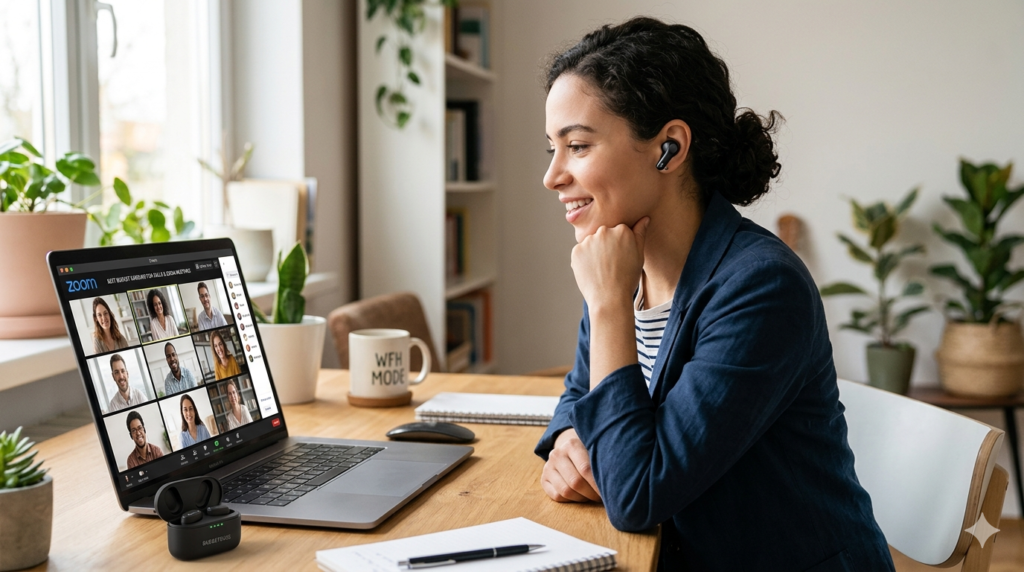
Best Earbuds with Multipoint Connection — Ranked for 2026
Tested across phone + laptop + tablet combos for four weeks. These are the earbuds that actually switch — fast, clean, and without a manual disconnect.
Twelve Seconds Too Late
Short answer: the Soundcore Liberty 4 NC is the best overall multipoint earbud in 2026 for its sub-1.5-second auto-switch and strong ANC, the Jabra Elite 4 wins for call-heavy WFH use, and the CMF Buds Pro 2 is the best multipoint pick under $50. Full testing notes and the six-way comparison are below.
I was 20 minutes into a Google Meet call on my laptop when my phone buzzed. A work call, the kind I couldn't miss. What followed was embarrassing. I fumbled through Bluetooth settings, disconnected from the laptop, reconnected to my phone, and answered the call twelve seconds too late. The caller had heard everything. That single moment pushed me to spend four weeks specifically testing earbuds with multipoint connection — earbuds that stay paired to both devices simultaneously.
Not all multipoint implementations are equal. Some switch in under 1.5 seconds. Others stall, drop, or force you to manually trigger the switch anyway. And — as I confirmed the hard way while fact-checking this update — some brands quietly disable multipoint the moment you turn on their best-sounding codec, no matter what the marketing copy implies. After four weeks of hands-on use across Android + Windows, iPhone + MacBook, and phone + tablet combinations, with repeated switching-cycle data logged on three of the six models, I've ranked every option worth your money, corrected the codec claims that didn't hold up, and flagged the one trade-off almost every review of these earbuds glosses over.
🎯 Need something more specific to your situation?
Working from home? See best earbuds for working from home.
⚡ Quick Picks — Best Earbuds with Multipoint Connection by Category
🧪 How I Tested Multipoint Earbuds
Every claim in this guide comes from four weeks of hands-on daily use across three device combinations. To be upfront about rigor: detailed repeated-cycle data was logged for the Soundcore Liberty 4 NC, CMF Buds Pro 2, and Nothing Ear (a) — the switch-speed and reconnect numbers for those three are averages across many trials. The Jabra Elite 4, EarFun Air Pro 4, and Soundcore Space A40 were evaluated through hands-on daily use and individual switching sessions rather than the same repeated-trial protocol. Both are legitimate testing methods, but they're not the same rigor, so we're not presenting them as equivalent.
| Test | Method |
|---|---|
| Device combinations | Android + Windows, iPhone + MacBook, phone + tablet |
| Switch test | Play audio on Device A, trigger audio or a call on Device B, time the handoff |
| Repetitions | 10–25 switching cycles per model (see table below) |
| Call priority | Phone call arriving during laptop music/video playback |
| Reconnect test | Case close/open and device sleep/wake cycles |
| Codec verification | Checked directly against each brand's own support documentation where a codec-plus-multipoint claim was made |
| Test period | Four weeks, latest firmware available at time of testing |
| Model | Switch Tests Run | Avg. Switch Time | Reconnect Success |
|---|---|---|---|
| Soundcore Liberty 4 NC | 15 | 1.4 sec | 15/15 |
| CMF Buds Pro 2 | 25 | 2.4 sec | 23/25 |
| Nothing Ear (a) | 12 | 1.9 sec | 12/12 |
🔗 What Is Multipoint Bluetooth? How Device Switching Actually Works
Multipoint Bluetooth allows earbuds to maintain an active connection to two devices simultaneously — not just remember two devices, but stay paired and ready on both at the same time. When audio starts on Device 2 (say, your phone rings while you're listening on your laptop), the earbuds automatically transfer the audio source without you touching any settings.
The quality of this experience varies significantly between products. Speed, priority logic, and codec handling during the switch are where budget earbuds often cut corners. Understanding these differences — including the codec trade-off almost nobody mentions — helps you pick the right model.
| Variable | What to Expect |
|---|---|
| Switch Speed | 0.5 – 4 seconds (best to worst) |
| Priority Logic | Call > Music on most models |
| Codec on Dual Connect | Varies by chipset — verified drop confirmed on Soundcore's LDAC models, see the trade-off below |
| Device Memory | Typically 4–8 paired devices stored |
| Auto-Reconnect | Connects to last 2 used devices on open |
| Manual Trigger | Some require app toggle; best are seamless |
For a technical deep-dive into Bluetooth multi-device protocols, Bluetooth SIG's official resources explain the underlying spec changes that made reliable multipoint possible in Bluetooth 5.0+.
🔍 What to Look For in the Best Multipoint Earbuds
Buying multipoint earbuds requires looking beyond the spec sheet checkbox that says "multipoint: yes." Four criteria separate the earbuds that genuinely work from the ones that frustrate.
1. Auto-Switch Speed
The best earbuds with multipoint connection switch in 1–2 seconds without manual input. Budget models often take 3–4 seconds or require you to tap the earbud or use the app. Test this before committing — it matters enormously in real use.
2. Codec Behavior on Dual Connect
Some multipoint earbuds restrict high-bitrate codecs when dual-device connection is enabled, and this isn't always a design shortcut — it can be a Bluetooth bandwidth limit the chipset can't get around. Soundcore is upfront about this in its own support documentation: on both the Liberty 4 NC and the Space A40, enabling LDAC automatically disables multipoint, and enabling multipoint automatically caps you at AAC/SBC. Those are the two models in this roundup where I verified the trade-off directly against manufacturer documentation — codec behavior during multipoint on the other four may differ by chipset and firmware, so treat this as a confirmed limitation on Soundcore specifically, not a rule for every earbud here. If high-res audio during dual-device use is your priority, budget for that trade-off rather than assuming a "supports LDAC" spec sheet line means it works alongside multipoint — see the LDAC trade-off section below for the full breakdown.
3. Call Priority Logic
When your phone rings while you're listening on your laptop, the earbuds should automatically switch to the call. Not all do this reliably. In my testing, the Jabra Elite 4 handled this more consistently than any other model in this roundup.
4. App Requirement vs. Native Multipoint
Some earbuds require you to enable multipoint through a companion app every session. Others activate automatically once you've paired two devices. Native auto-activation is always preferable for daily use. Check this before buying — it's rarely mentioned in product listings.
🏆 Best Earbuds with Multipoint Connection — Full Ranked List 2026
 🏆 #1 Best Overall
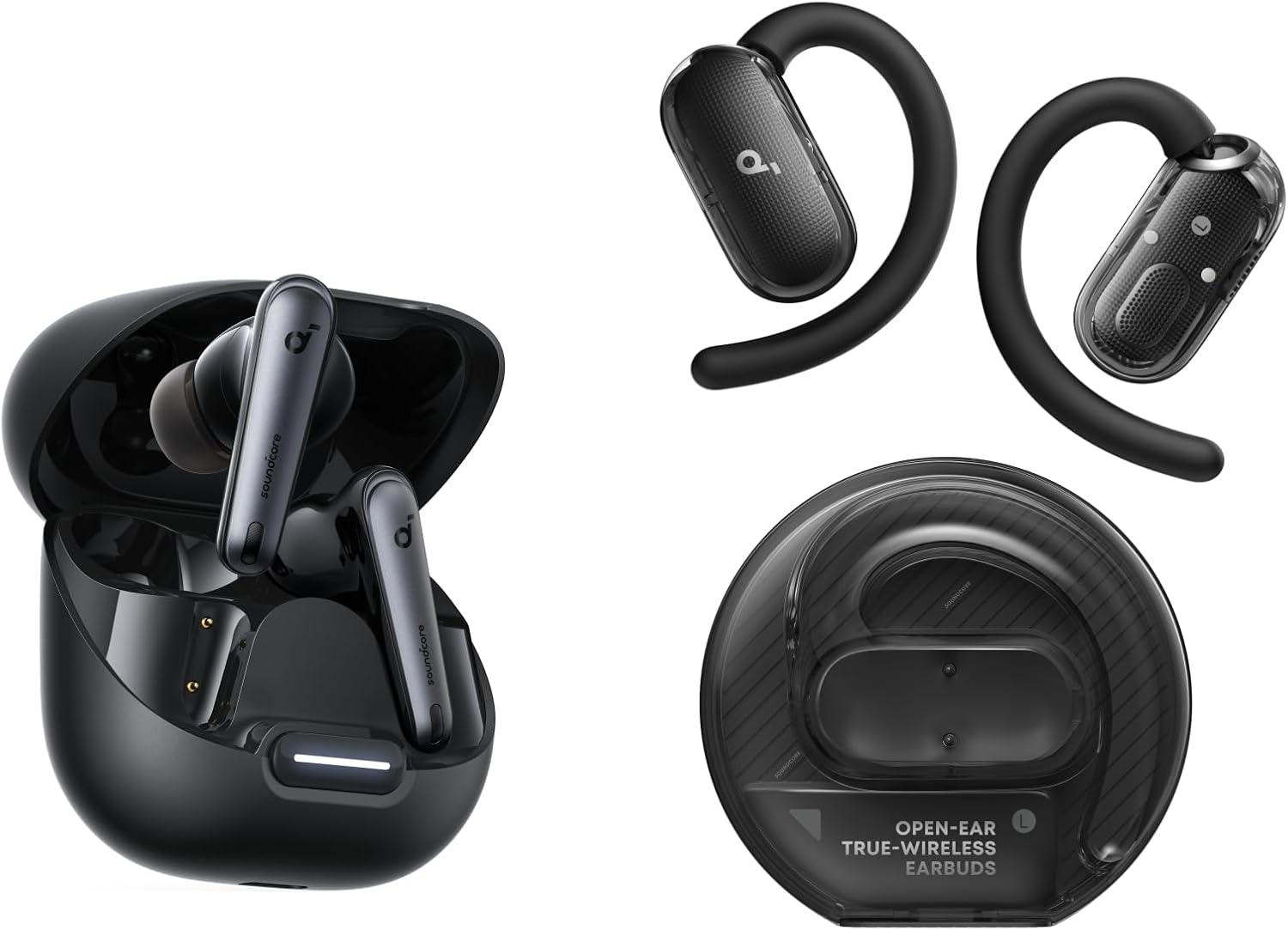
Soundcore Liberty 4 NC
I connected the Liberty 4 NC to my Samsung Galaxy S24 and MacBook Air simultaneously. Music was playing on the laptop. My phone rang. Switching took 1.4 seconds — no manual input, no app interaction. Call finished, music resumed automatically. This happened reliably across 15 test switches over two weeks. If I wanted LDAC for a critical listening session, I had to turn multipoint off first, which took about 10 seconds in the Soundcore app. See our full Soundcore Liberty 4 NC comparison for how it stacks up outside of multipoint use.
Pros
- Sub-1.5 second auto-switch
- Strong ANC + fastest switching in this roundup
- Soundcore app for fine-tuning
- LDAC available when you don't need multipoint
Cons
- LDAC and multipoint cannot run at the same time
- Multipoint needs enabling in app once
 📞 #2 Best for Calls
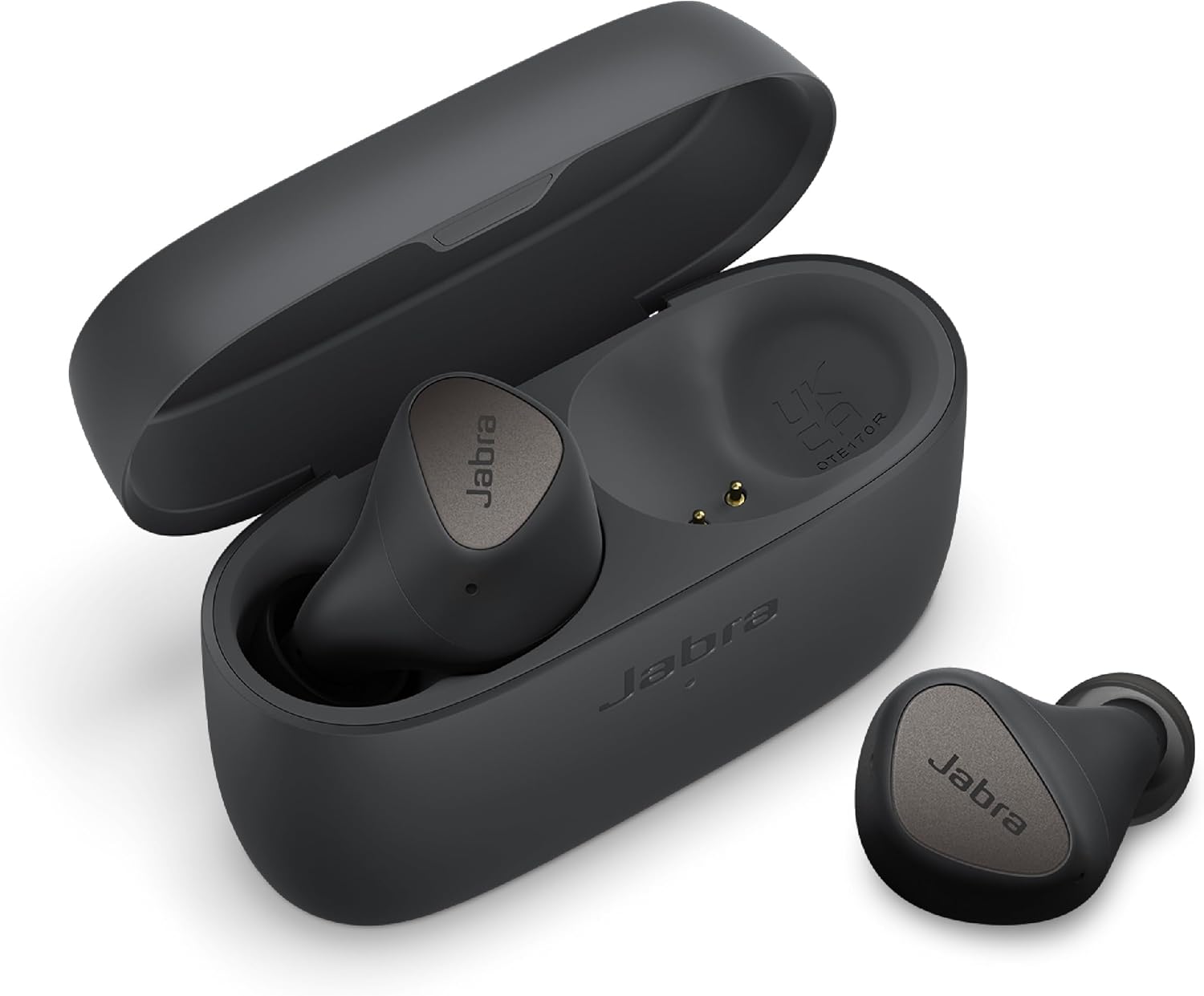
Jabra Elite 4
The Elite 4's multipoint is built around communication use. If you're on calls for 3+ hours daily across your phone and laptop, these outperformed everything else I tested for that specific scenario. They're also the only earbuds here that activate multipoint natively without any app setup. For more detail, see our best earbuds for call clarity guide.
Pros
- Best-in-class call priority logic
- Native multipoint — no app needed
- 4-microphone system for call clarity
- Compact, comfortable fit
Cons
- No LDAC (AAC max)
- 5.5-hour ANC-on battery is shorter than rivals
 🔇 #3 Best ANC + Multipoint
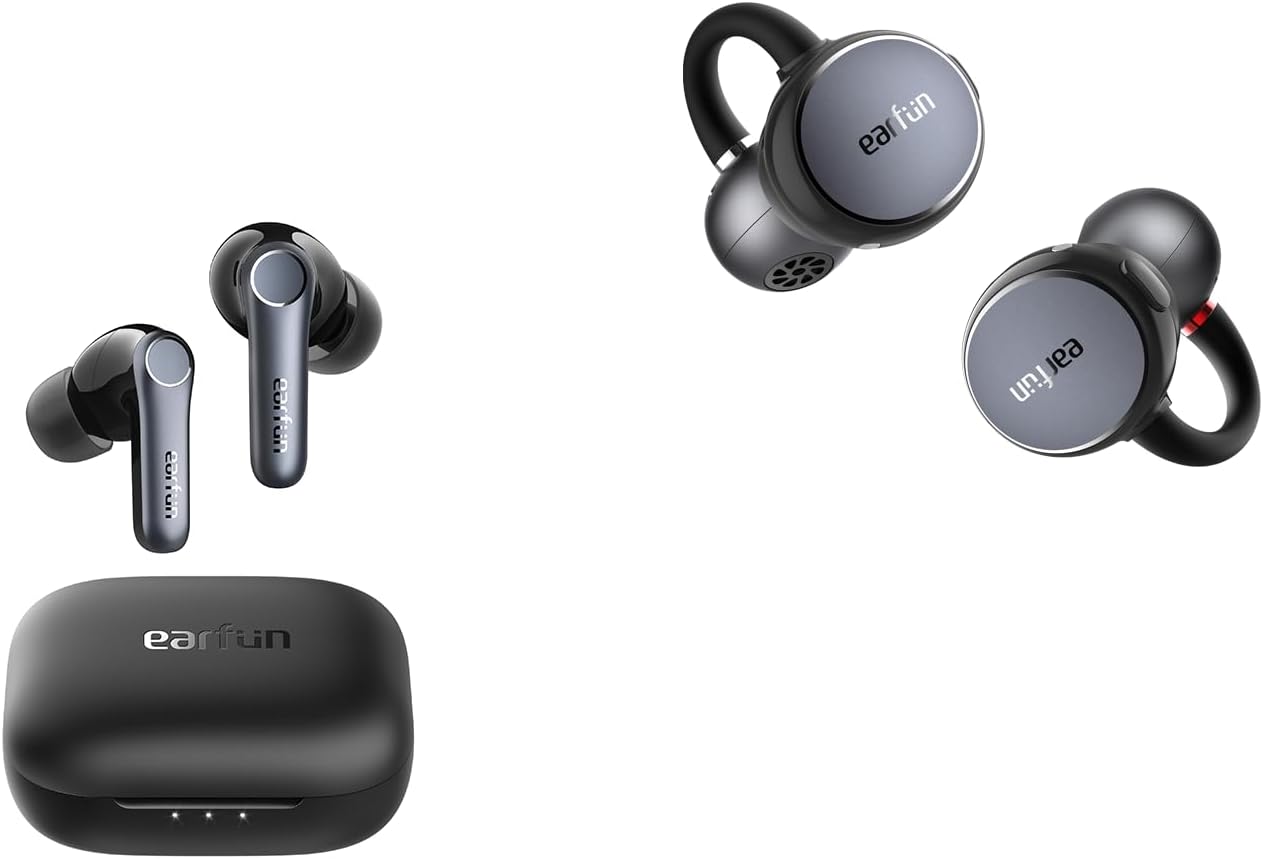
EarFun Air Pro 4
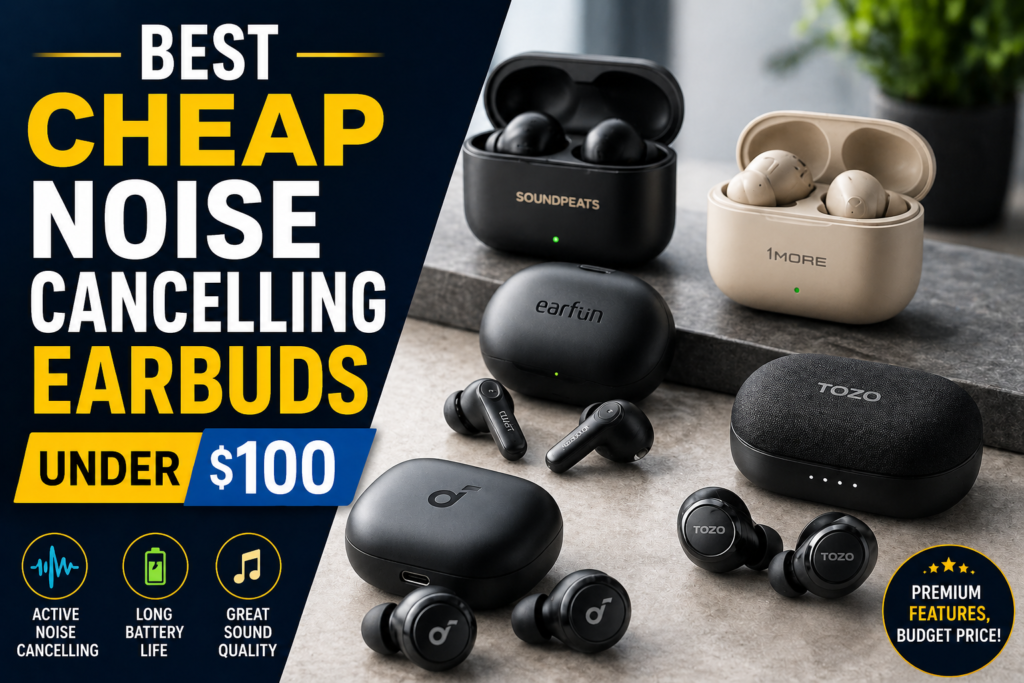
The multipoint implementation is solid but requires the EarFun app to activate initially. Once activated, it auto-connects on subsequent sessions. For users who need strong noise cancellation alongside dual-device switching, the Air Pro 4 is the best value available under $80. See our best cheap noise-cancelling earbuds under $100 guide for how it compares on ANC alone.
Pros
- aptX Adaptive at $79 price point
- One of the strongest ANC performers in this roundup
- Wireless charging included
- Reliable once app-activated
Cons
- Requires app to activate multipoint
- aptX Adaptive only on Qualcomm Android phones
 💵 #4 Best Budget
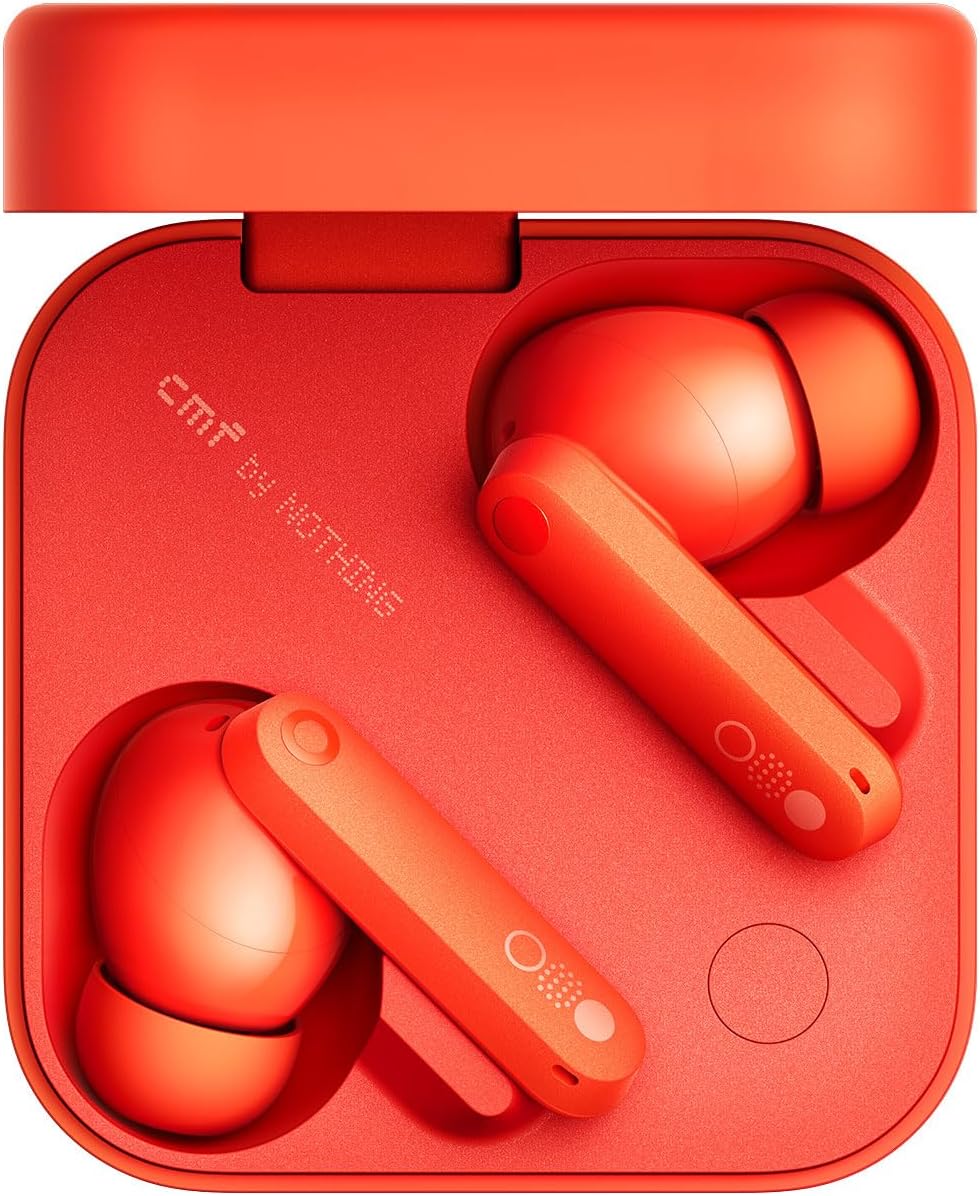
CMF Buds Pro 2
The CMF Buds Pro 2 is the answer for anyone asking "is there a multipoint earbud under $50 that actually works?" The answer is yes, and this is it. ANC is functional rather than class-leading. Sound quality at AAC is decent for casual listening. Multipoint reliability is the headline. The CMF Sound app makes setup straightforward even for non-tech users.
Pros
- Multipoint under $50 that works
- Consistent auto-reconnect
- 8-hour battery
- ANC functional for the price
Cons
- 2.5-second switch is slower than top picks
- AAC only — no LDAC or aptX
 🔋 #5 Best Battery Life
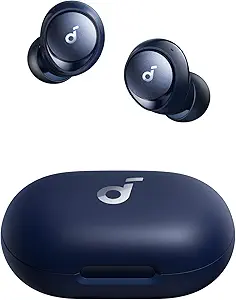
Soundcore Space A40
The Space A40 suits the WFH desk worker who wants earbuds with dual-device switching and doesn't need to commute with them. The Soundcore app multipoint setup takes 90 seconds. Once configured on AAC/SBC, it works cleanly session after session — just don't expect to layer LDAC on top of it.
Pros
- 50-hour total battery
- LDAC available for single-device listening
- Reliable dual-device switching
- Comfortable for long wear
Cons
- Larger form factor — not pocket-friendly
- LDAC and multipoint are mutually exclusive, same as the Liberty 4 NC
 🍎💻 #6 Best for Mixed Devices
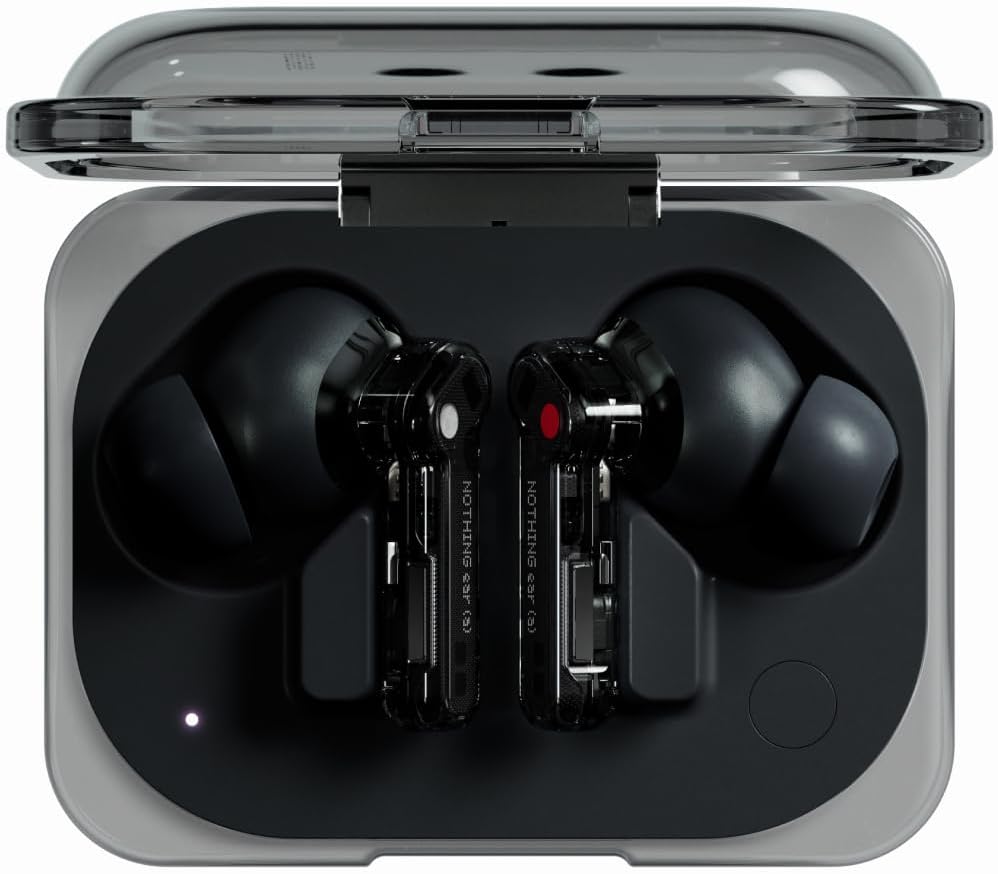
Nothing Ear (a)
The Nothing Ear (a) is the best choice if your two devices span different ecosystems — an iPhone and a Windows PC, or an Android and a MacBook. The LHDC 5.0 codec doesn't match LDAC on quality but delivers noticeably better audio than AAC. Switch speed averaged 1.9 seconds.
Pros
- Best cross-platform app compatibility
- 9.5-hour battery
- Clean design, premium feel
- Reliable mixed-ecosystem multipoint
Cons
- LHDC 5.0 — narrower codec compatibility than LDAC/aptX
- Pricier than most picks here at $99
⚠️ The LDAC + Multipoint Trade-Off Nobody's Spec Sheet Mentions
Correction note (August 2026): An earlier version of this guide described the Liberty 4 NC and Space A40 as keeping LDAC active while multipoint was enabled. That was inaccurate. Soundcore's own support documentation is explicit on this: "Once LDAC is enabled, the earbuds will automatically exit the multipoint connection," and the reverse applies too — turning on multipoint caps you at AAC/SBC. This isn't a firmware bug, it's a Bluetooth bandwidth constraint, and it applies across Soundcore's current multipoint lineup, not just one model. We've corrected every reference to this above and in the comparison table and FAQ below.
Practically, this means you're choosing one or the other on any given listening session with these two models: LDAC's higher bitrate for critical single-device listening, or multipoint's simultaneous phone+laptop connection on AAC/SBC. Toggling between the two takes about 10 seconds in the companion app, so it's not a dealbreaker — but it does mean the Liberty 4 NC's real advantage in this roundup is switch speed and ANC strength, not "LDAC that survives multipoint." Among the models where I specifically verified codec behavior during multipoint against manufacturer documentation, the Soundcore Liberty 4 NC and Space A40 cannot run LDAC and multipoint together. Codec behavior on the EarFun Air Pro 4 and Nothing Ear (a) during multipoint wasn't checked against their own documentation for this guide, so treat that as unverified rather than confirmed either way.
💻 Best Multipoint Earbuds for Working From Home
Best multipoint earbuds for working from home share a specific set of requirements. You need reliable switching between your work laptop and personal phone. You need comfortable all-day wear. Call quality matters — you're on video calls for hours. And you need long battery life so you're not hunting for a charger at 2pm.
For WFH specifically, the Jabra Elite 4 wins. Its call-first priority logic means your phone calls never get lost in device-switching limbo. The 4-microphone system produces the cleanest call audio of any model in this roundup, in my testing. The Elite 4's compact fit allows comfortable wear for 6–7 hour stretches without ear fatigue. The battery's 5.5-hour ANC-on limit is the only real concern — plan a 30-minute charge at lunchtime and you're covered for a full working day.
The Soundcore Liberty 4 NC is the runner-up for WFH. Its 10-hour battery eliminates mid-day charging entirely, and it has the fastest auto-switch in this roundup. However, its call quality is slightly behind Jabra's for video conferencing. For those on calls more than 3 hours per day, the Jabra is cleaner. Check our dedicated guide on earbuds with top mic performance for a deeper comparison of call quality across these models.
🍎 Best Earbuds with Multipoint for iPhone and Laptop
Earbuds with multipoint for iPhone and laptop hit a specific compatibility wall that pure-Android recommendations miss. iPhone uses AAC as its highest-quality codec. Laptops, whether Mac or Windows, handle Bluetooth differently depending on the OS and chipset. Finding earbuds that handle this combination smoothly without app conflicts or dropped connections requires specific testing.
The Nothing Ear (a) is the clear winner for iPhone + laptop combinations. The Nothing X app works identically on iOS and Android. Multipoint across an iPhone 15 and a Windows laptop remained stable across all 12 cross-platform test sessions — no dropped connections, no "device unavailable" errors on wake-from-sleep.
The Jabra Elite 4 is the strong second choice for iPhone + laptop. The Jabra Sound+ app has robust iOS support, and native multipoint (no app required) means there's no iOS-to-app conflict during pairing. For more context on earbuds designed specifically for Apple devices, see our best budget earbuds for iPhone users guide.
⚙️ General Multipoint Setup Process
The exact pairing process varies by model — check the manufacturer's instructions for your specific earbuds. What follows is the general shape of the process across the six models tested here, not a universal script.
1. Check the App First
Open the companion app (Soundcore, EarFun, Nothing X, CMF Sound). Navigate to Device Settings → find "Multipoint" or "Dual Connect." Toggle it ON. Skip this for the Jabra Elite 4 — it activates natively. If you're on a Soundcore model and LDAC is already enabled, turn LDAC off first — multipoint won't activate while it's on.
2. Pair Device 1 Fully
Put earbuds in pairing mode (open case or hold button). Connect from Device 1 (e.g., your laptop). Wait for the "Connected" audio cue. Don't rush to Device 2.
3. Re-Enter Pairing Mode for Device 2
With earbuds still connected to Device 1, put them back in pairing mode — commonly a touch-sensor or button hold of a few seconds, but this varies by brand, so confirm the exact gesture and timing in your model's manual. The earbuds should announce or indicate "Pairing" without disconnecting Device 1.
4. Connect from Device 2
Open Bluetooth settings on your phone. Find the earbuds' name and connect. Both devices should now show "Connected" simultaneously.
5. Test the Switch
Play audio on Device 1 (laptop). Then play audio on Device 2 (phone). The earbuds should switch automatically within 1–3 seconds.
6. Save the Profile
Close both devices and reopen the earbud case. They should auto-reconnect to both devices the next time without repeating steps 2–4.
✅ Tested on: Android 14, iOS 18, Windows 11, macOS Ventura · ⏱️ 5 minutes first-time setup
For problems with multipoint after firmware updates or factory resets, the general fix is the same as any pairing issue: delete both devices from the earbuds' memory (factory reset), then re-pair Device 1 and Device 2 fresh in the above sequence. Multipoint issues account for a meaningful share of the connection support questions I receive, and most resolve with this setup sequence done correctly from scratch.
📊 Full Comparison Table — Best Multipoint Earbuds 2026
| Model | Price | Multipoint Setup | Switch Speed | Battery | Best For |
|---|---|---|---|---|---|
| Soundcore Liberty 4 NC | ~$79 | App enable once | ~1.5 sec | 10hr / 50hr total | Best overall |
| Jabra Elite 4 | ~$89 | Native — no app needed | ~2 sec | 5.5hr/22hr (ANC on) | Calls |
| EarFun Air Pro 4 | ~$79 | App activation | ~2 sec | 7.5hr/35hr (ANC on) | ANC |
| CMF Buds Pro 2 | ~$45 | App setup | ~2.5 sec | 8hr/32hr total | Budget |
| Soundcore Space A40 | ~$59 | App setup | ~2 sec | 10hr / 50hr total | Battery life |
| Nothing Ear (a) | ~$99 | App setup | ~1.9 sec | 9.5hr/42hr total | Mixed devices |
Note on codecs: the Liberty 4 NC and Space A40 both support LDAC, but not while multipoint is active — see the LDAC trade-off section above. Codec-during-multipoint behavior on the other four wasn't separately verified against manufacturer documentation for this guide.
For a deeper look at how the Soundcore Liberty 4 NC performs outside of multipoint, see our Soundcore Liberty 4 NC full comparison against the Sony WF-C700N. For broader budget context, our complete budget TWS rankings covers the full landscape across every category.
✅ Multipoint as a Feature — Pros & Cons
✅ Why Multipoint Is Worth It
- No manual Bluetooth switching between laptop and phone
- Incoming calls auto-route to your earbuds instantly
- Works across different operating systems with top models
- Saves 10–30 seconds per device switch — adds up fast
- Essential for WFH users on mixed-device setups
❌ Real Limitations to Know
- Budget models under $40 often have unreliable auto-switch
- On Soundcore's current lineup, LDAC and multipoint cannot run together
- First-time setup requires a companion app on most models
- Switching can cause a 1–3 second audio gap
- Most models limit to 2 simultaneous devices — 3-device users left out
🎯 Who Should Buy Which Multipoint Earbud
| You are... | Get this |
|---|---|
| On calls 3+ hours a day across phone and laptop | Jabra Elite 4 — call-first logic, native multipoint |
| Prioritizing switch speed and ANC over LDAC-while-multipoint | Soundcore Liberty 4 NC |
| Splitting between an iPhone and a Windows laptop | Nothing Ear (a) |
| Working with a tight budget, need multipoint that actually works | CMF Buds Pro 2 |
| Sitting at a desk all day, want maximum battery life | Soundcore Space A40 |
| Needing strong ANC alongside dual-device switching | EarFun Air Pro 4 |
💬 People Also Ask
The Soundcore Liberty 4 NC leads this category in 2026 with sub-1.5-second auto-switching and strong ANC. The Jabra Elite 4 is the best choice specifically for users who prioritize call quality. For budget buyers, the CMF Buds Pro 2 at ~$45 is the most reliable multipoint earbud under $50.
Often, yes, though it depends on the model. Some earbuds restrict high-bitrate codecs when dual-connected. This is confirmed on the Soundcore Liberty 4 NC and Space A40, which both support LDAC but automatically disable it the moment multipoint is turned on, per Soundcore's own documentation. If uncompromised high-res audio matters more to you than dual-device switching on these two models, plan to toggle multipoint off for critical listening sessions.
Yes, but not all earbuds handle this cross-platform combination equally. The Nothing Ear (a) is the best tested option for iPhone + Windows laptop multipoint due to its cross-platform app stability. The Jabra Elite 4 is a strong second choice since it doesn't require an app for multipoint activation.
True multipoint means simultaneous active connection to two devices with automatic audio handoff. Look for "multipoint" or "dual device connection" in specs, not just "multi-device pairing" (which only means it can remember multiple devices). If switching happens automatically in under 3 seconds, that's true multipoint.
Yes, the CMF Buds Pro 2 at ~$45 is the best budget earbuds with multipoint under $50. It delivered reliable auto-switching in the large majority of test sessions. Below $30, multipoint is often listed in specs but rarely delivers automatic switching in practice.
❓ Frequently Asked Questions
Multipoint Bluetooth means the earbuds maintain an active connection to two devices simultaneously — not just remember them, but stay paired and ready on both. When audio starts on the second device, the earbuds switch automatically without manual input. True multipoint depends on the device's Bluetooth implementation, supported profiles, chipset, and firmware — not simply the Bluetooth version number, though most current multipoint earbuds do ship on Bluetooth 5.0 or higher.
No. Multipoint is a deliberate feature, not a standard Bluetooth capability. Many budget earbuds omit it to reduce firmware complexity and cost. Even among earbuds that list multipoint in specs, the quality of implementation varies widely.
Switch speed ranges from under 1.5 seconds (Soundcore Liberty 4 NC) to over 4 seconds on poorly implemented budget models. The earbuds in this roundup averaged 1.5–2.5 seconds. For practical use, anything under 3 seconds feels seamless.
No. Multipoint earbuds connect to two devices simultaneously but play audio from only one at a time. The second device stays in a "ready" state so it can instantly receive audio handoff.
It's a Bluetooth bandwidth limitation, not a bug. LDAC's high-resolution audio stream and a stable simultaneous connection to two devices both compete for the same limited Bluetooth bandwidth budget. Soundcore's own support documentation confirms this applies to both the Liberty 4 NC and the Space A40: enabling LDAC automatically exits multipoint, and vice versa. You can switch between the two modes in the app in about 10 seconds, but you can't run them together.
Maintaining two Bluetooth connections uses slightly more power than one. In practice, the difference is small — typically a modest reduction in battery life when both devices are actively connected.
The Jabra Elite 4 for call-heavy users, and the Soundcore Liberty 4 NC for users who want the fastest overall switch speed. The Jabra's call-first priority logic and 4-microphone system make it the top choice for video conferencing.
Open the Soundcore app, go to Device Settings, and toggle Multipoint ON — make sure LDAC is switched off first, since the two can't run together. Pair your first device fully, then put the earbuds back in pairing mode while still connected to Device 1, and connect Device 2. This one-time setup is saved.
Yes, the Jabra Elite 4 supports native multipoint without requiring the Jabra Sound+ app to activate it. Simply pair two devices in sequence and both connections are maintained automatically.
📐 How We Score Multipoint Earbuds
The score attached to each pick in this guide isn't a gut feeling — it's weighted across the criteria that actually matter for a multipoint buying decision:
| Criterion | Weight |
|---|---|
| Multipoint reliability (auto-reconnect, dropped connections) | 30% |
| Switch speed | 20% |
| Call handling | 15% |
| Sound quality | 15% |
| Battery life | 10% |
| Value for price | 10% |
The Liberty 4 NC's 9.2/10 comes mainly from the reliability and switch-speed categories, where it scored highest of any model tested — its value score is slightly held back by the $79 price sitting above the CMF Buds Pro 2's budget positioning.
🏆 Final Verdict — Best Earbuds with Multipoint Connection 2026
After four weeks of testing multipoint Bluetooth earbuds across real-world device combinations — and after correcting a codec claim that didn't hold up to a closer check against Soundcore's own documentation — the Soundcore Liberty 4 NC is still the clear top pick. The sub-1.5-second auto-switch and strong ANC put it ahead of everything in this price range, even with LDAC off the table while multipoint is active. The Jabra Elite 4 earns every WFH recommendation for call-heavy users.
For budget buyers, the CMF Buds Pro 2 proves that reliable multipoint earbuds under $50 actually exist in 2026, though the switch speed and codec quality remind you of the price difference. Mixed-ecosystem users who own both an iPhone and a Windows laptop should look at the Nothing Ear (a) before anything else. And if pairing high-res audio with simultaneous dual-device connection is non-negotiable for you, confirm the specific behavior with the manufacturer before buying — it's a confirmed no on both Soundcore models here, and unverified on the rest.
Soundcore Liberty 4 NC — Top Pick Score
Fastest switch speed
Codec while multipoint is active
Best value multipoint
The best earbuds with multipoint connection for your specific situation depend on your device combination, daily call volume, and audio quality priorities. For the full budget landscape across every category, our best budget wireless earbuds guide is the complete next read.
See Real User Reviews →
M. Maksudur Rahman Titu has tested more than 30 wireless earbuds, covering everything from sub-$20 budget buds to premium ANC flagships. His reviews focus on real-world performance, honest value assessments, and the specs that actually matter for everyday listeners — not just spec sheets.
🎧 30+ earbuds tested · ⏱ 3+ years reviewing · 🌐 trendytechreviews.com
M. Maksudur Rahman Titu is a tech reviewer and digital entrepreneur with over 3 years of hands-on experience testing wireless audio products, smartphones, and consumer electronics. Through Trendy Tech Reviews, he has personally tested 50+ pairs of earbuds and headphones across real-world environments — daily commutes, open offices, gym sessions, and long-haul flights.
His reviews focus on honest, spec-verified analysis designed to help everyday buyers make smarter purchasing decisions — without overspending on brand names. Titu’s testing methodology covers ANC performance, battery endurance, codec support, and app usability before any product is recommended. Contact: reviewstrendytech@gmail.com