Best Low-Latency Earbuds for PC Gaming (2026)
Bluetooth Game Mode, 2.4 GHz dongles or wired — which one actually removes audio delay on Windows, and what changes when you move to a PS5, Xbox or Switch.
However, most "low-latency gaming earbuds" lists quietly assume you're playing on a phone. On a Windows PC, though, the situation is different in two ways that matter: your PC's Bluetooth adapter decides which codecs you actually get, and the moment you turn on the earbuds' microphone for Discord, Windows can drop your game audio into a low-quality call mode. Consoles also add a third problem — two of the big three don't output Bluetooth audio at all.
So this guide starts with the question that decides everything else: do you need wireless, or do you just need no delay? If it's the second one, then a wired pair costs less and beats every Bluetooth earbud here. When you want wireless for casual play, Bluetooth Game Mode is usually fine. Finally, if you play competitive shooters wirelessly, a 2.4 GHz dongle is the architecture to look at — not a codec badge on the box.
🎮 Quick Picks — Best Low-Latency Earbuds for PC Gaming (2026)
- Top Bluetooth Pick for PC: EarFun Air Pro 4 — Game Mode, the widest codec support on this list, and also LE Audio for Windows 11 PCs that support it
- Everyday All-Rounder (casual gaming): Soundcore Liberty 4 NC — excellent ANC and app, plus Game Mode for single-player and casual titles
- Easiest Low Lag Toggle: CMF Buds Pro 2 — Low Lag Mode can be mapped to a gesture or, alternatively, the case's Smart Dial
- PC + Phone Multipoint Pick: Jabra Elite 4 — stable two-device switching and aptX, but not a latency pick
- Console Pick (wired): Sony MDR-EX15AP — 3.5 mm with in-line mic, so it plugs into the DualSense, Xbox controller or Switch
- Wired Pick for USB-C PCs: Apple EarPods (USB-C) — no Bluetooth buffer, especially on laptops and desktops with a USB-C audio port
Playing ranked shooters wirelessly? Skip to the 2.4 GHz dongle option first.
🔒 Prices and availability change often — confirm the current listing on Amazon before buying.
🔬 How I Tested (and what I didn't measure)
What I did: I ran hands-on sessions with each pair on a Windows 11 PC using its built-in Bluetooth. Before each session, I switched on Game Mode or Low Lag Mode in the brand's app where available. I listened for audio-to-action sync in fast shooters and rhythm-sensitive moments, checked how each pair behaved when Discord turned the microphone on, and noted how easy each low-latency mode was to toggle.
What I didn't do: I don't own latency-measurement hardware, so this guide contains no millisecond figures of my own. Instead, every number you see is labeled as a manufacturer claim or a third-party test. In addition, real-world latency will vary with your PC's Bluetooth chipset, drivers, codec and the game itself.
Console guidance is based on Sony, Microsoft and Nintendo's documented audio support plus the transmitter makers' own compatibility statements — cited in the sources at the end — rather than a claim that every combination below was tested.
Last specs checked: October 2026.
Full Specs — Low-Latency PC Gaming Earbuds Compared
Latency figures in this table are manufacturer claims or third-party findings, as labeled; in other words, none were measured by us.
| Model | Connection | Codecs | Low-latency mode (source) | Mic on PC | Best for |
|---|---|---|---|---|---|
| EarFun Air Pro 4 | Bluetooth 5.4 + LE Audio | SBC, AAC, aptX, aptX Adaptive/Lossless, LDAC, LC3 | Game Mode — under 50 ms, as reported by Mighty Gadget (no official EarFun figure confirmed) | Yes (hands-free mode drops quality; LE Audio avoids this on supported PCs) | Bluetooth PC gaming |
| Soundcore Liberty 4 NC | Bluetooth 5.3 | SBC, AAC, LDAC | Gaming Mode — no official figure; RTINGS still found noticeable lag on PC | Yes (hands-free mode) | Everyday + casual gaming |
| CMF Buds Pro 2 | Bluetooth 5.3 | SBC, AAC, LDAC | Low Lag Mode — under 120 ms claimed with Nothing phones only (Nothing) | Yes (hands-free mode) | Quick mode switching |
| Jabra Elite 4 | Bluetooth 5.2, multipoint | SBC, aptX (no AAC) | No dedicated game mode | Yes (4 mics, hands-free mode) | PC + phone multitasking |
| Sony MDR-EX15AP | Wired 3.5 mm (4-pole) | Analog | No Bluetooth buffer | Yes, in-line mic (needs a headset jack) | Console controllers |
| Apple EarPods (USB-C) | Wired USB-C (digital) | USB audio | No Bluetooth buffer | Yes, in-line mic | USB-C laptops/PCs |
| Soundcore VR P10 ⚠️ Not personally tested · no score | 2.4 GHz USB-C dongle + Bluetooth 5.2 | LC3 (dongle), SBC, AAC (Bluetooth) | Dongle — under 30 ms claimed (Soundcore) | Check mic routing for your setup | Competitive wireless (no Xbox) |
Wired vs 2.4 GHz Dongle vs Bluetooth — The Three Ways to Cut Latency on PC
Low-latency earbuds for PC gaming come in three architectures, and the architecture matters far more than the brand:
- Wired (3.5 mm or USB-C): No Bluetooth transmission buffer, so it's the simplest way to remove wireless delay. There's still a small amount of processing in any audio chain, which is why we avoid calling wired "zero latency" — but it's not something you'll perceive in a game.
- 2.4 GHz USB dongle: The earbuds talk to their own paired receiver instead of your PC's Bluetooth stack. This is generally the better wireless architecture for competitive play, though the result still depends on the specific product, and not every dongle works on every console.
- Bluetooth with Game Mode: Most convenient, since it works with nearly any PC, but typically the slowest of the three. Game Mode shrinks the buffer, although how much it helps depends on the earbud, your PC's adapter and the codec in use.
Which Connection Fits How You Play?
| Connection | Competitive FPS | Casual / co-op | Platform caveats | Picks on this page | Tested by us? |
|---|---|---|---|---|---|
| Wired 3.5 mm | Generally best | Yes | Needs a 4-pole jack for the mic; works on PS5/Xbox controllers and Switch | Sony MDR-EX15AP | Yes |
| Wired USB-C | Generally best | Yes | PCs/laptops with USB-C audio only; not via console controllers | Apple EarPods (USB-C) | Yes |
| 2.4 GHz dongle | Generally good | Yes | Console support varies (VR P10: no Xbox); check mic routing | Soundcore VR P10 | No — candidate only, unscored |
| Bluetooth + Game Mode | Typically not ideal | Usually fine | Native on PC and Switch (SBC only); not native on PS5/Xbox; mic drops quality on most PCs | EarFun Air Pro 4, Liberty 4 NC, CMF Buds Pro 2, Jabra Elite 4 | Yes |
In short, Bluetooth Game Mode is usually fine for single-player, co-op and casual multiplayer. For ranked FPS, wired or 2.4 GHz is generally the safer choice. Architecture isn't a guarantee on its own, though — a well-implemented Bluetooth low-latency mode can beat a poorly implemented or misconfigured dongle, so treat this as a starting point, not a measured ranking.
Codecs and Game Mode on Windows — What the Box Doesn't Tell You
A codec logo describes what the earbuds can do rather than what your PC will actually use. After all, both ends have to support the same codec, and on Windows that depends on your Windows version, Bluetooth hardware and drivers — SBC is the universal baseline, and anything beyond it varies from PC to PC. Don't infer the active codec from the earbuds' spec sheet; check it (some brand apps and Bluetooth utilities show it) before you judge a pair's latency. With that in mind, here's how to read the labels:
- Game Mode / Low Lag Mode: Reduces buffering inside the earbuds. However, results vary by model and source device, so a figure measured on the brand's own phone won't necessarily carry over to your PC.
- aptX vs aptX Low Latency vs aptX Adaptive: These are different things. For example, standard aptX support does not mean aptX Low Latency, and aptX Adaptive's low-latency behaviour needs a compatible source — on PCs that usually means a dedicated transmitter or select Qualcomm-based laptops.
- LDAC: Designed for high-bitrate music, not gaming, and generally not available through Windows' built-in Bluetooth audio. Leave it off for games.
- LE Audio (LC3): On Windows 11 24H2 PCs with LE Audio-capable hardware and drivers, compatible earbuds can keep stereo game audio while the mic is on. Support is still limited, so check your PC before counting on it.
If you want aptX Adaptive on a PC that doesn't support it, a USB transmitter such as the Creative BT-W5 is the usual workaround — see transmitters and alternatives.
🎙️ The Windows Mic Trap Every Bluetooth Gamer Hits
Classic Bluetooth has two modes: a stereo music mode and, separately, a hands-free call mode. When Discord or a game turns on your earbuds' microphone, Windows switches to the hands-free mode, and your game audio becomes noticeably flatter and lower quality. Microsoft's own support answers describe this as a limitation of Bluetooth Classic, not a fault with your earbuds.
Your options: first, use a separate USB or desk mic and keep the earbuds in stereo mode; use LE Audio earbuds on a PC that supports it; or use wired earbuds with an in-line mic. As a result, this one issue is why "best mic" matters less for PC Bluetooth gaming than most lists suggest.
Best Low-Latency Earbuds for PC Gaming — Ranked (2026)
1. EarFun Air Pro 4 — Best Bluetooth Pick for PC Gaming
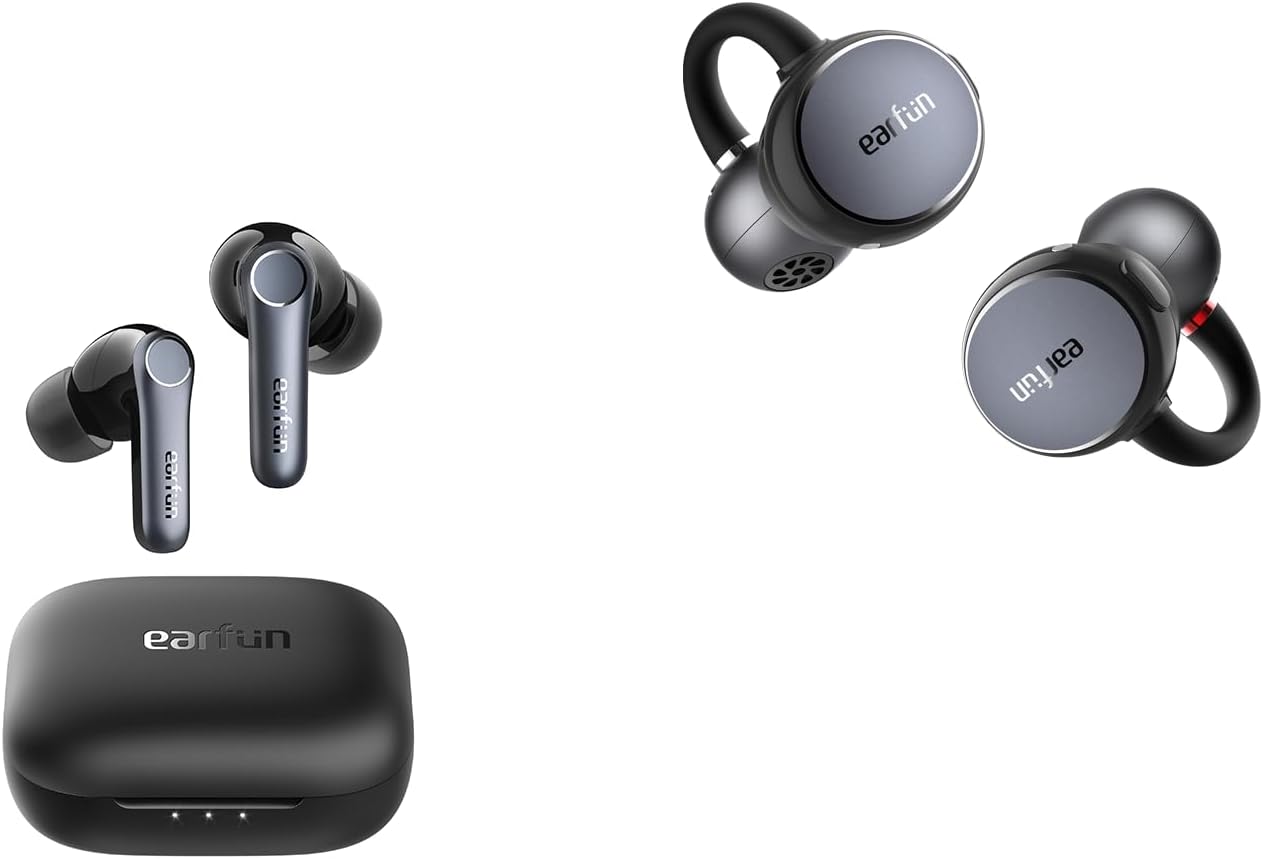
TTR editorial score: 8.7/10 (our own assessment — not a customer or lab rating)
The Air Pro 4 gives PC gamers more ways to get a good connection than anything else here. Mighty Gadget's review reports a Game Mode latency under 50 ms; I couldn't find that exact figure on EarFun's own Air Pro 4 spec page, and I can't verify it myself, but on my Windows 11 PC, switching Game Mode on noticeably tightened the sync between gunfire and on-screen action compared with leaving it off.
The bigger advantage is flexibility. Its Qualcomm chip supports aptX and aptX Adaptive (per EarFun's spec page) (useful if you add a compatible transmitter), and its LE Audio support (enabled through the EarFun app; check that your firmware is current) means that on a Windows 11 24H2 PC whose Bluetooth hardware and drivers also support LE Audio, it may avoid the hands-free mic trap. I haven't been able to confirm that on my own PC, so treat it as a possibility to check rather than a guarantee. On a typical PC without those extras, it falls back to SBC or AAC with Game Mode — still good for casual and co-op play, not a replacement for wired in ranked matches.
Earlier versions of this page listed it as SBC/AAC-only with IP55. That was wrong, because it actually supports a much wider codec set and is rated IPX5.
✅ Pros
- Game Mode made a clear difference on PC
- Also has the widest codec support on this list
- LE Audio option, if your Windows 11 PC also supports it
- Hybrid ANC and IPX5
❌ Cons
- Latency figure comes from a third-party review, not independently confirmed here
- Advanced codecs mostly benefit Android rather than stock Windows
- Still Bluetooth — not ideal for ranked FPS
2. Soundcore Liberty 4 NC — Best Everyday All-Rounder for Casual Gaming
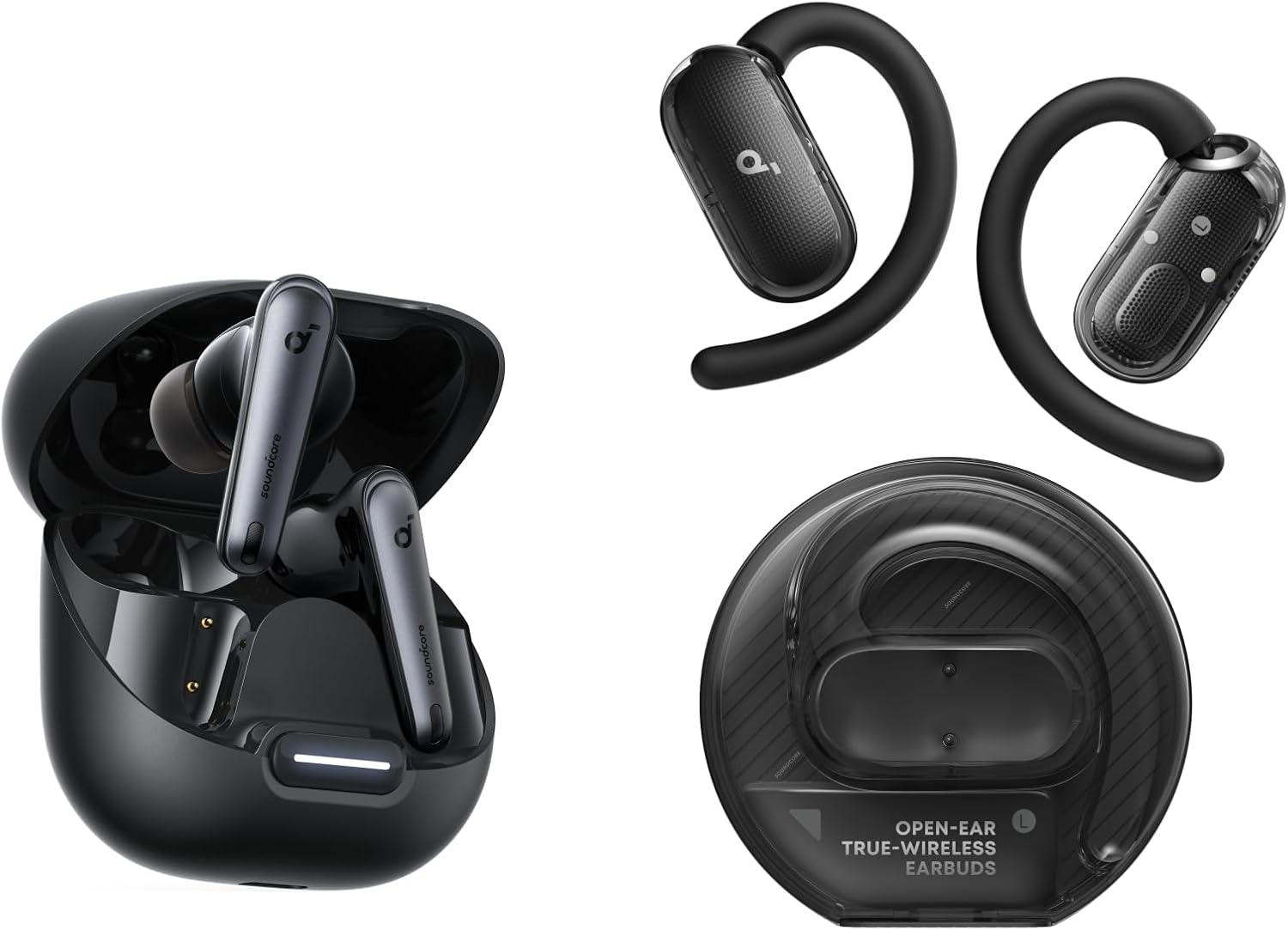
TTR editorial score: 8.4/10
The Liberty 4 NC previously topped this list. After re-checking, however, I've moved it down: it's still one of the best everyday earbuds at its price, but Soundcore doesn't publish a Gaming Mode latency figure, and RTINGS' testing found audio lag on PC remained noticeable even with the mode enabled.
That matches my own experience — Gaming Mode improves things over the default SBC connection, and it's perfectly enjoyable for story games, strategy and casual multiplayer, but it isn't the pair I'd pick for competitive shooters. Meanwhile, keep LDAC switched off for gaming: it's a music codec, Windows doesn't use it, and Soundcore notes it isn't available with multipoint.
Overall, where it earns its spot is everything around the gaming: strong adaptive ANC for noisy rooms, a mature app, and a comfortable fit for long sessions.
✅ Pros
- Excellent ANC and app, especially for daily use
- Gaming Mode still helps for casual play
- Comfortable for long sessions
❌ Cons
- Lag still noticeable on PC per independent testing
- No official latency figure
- Not suited to competitive FPS
3. CMF Buds Pro 2 — Easiest Low Lag Toggle
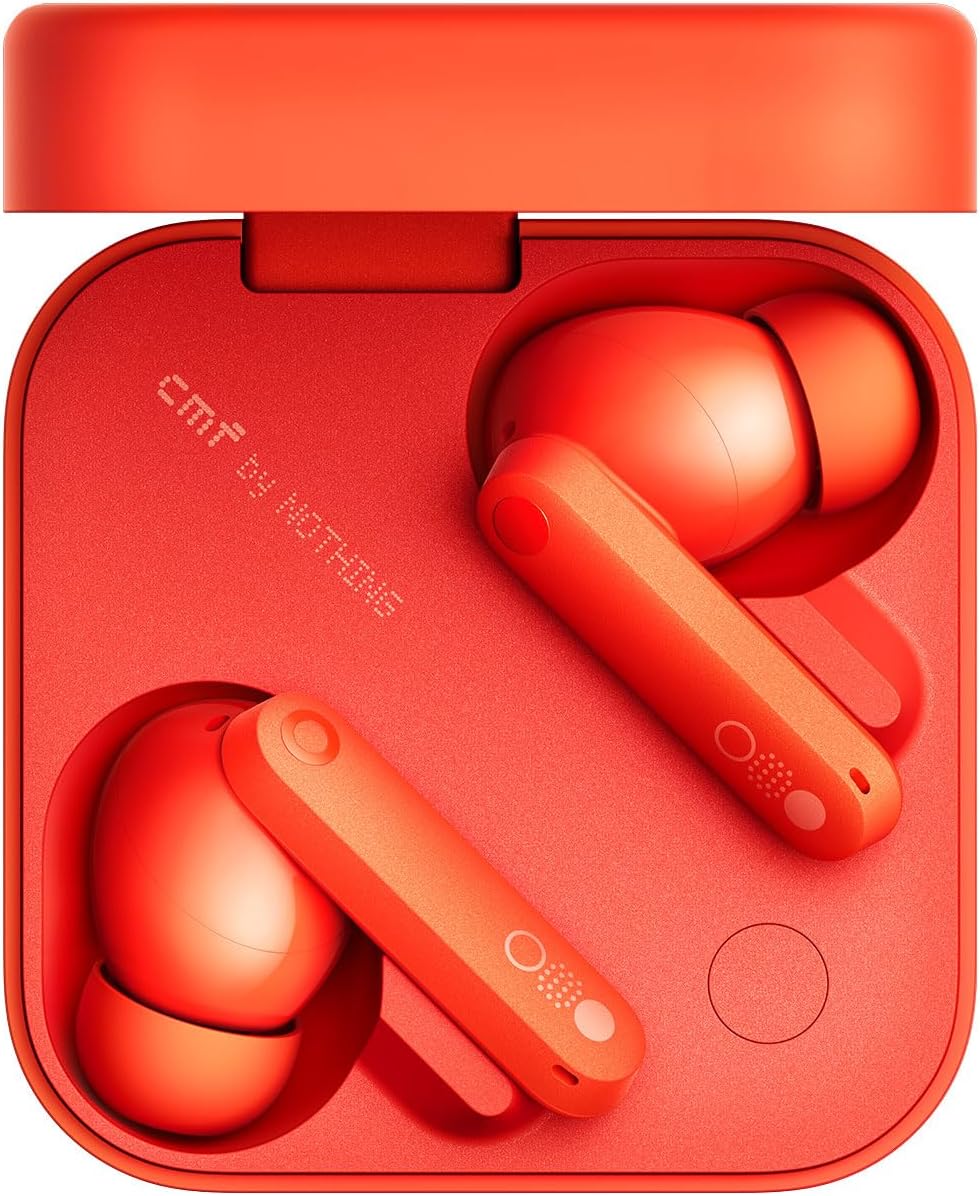
TTR editorial score: 8.2/10
Nothing's budget brand quotes its Low Lag Mode at under 120 ms — but only when paired with Nothing and CMF phones, so treat that as a best case rather than a PC figure. Still, what makes the Buds Pro 2 useful for gaming is how easy that mode is to reach: you can map it to an earbud gesture or to the Smart Dial on the charging case through the Nothing X app.
The bass-forward tuning gives explosions plenty of weight, though in quieter competitive moments it can make footsteps a little harder to pick out. As with the Liberty 4 NC, turn LDAC off for games — independent reviewers have noted it makes gaming and video sync worse.
✅ Pros
- Low Lag Mode on a gesture or the case dial
- Punchy tuning, particularly for action games
- IP55 as well as strong ANC for the price
❌ Cons
- Official latency claim only applies when paired with Nothing phones
- Bass can mask footstep cues
- LDAC worsens sync unless you switch it off
4. Jabra Elite 4 — Best for PC + Phone Multipoint (Not a Latency Pick)
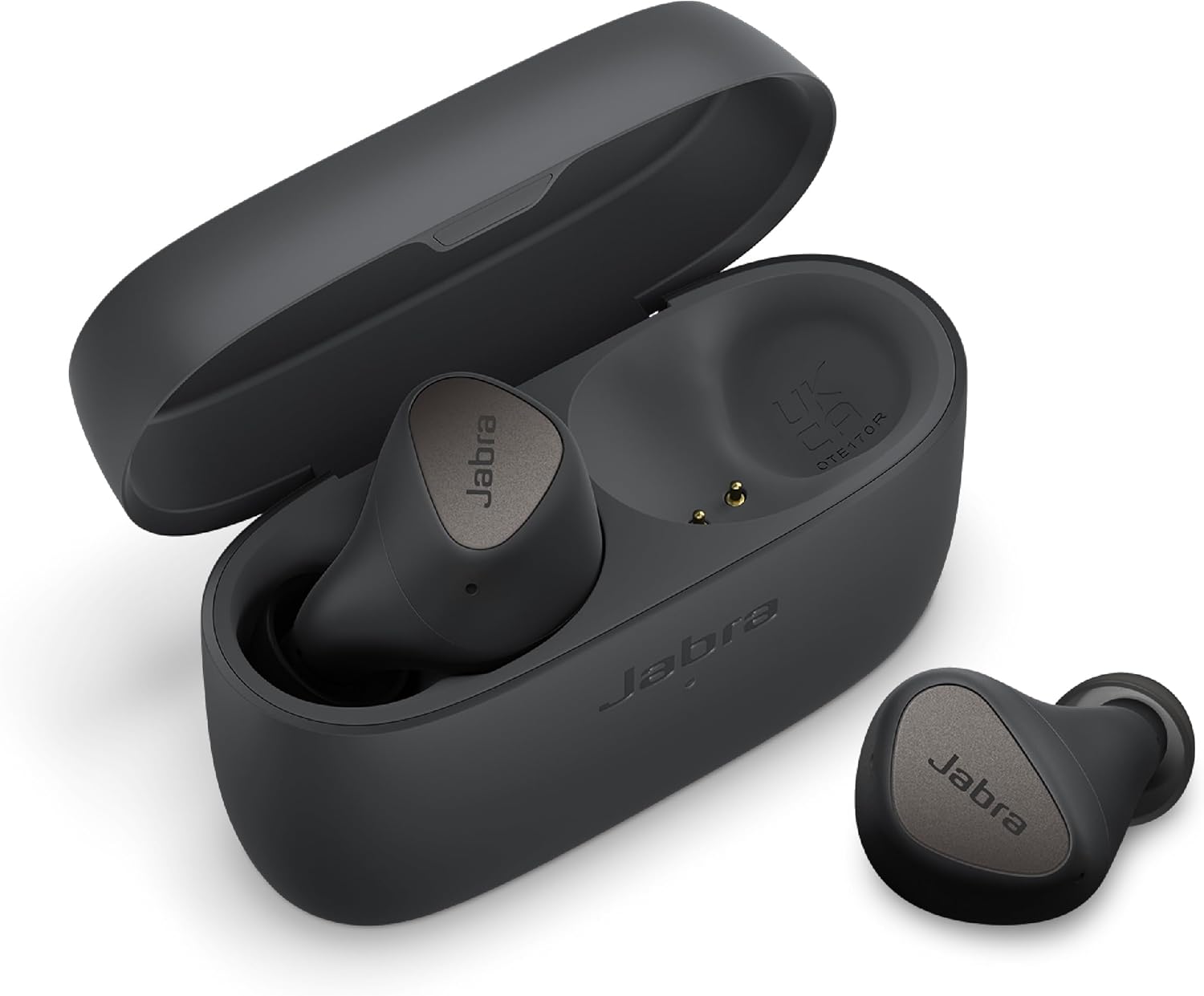
TTR editorial score: 7.6/10
I've repositioned the Elite 4. The earlier version of this page called it the best squad-chat pick with a six-mic array; it actually has four microphones, supports SBC and aptX (not AAC), and has no dedicated gaming mode (spec details via Headphonecheck). Independent reviews, such as NextPit's, have also been mixed on its call quality.
Where it genuinely fits is a desk setup that mixes work and play: multipoint keeps your phone and PC connected at the same time, Swift Pair makes Windows pairing quick, and classic aptX can work on Windows PCs whose Bluetooth hardware and drivers support it — check yours before counting on it. Just remember that standard aptX is not aptX Low Latency, and that the hands-free mic trap applies here too.
✅ Pros
- Reliable multipoint while switching between PC and phone
- aptX on supported Windows PCs
- Physical buttons, IP55
❌ Cons
- No game mode — expect more delay than the Game Mode picks
- No AAC
- Mic quality draws mixed reviews
🎯 Gaming mostly on your phone instead?
Phones handle Bluetooth very differently from PCs and consoles, so our use-case guide covers the best earbuds for low-latency mobile gaming separately.
5. Sony MDR-EX15AP — Best for Console Controllers (Wired)
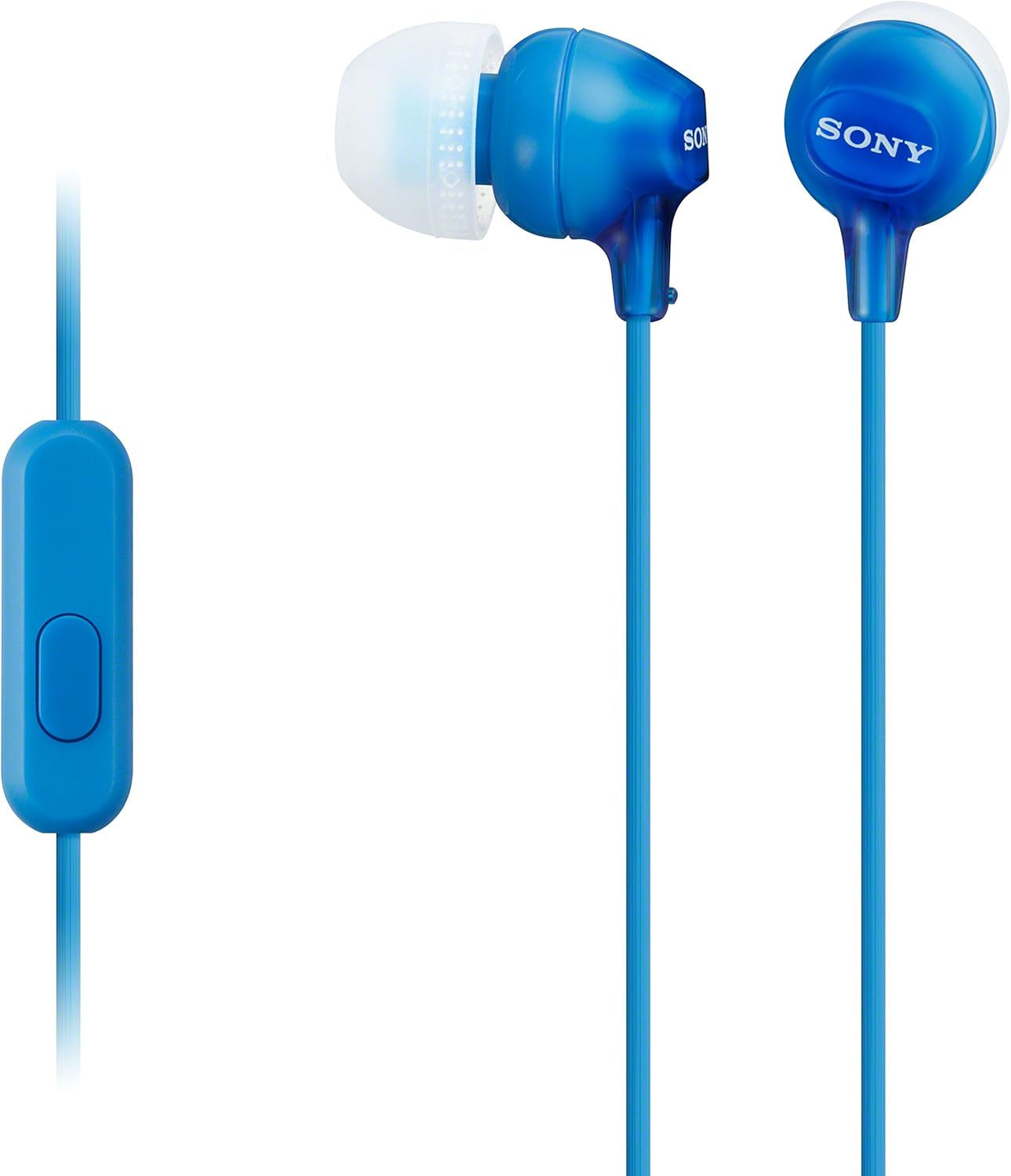
TTR editorial score: 8.0/10
When you play on a PS5 or Xbox, this is the simplest fix for the console Bluetooth problem. After all, the DualSense and Xbox Wireless Controller both have a 3.5 mm headset jack, and the Switch has one on the console too. As a result, the MDR-EX15AP plugs straight in — no pairing, no transmitter, no Bluetooth delay.
One correction from the earlier version: it does have an in-line microphone (listed in its retail specifications). Because it uses a four-pole plug, voice chat works through combined headset jacks like the ones on console controllers and most laptops; on desktops with separate mic and headphone sockets you'll need a splitter. Sound is modest next to the wireless picks, and the cable can snag, but nothing else here is as cheap or as universal.
✅ Pros
- No Bluetooth buffer on any platform
- Works with DualSense, Xbox controller, Switch and PCs as well
- In-line mic for party chat
- Very affordable
❌ Cons
- Modest sound quality
- Cable can snag
- Desktops with split jacks need an adapter before the mic works
6. Apple EarPods (USB-C) — Best Wired Pick for USB-C PCs and Laptops
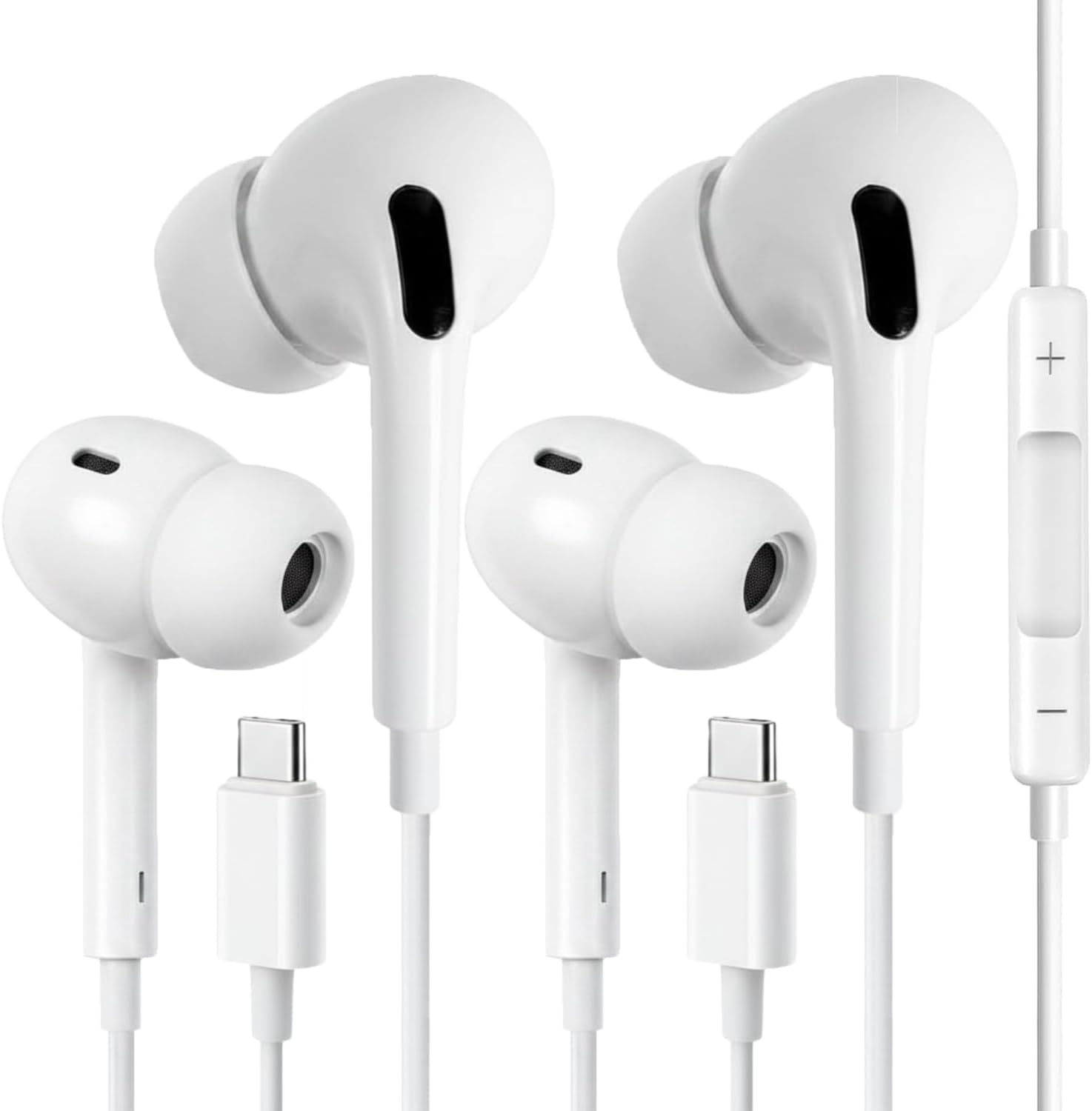
TTR editorial score: 7.8/10
On a laptop or desktop with a USB-C port, the USB-C EarPods are, above all, a cheap way to get rid of Bluetooth delay entirely, and their in-line mic sidesteps the hands-free quality drop that wireless earbuds suffer on Windows.
Important correction: the previous version of this page said these plug into the DualSense controller's USB-C port. They don't work that way — the controller's USB-C port is for charging and data, while PlayStation documents its headphone port as the wired audio connection. For console controllers, therefore, use a 3.5 mm pair like the Sony above. Some USB-C headsets can work when plugged into a console's own USB port, but we haven't confirmed that for the EarPods, so don't buy them for console use.
✅ Pros
- No Bluetooth buffer on USB-C PCs
- Mic doesn't degrade game audio
- Inexpensive, comfortable for many ears
❌ Cons
- Not a controller headphone — no audio via DualSense USB-C
- Open fit leaks sound, so it offers little isolation
- Neutral tuning, light bass
The 2.4 GHz Dongle Option — For Competitive Wireless Play
Ultimately, none of the Bluetooth picks above is the right tool for ranked shooters. Instead, if you want to stay wireless for competitive play, look at earbuds that ship with their own 2.4 GHz USB receiver. For example, the budget candidate worth investigating is the Soundcore VR P10.
- Connection: 2.4 GHz via an included USB-C dongle, plus Bluetooth 5.2 at the same time for your phone
- Latency: Under 30 ms claimed by Soundcore over the dongle (LC3 codec); Bluetooth mode uses SBC/AAC (Reviewed)
- Platforms: Marketed for Meta Quest, PC, PS5 and Switch via the USB-C dongle — Xbox is not supported (retailer spec sheet)
- Trade-offs: Independent reviews praise the low-latency connection but call its everyday features and sound only average for the price, and it has no ANC
To be clear about where this stands: I haven't tested the VR P10, so it isn't in the ranked list above and gets no score. It's here because it's the clearest budget example of the right architecture. Before buying, confirm that the dongle's mic routing works with your setup, check the current price, and compare it against wired — which is cheaper still. Alternatively, pricier dedicated gaming earbuds with dongles exist from gaming-peripheral brands if your budget stretches past $100.
Using Low-Latency Earbuds on PS5, Xbox and Nintendo Switch
Each console handles wireless audio differently, so a pair that works well on your PC may need a different connection — or a cable — on your console.
Windows PC
- Pair through Settings › Bluetooth & devices. Enable Game Mode / Low Lag Mode in the earbuds' phone app before switching them to the PC, since most of these apps don't run on Windows.
- Pick the stereo output, not "Hands-Free". Then, if a pair shows up twice in Windows sound settings, use the stereo/headphones entry for game audio.
- Decide how you'll handle voice chat. Either use a separate mic so game audio stays in stereo, or accept the quality drop of hands-free mode. LE Audio earbuds avoid this, but only on supported Windows 11 24H2 PCs.
- Finally, for competitive play, consider plugging in. A wired pair removes the Bluetooth buffer altogether, and a 2.4 GHz dongle bypasses your PC's Bluetooth stack.
PS5
The PS5 doesn't output audio to standard Bluetooth earbuds, so your options, from most to least reliable, are:
- 3.5 mm into the DualSense headset jack. It works with any wired pair and also supports a four-pole in-line mic. This is our recommended route.
- A dongle-based headset made for PS5. These are earbuds or headsets with their own USB receiver, as long as they list PS5 support.
- A USB Bluetooth transmitter listed as PS5-compatible. It plugs into the console's USB port and then pairs with your earbuds. Compatibility, codec and mic support vary by transmitter — for example, the Creative BT-W5 offers a hands-free mic mode, but Creative notes that mode disables its higher-quality codecs, and some buyers report the mic not working on PS5. Check the transmitter maker's own PS5 notes before buying.
Above all, don't plug USB-C earbuds into the DualSense's USB-C port — it isn't a headphone output.
Xbox Series X|S
Xbox consoles don't support standard Bluetooth audio; their wireless headsets use Microsoft's own Xbox Wireless protocol. For earbuds, therefore, the dependable option is a 3.5 mm pair in the Xbox controller's headset jack. Some transmitter makers advertise Xbox Series X|S support, but results and mic support vary by product, and dongle earbuds like the Soundcore VR P10 explicitly don't support Xbox. In any case, only buy a transmitter whose listing names Xbox Series X|S and states whether chat works.
Nintendo Switch
Since system update 13.0.0, the Switch can pair Bluetooth earbuds directly under System Settings › Bluetooth Audio. Nintendo's documentation lists the limits:
- SBC codec only — aptX, AAC and LDAC are not used, so Bluetooth delay on the Switch is higher than on most PCs.
- No Bluetooth microphone — instead, for voice chat, use a wired headset in the console's audio jack.
- Only two wireless controllers can connect while Bluetooth audio is active, and Bluetooth audio disconnects during local wireless play.
Set Game Mode on your phone before moving the earbuds to the Switch. For anything timing-sensitive, a wired pair in the console's headphone jack is usually the better choice.
Wired vs Wireless for Gaming — The Real Trade-offs
✅ Wired: what you gain
- No Bluetooth buffer — no perceptible delay
- Works on every console controller, as long as it has a headset jack
- In-line mic also doesn't degrade game audio
- Cheapest route by far
❌ Wired: what you give up
- Tethered to your controller or PC while you play
- Cables snag and wear out
- Budget wired pairs lack ANC
✅ Bluetooth Game Mode: what you gain
- No cable, so one pair covers phone and PC
- ANC as well as app EQ on most models
- Generally good enough for casual and co-op games
❌ Bluetooth Game Mode: what you give up
- Typically the highest delay of the three routes
- Audio quality drops on most PCs when the mic is on
- No native support on PS5 or Xbox, unlike PC and Switch
Transmitters and Alternatives
| Option | What it does | Watch out for |
|---|---|---|
| Creative BT-W5 (USB-C transmitter) | Adds aptX Adaptive with a Low Latency mode (Creative claims around 50 ms, with compatible aptX Adaptive earbuds) to PCs, Switch and PS5 | Earbuds must support aptX Adaptive to benefit; hands-free mic mode disables premium codecs |
| 2.4 GHz dongle earbuds (e.g. Soundcore VR P10) | Own receiver, bypasses your PC's Bluetooth stack | Console support varies (VR P10: no Xbox); check mic routing |
| Wired 3.5 mm earbuds | Universal controller and PC compatibility | Four-pole plug needed for the mic |
| Wired USB-C earbuds | Digital audio on USB-C PCs and laptops | Don't work through console controllers |
Common Mistakes to Avoid
- Buying aptX earbuds for PC gaming without checking whether your PC's adapter supports aptX — and assuming aptX means aptX Low Latency.
- Leaving LDAC switched on while gaming.
- Trusting a latency figure when it was measured on the brand's own phone.
- Buying a cheap, unbranded USB transmitter for an Xbox before confirming the listing names Xbox Series X|S.
- Expecting a Bluetooth mic to work on the Switch, even though Nintendo doesn't support it.
Who Should Buy What
- Competitive PC FPS players: Go wired (Apple EarPods USB-C or Sony MDR-EX15AP), or alternatively investigate a 2.4 GHz dongle pair.
- Casual PC gamers who want one pair for everything: EarFun Air Pro 4, or the Liberty 4 NC when ANC and comfort matter more.
- Desk workers who game after hours: Jabra Elite 4 for multipoint, though with a separate mic for Discord.
- PS5 and Xbox players: Sony MDR-EX15AP in the controller jack, since neither console outputs Bluetooth audio.
- Switch players: Any pair works over Bluetooth for casual play; use wired for timing-sensitive games and for voice chat.
Frequently Asked Questions
What are the best low-latency earbuds for PC gaming?
For Bluetooth, the EarFun Air Pro 4, because its Game Mode made the clearest difference on my PC. For the lowest delay, wired earbuds or a 2.4 GHz dongle pair are generally faster than Bluetooth.
Can I use Bluetooth earbuds with a PS5?
Not directly, since the PS5 doesn't output audio to standard Bluetooth earbuds. Use a wired pair in the DualSense's 3.5 mm headset jack (not its USB-C port, which isn't a headphone output), a headset with its own PS5-compatible receiver, or a USB transmitter that lists PS5 support, checking its mic support separately.
Do Xbox consoles support Bluetooth earbuds?
No. Instead, Xbox Series X|S uses Microsoft's own wireless protocol for headsets. A 3.5 mm pair in the controller jack is the reliable option; transmitters only work if they explicitly support Xbox Series X|S.
Does the Nintendo Switch support Bluetooth earbuds?
Yes, since system update 13.0.0, using the SBC codec only. Bluetooth microphones aren't supported, so voice chat needs a wired headset.
Why does my game audio sound worse when I join Discord?
Your Bluetooth earbuds switch to hands-free mode when the microphone turns on, which lowers audio quality. Use a separate mic, wired earbuds with an in-line mic, or LE Audio earbuds on a PC that also supports LE Audio.
Are 2.4 GHz gaming earbuds worth it?
For competitive wireless play, often yes, because a dedicated receiver bypasses your PC's Bluetooth stack. Check platform support (some don't work on Xbox) and mic routing before buying.
Final Verdict — Best Low-Latency Earbuds for PC Gaming (2026)
Generally, if you play casually and want one pair for everything, the EarFun Air Pro 4 is the pick, with the Liberty 4 NC as the more comfortable, better-ANC alternative. On the other hand, if you play on PS5 or Xbox, don't fight the console's Bluetooth limits — a Sony MDR-EX15AP in the controller jack solves the problem for very little money.

M. Maksudur Rahman Titu has tested more than 30 wireless earbuds, covering everything from sub-$20 budget buds to premium ANC flagships. His reviews focus on real-world performance, honest value assessments, and the specs that actually matter for everyday listeners — not just spec sheets. Read more about how we test earbuds and our editorial policy.
📚 Sources
- Nintendo Support — Bluetooth audio on Nintendo Switch (A2DP, SBC)
- TechRadar — Switch Bluetooth audio limits, no Bluetooth mic
- Microsoft Community — Bluetooth hands-free mode lowers audio quality
- Windows Central — LE Audio super wideband stereo on Windows 11
- RTINGS — Soundcore Liberty 4 NC review (PC latency)
- EarFun — Air Pro 4 official specifications
- Nothing — CMF Buds Pro 2 specifications (Low Lag Mode)
- Creative — BT-W5 transmitter specifications and HFP mode
- Reviewed — Soundcore VR P10 review

M. Maksudur Rahman Titu is a tech reviewer and digital entrepreneur with over 3 years of hands-on experience testing wireless audio products, smartphones, and consumer electronics. Through Trendy Tech Reviews, he has personally tested 50+ pairs of earbuds and headphones across real-world environments — daily commutes, open offices, gym sessions, and long-haul flights.
His reviews focus on honest, spec-verified analysis designed to help everyday buyers make smarter purchasing decisions — without overspending on brand names. Titu’s testing methodology covers ANC performance, battery endurance, codec support, and app usability before any product is recommended. Contact: reviewstrendytech@gmail.com