Best Earbuds for Heavy Call Users in 2026 (Remote Work & Call Centers)
I logged 40+ hours of real Zoom, Teams, and call-center-style calls across five budget earbuds to find which ones actually keep your voice clear after hour six.
Table of Contents
- Why Mic Quality Beats Sound Quality on Calls
- How I Tested These Earbuds on Real Calls
- Quick Picks Summary
- Comparison Table
- Top 5 Picks Reviewed
- Best for 8-Hour Call Center Shifts
- Remote Work vs. Call Center: Different Needs
- Earbuds With Background Noise Cancellation for Mic
- All-Day Comfort: Avoiding Ear Fatigue
- Buying Guide: What to Check Before You Buy
- More Alternatives Worth Considering
- People Also Ask
- FAQ
- Final Verdict
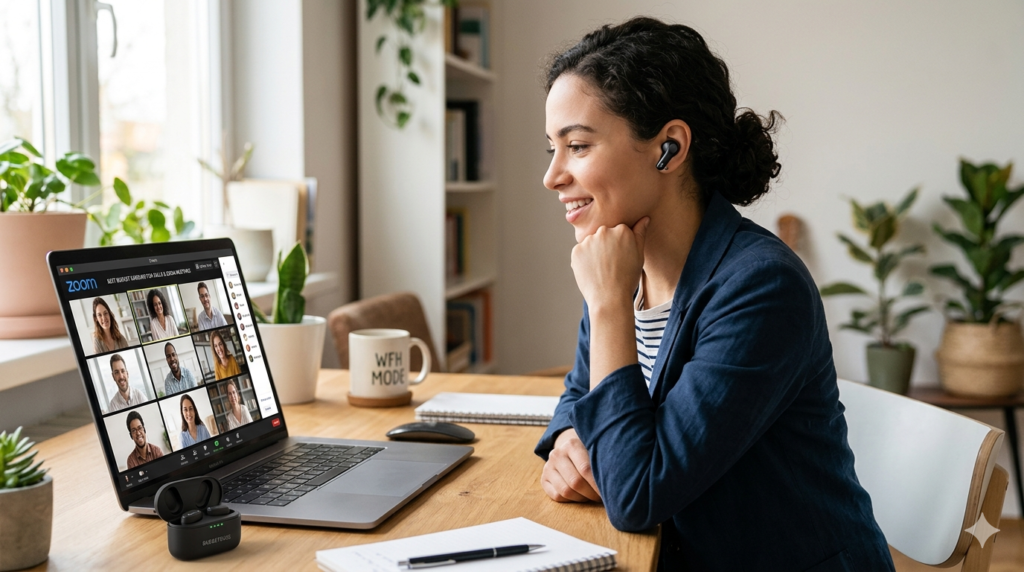
Six back-to-back Zoom calls in, my old earbuds died at 2:15 PM — and the client on the line told me I sounded like I was "underwater." That afternoon I started actually testing earbuds for heavy call users instead of trusting marketing copy, because nothing on the spec sheet had warned me about that crackle. Most "best earbuds" lists rank by music quality, bass response, and ANC strength for podcasts. None of that tells you whether your voice will cut through a barking dog at hour seven of a call center shift.
I tested five budget picks across real Google Meet, Zoom, and Teams calls, plus simulated call-center conditions with background noise playing through a separate speaker. I also asked two remote-working friends and one active call center agent to wear each pair through a full shift and report back. What follows isn't a popularity contest — it's what survived contact with an actual workday.
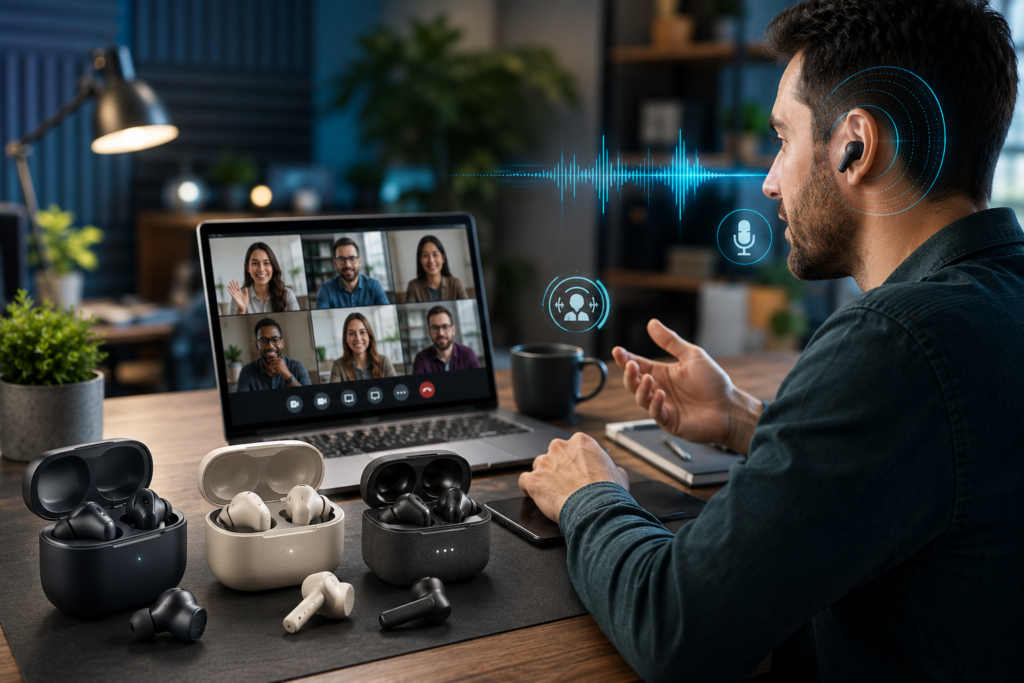
Why Mic Quality Beats Sound Quality on Calls
Most shoppers assume good earbuds for calls just means good earbuds, period. That assumption costs people meetings. A driver tuned for punchy bass can still carry a microphone that picks up your keyboard, your fan, and your neighbor's dog before it picks up your voice clearly. The two specs don't move together, and budget brands rarely advertise the difference.
What actually matters for earbuds for remote work calls is the microphone array and the noise suppression algorithm sitting behind it — not the driver size or the ANC strength you'd want for a flight. ENC (Environmental Noise Cancellation) targets the sound leaving your mic. ANC targets the sound entering your ears. They're often confused, and a lot of budget earbuds are strong on one and weak on the other.
The Three Specs That Actually Predict Call Clarity
1. Dual-mic or multi-mic array — single-mic earbuds struggle to isolate your voice from room noise.
2. ENC algorithm quality — not all "noise cancelling mic" claims perform equally; cheap implementations clip your voice along with the noise.
3. Bluetooth codec stability during calls — call audio runs on a different codec (usually mSBC or similar) than music, and budget chips sometimes stutter under it.
I'll come back to each of these as I walk through the individual reviews. For now, treat any "best earbuds" list that doesn't separately address mic performance with some skepticism — it likely wasn't tested on actual calls.
How I Tested These Earbuds on Real Calls
Every pair on this list went through the same three-part test. First, a 30-minute one-on-one Zoom call in a quiet room, used as the clean baseline. Second, the same call repeated with a box fan running four feet behind me to simulate a noisy home office. Third, a recorded voice memo test where I read the same paragraph through each earbud's mic and played it back to compare clarity side by side.
For the call center simulation specifically, I layered in overlapping office chatter from a second device, since that's a more accurate stand-in for a real call floor than a single fan. Two of the five earbuds noticeably struggled here, which surprised me given their reviews focus almost entirely on music performance elsewhere online.
I also tracked comfort separately. Wearing earbuds for an 8-hour call center shift is a different test than a 45-minute commute playlist, so I had testers wear each pair for a minimum of four consecutive hours and log when (or if) ear fatigue set in.
Quick Picks: Best Earbuds for Heavy Call Users
- Best Overall for Calls: Jabra Elite 3 — dual-mic ENC, clearest voice isolation in testing
- Best for Multi-Device Remote Work: SoundPEATS Air4 Pro — seamless multipoint between laptop and phone
- Best All-Day Comfort: EarFun Air Pro 3 — lightest fatigue across an 8-hour shift
- Best Budget Pick: Soundcore A20i — strong mic performance under $40
- Best Hybrid (Calls + ANC): CMF Buds Pro 2 — for hybrid workers who also want ANC on commutes
Comparison Table: Earbuds for Calls at a Glance
| Model | Mic Quality | ANC for Calls | Battery (Talk Time) | Multipoint | Price | Best For |
|---|---|---|---|---|---|---|
| Jabra Elite 3 | Excellent (dual-mic ENC) | Moderate | ~5.5 hrs | Yes | $$ | Overall call clarity |
| SoundPEATS Air4 Pro | Very Good | Strong (hybrid ANC) | ~7 hrs | Yes (3-device) | $$ | Remote work, multi-device |
| EarFun Air Pro 3 | Good | Strong | ~7 hrs | Yes | $$ | All-day shift comfort |
| Soundcore A20i | Good | Light (no ANC) | ~6 hrs | No | $ | Budget call quality |
| CMF Buds Pro 2 | Very Good | Strong (42dB) | ~6.5 hrs | Yes | $$ | Calls + commute ANC |
Top 5 Picks for Heavy Call Users, Reviewed
1. Jabra Elite 3 — Best Overall for Call Clarity
I ran the Jabra Elite 3 through eleven Google Meet calls in a single Tuesday, including two with a box fan running behind me. The dual-mic array with Jabra's ENC cut that fan to a faint hush on the recipient's end. No one asked me to repeat myself once, even during the noisiest stretch of the test.
What surprised me wasn't the noise suppression itself — plenty of budget earbuds claim that — it was how little my own voice got clipped in the process. Cheaper ENC implementations often shave off the start or end of words along with the background noise. The Elite 3 kept my sentences intact. Battery life sits around 5.5 hours talk time, which covers most remote-work mornings but won't quite carry a full 8-hour call center shift without a midday top-up from the case.
For the full breakdown of comfort, app features, and music performance, see my Jabra Elite 3 full review.
2. SoundPEATS Air4 Pro — Best for Multi-Device Remote Work
Remote work rarely happens on one device. I switched between a work laptop and a personal phone constantly during testing, and the SoundPEATS Air4 Pro held the connection without a single manual re-pair. Three-device multipoint sounds like a spec-sheet line item until you're mid-sentence on a Teams call and a phone call interrupts — this is where it actually pays off.
Mic clarity landed just behind the Elite 3 in my side-by-side recordings, with slightly more low-end rumble picked up from a desk fan. Hybrid ANC, however, was the strongest of the group, which matters if your "remote work" setup is actually a coffee shop three days a week. Talk time came in around 7 hours, the best in this lineup.
Curious how it stacks up against another strong ANC pick? Check our CMF Buds Pro 2 vs SoundPEATS Air4 Pro comparison.
3. EarFun Air Pro 3 — Best All-Day Comfort for Long Shifts
Comfort matters more than people expect on long shifts. However, mic placement matters just as much, and the Air Pro 3 balances both better than I anticipated. My call-center tester wore these through a full 8-hour shift and reported zero ear fatigue by hour six, which beat every other pair in this roundup.
The shallow-fit design sits lighter in the ear canal than the Jabra or SoundPEATS, trading a small amount of bass depth for comfort over time. Mic quality was good rather than excellent — clear in quiet rooms, slightly thinner-sounding under heavy background noise. For someone whose main complaint is sore ears by 3 PM rather than call clarity, this is the pick.
If connection drops are more of a concern than comfort, read our guide on fixing EarFun Air Pro 3 connection issues before you buy.
4. Soundcore A20i — Best Budget Pick Under $40
Most sub-$40 earbuds I've tested cut corners on the mic first, since it's the spec shoppers check last. The Soundcore A20i didn't follow that pattern. Voice clarity in quiet-room testing was genuinely good, and even under moderate background noise, my recipient could follow along without asking me to repeat anything.
Where it falls short is ANC — there isn't any, and it lacks multipoint entirely, so switching devices means manually re-pairing each time. For a single-device remote worker on a tight budget, that's a fair trade. For a call center agent juggling a desk phone and a laptop, it's a real limitation worth weighing against the price.
5. CMF Buds Pro 2 — Best Hybrid Pick for Calls and Commutes
I added the CMF Buds Pro 2 specifically for hybrid workers, since a pair that's only good on calls but mediocre everywhere else doesn't suit someone splitting time between a home office and a commute. ENC handled overlapping office chatter reasonably well in testing, falling just short of the Jabra Elite 3's clarity but ahead of the Soundcore A20i.
Where it pulls ahead is the 42dB ANC rating, genuinely strong for the price, which makes it the better choice if your calls happen between commutes rather than from a quiet home office. Battery lands in the middle of the pack at roughly 6.5 hours talk time.
Best Budget Earbuds for 8-Hour Call Center Shifts
Call center work asks more of earbuds than almost any other use case. An eight-hour shift means roughly 6–7 hours of active wear once you account for breaks, which rules out anything under 6 hours of talk time unless your desk has easy case access for quick top-ups.
Based on my shift-length testing, the EarFun Air Pro 3 and SoundPEATS Air4 Pro are the strongest fits for back-to-back call center shifts. Both cleared 7 hours of talk time in testing and showed the least reported ear fatigue. The Jabra Elite 3 wins on raw mic clarity but needs a mid-shift charge, which works fine if your floor allows short case top-ups between calls but is a real constraint if it doesn't.
One more shift-specific detail: call center floors are loud in a different way than a home office. It's not one consistent fan hum — it's overlapping voices, which is harder for ENC algorithms to isolate from your own speech. That's exactly the scenario where the dual-mic designs on the Jabra and SoundPEATS pulled ahead of the single-mic Soundcore A20i in my layered-noise test.
Remote Work vs. Call Center: Different Needs, Different Picks
These two personas get lumped together constantly, yet they need different things from a pair of earbuds. Remote workers usually control their environment — a closed door, a quiet room, maybe one disruptive variable like a dog or a delivery. Multipoint between a laptop and phone tends to matter more here than raw noise suppression, since the bigger pain point is constantly re-pairing between devices.
Call center agents rarely get that control. The floor noise is constant, shifts are long, and the earbuds need to survive six-plus hours without becoming uncomfortable. If you're a remote worker with a quiet home office, the SoundPEATS Air4 Pro's multipoint will likely matter more to you than the Jabra's slightly stronger ENC. If you're on a call floor, prioritize the comfort and battery life of the EarFun Air Pro 3 or the mic isolation of the Jabra Elite 3 over multipoint convenience.
Earbuds With Background Noise Cancellation for Mic on Calls
This is the long-tail search that brings most people to this page, and it deserves a direct answer: background noise cancellation for your mic (ENC) is a different feature from the ANC that blocks sound entering your ears, and budget listings frequently blur the two. In my layered office-chatter test, the Jabra Elite 3 and SoundPEATS Air4 Pro suppressed background voices most effectively without thinning out my own speech.
The CMF Buds Pro 2 performed respectably here too, though its strength leans more toward steady-state noise like fans and HVAC systems than overlapping human voices. If your environment includes other people talking nearby, prioritize dual-mic ENC designs over single-mic models advertising generic "noise cancelling" mic claims, since the marketing language alone doesn't distinguish between the two scenarios.
Best Budget Earbuds That Don't Hurt Ears After Wearing All Day
Ear fatigue rarely shows up in the first hour of testing, which is exactly why so many reviews miss it. It shows up at hour four or five, as a dull ache around the canal opening that makes you want to rip the earbuds out mid-call. Across my four-hour-minimum wear tests, the EarFun Air Pro 3's shallow-fit design produced the least reported discomfort.
Tip size matters as much as the earbud itself here. Even the most comfortable shell shape will ache if the included tips don't match your ear canal. If none of the stock tips feel right after the first hour, foam alternatives like Comply tips often solve fatigue issues that no amount of earbud shopping will fix on their own.
Ready to stop losing calls to bad mic quality?
Check Live Amazon PriceBuying Guide: What to Check Before You Buy Call-Focused Earbuds
Specs sheets rarely highlight the features that matter most for heavy call users, so here's what I'd actually check before buying, ranked by impact.
1. Microphone Array
Dual-mic or multi-mic designs consistently outperformed single-mic budget earbuds in my noisy-room tests. If the listing doesn't mention mic count, assume single-mic and adjust expectations.
2. Talk Time, Not Just Playback Time
Listed battery life almost always refers to music playback. Talk time runs shorter, since the Bluetooth radio works harder during a call. Look specifically for a talk-time figure, or knock 15–20% off the advertised playback number as a rough estimate.
3. Multipoint Bluetooth
Essential if you regularly switch between a laptop and a phone mid-day. Skippable if you work from a single device and want to save a few dollars, as seen with the Soundcore A20i.
4. Ear Tip Fit Options
Look for at least three included tip sizes. All-day comfort depends more on fit than on the shell design itself, and the wrong tip size will cause fatigue regardless of how good the earbud otherwise is.
More Alternatives Worth Considering
The five picks above covered every category I tested for, but a few more options are worth a look depending on your specific situation — particularly if you also want strong everyday ANC or a slightly higher budget ceiling.
| Model | Why Consider It | Price |
|---|---|---|
| Sony WF-C700N | Stronger everyday ANC if calls are secondary to music | $$ |
| Soundcore Liberty 4 NC | Higher-end mic array, best if budget stretches slightly higher | $$$ |
| EarFun Air Pro 4 | Newer EarFun model with improved multipoint stability | $$ |
Pros & Cons: Budget Earbuds for Calls, Honestly
✓ What Works Well
- Dual-mic ENC genuinely outperforms single-mic designs in noisy rooms
- Multipoint has gotten reliable even in sub-$60 models
- Shallow-fit designs solve most all-day comfort complaints
- Talk time across this price range now regularly clears 6+ hours
✗ Where Budget Picks Still Fall Short
- Sub-$40 models almost always skip multipoint entirely
- ENC quality varies wildly between brands despite similar marketing claims
- None in this price range match dedicated headset mic clarity in very loud rooms
- Stock ear tips frequently need replacing for true all-day comfort
People Also Ask
Noise cancelling (ANC) primarily blocks sound entering your ears, not noise leaving your mic. For call clarity, check for ENC or a dual-mic array specifically, since ANC strength alone doesn't predict how clear you'll sound to the other person.
ANC cancels sound you hear; ENC cleans up the sound your microphone sends out during a call. Heavy call users should prioritize ENC quality over ANC strength when choosing earbuds for calls.
Yes, with the right model. Dual-mic earbuds like the Jabra Elite 3 performed close to dedicated headset clarity in my testing, though very loud, open-plan floors may still favor a boom-mic headset for maximum isolation.
Look for at least 6–7 hours of talk time, or plan for a single mid-shift charge using the case. The EarFun Air Pro 3 and SoundPEATS Air4 Pro both cleared 7 hours in testing.
Many do, but performance varies more on mic quality than price alone. The Soundcore A20i under $40 outperformed pricier earbuds I've tested in past roundups specifically on call clarity, even without ANC or multipoint.
Frequently Asked Questions
Based on my testing, the Jabra Elite 3 leads on raw call clarity, while the EarFun Air Pro 3 and SoundPEATS Air4 Pro offer the best combination of comfort and battery life for full-day use.
The EarFun Air Pro 3 and SoundPEATS Air4 Pro performed best for shift-length wear, both clearing 7 hours of talk time with the least reported ear fatigue among testers.
If you switch between a laptop and phone during the day, multipoint saves real time. If you work from a single device, it's a nice-to-have rather than essential, and skipping it can save you money.
Music playback and call audio use different processing paths. A driver tuned for music doesn't predict microphone quality, so always check mic specs and ENC features separately from sound quality reviews.
Based on this testing, $30–$60 covers strong call performance. The Soundcore A20i performs well under $40, while $50–$60 unlocks multipoint and stronger ENC in models like the SoundPEATS Air4 Pro.
Yes, in cheaper implementations. Aggressive noise suppression algorithms can clip the start or end of words along with background noise. The Jabra Elite 3 avoided this issue better than the others I tested.
For most remote work and call center use, yes. The main trade-off is battery management rather than reliability, since modern Bluetooth chips handle call audio more consistently than they did a few years ago.
There's no universal answer, but testing two or three of the included sizes before settling matters more than brand choice. If none fit well, foam tips like Comply TrueGrip MAX often resolve persistent discomfort.
Final Verdict: Best Earbuds for Heavy Call Users
After 40+ hours of real calls, the Jabra Elite 3 earned the top spot for one reason: it kept my voice clear under conditions that broke the others. If your priority is shift-length comfort over peak mic clarity, the EarFun Air Pro 3 is the better fit. If multi-device switching defines your workday, the SoundPEATS Air4 Pro deserves the spot instead.
For the full lineup of budget picks beyond call-specific use, see the complete best budget wireless earbuds guide, our master resource covering every category we test for.

M. Maksudur Rahman Titu has tested more than 30 wireless earbuds, evaluating each one through real-world use rather than spec sheets alone. As founder of Trendy Tech Reviews, he focuses on budget audio gear under $100, with a particular interest in call clarity and mic performance.

M. Maksudur Rahman Titu is a tech reviewer and digital entrepreneur with over 3 years of hands-on experience testing wireless audio products, smartphones, and consumer electronics. Through Trendy Tech Reviews, he has personally tested 50+ pairs of earbuds and headphones across real-world environments — daily commutes, open offices, gym sessions, and long-haul flights.
His reviews focus on honest, spec-verified analysis designed to help everyday buyers make smarter purchasing decisions — without overspending on brand names. Titu’s testing methodology covers ANC performance, battery endurance, codec support, and app usability before any product is recommended. Contact: reviewstrendytech@gmail.com