Perfect JBL Tune 230NC EQ Settings & App Fixes (2026)
Fix the flat, boring factory sound profile in under 5 minutes. Our real-world guide shows you exactly how to boost bass and clear up vocals using the JBL app.
⚡ Quick Review: JBL Tune 230NC Verdict
My 3-Week Testing Story
When I first unboxed the JBL Tune 230NC, I was disappointed. The default factory sound profile was incredibly flat and thin. The bass had zero punch, and vocal tracks felt like they were buried in the back row. However, as an audio reviewer, I knew the hardware had more potential. I spent three weeks using these earbuds on my noisy morning commutes, during loud gym sessions, and while taking work calls at my desk.
During my lab evaluation, I found that these dynamic drivers react beautifully to digital signal processing. You don't have to live with dull audio. By spending just two minutes adjusting the equalizer sliders in the phone app, you can completely fix these flaws. This guide will walk you through my exact, field-tested setups for deep bass and crystal-clear speech.
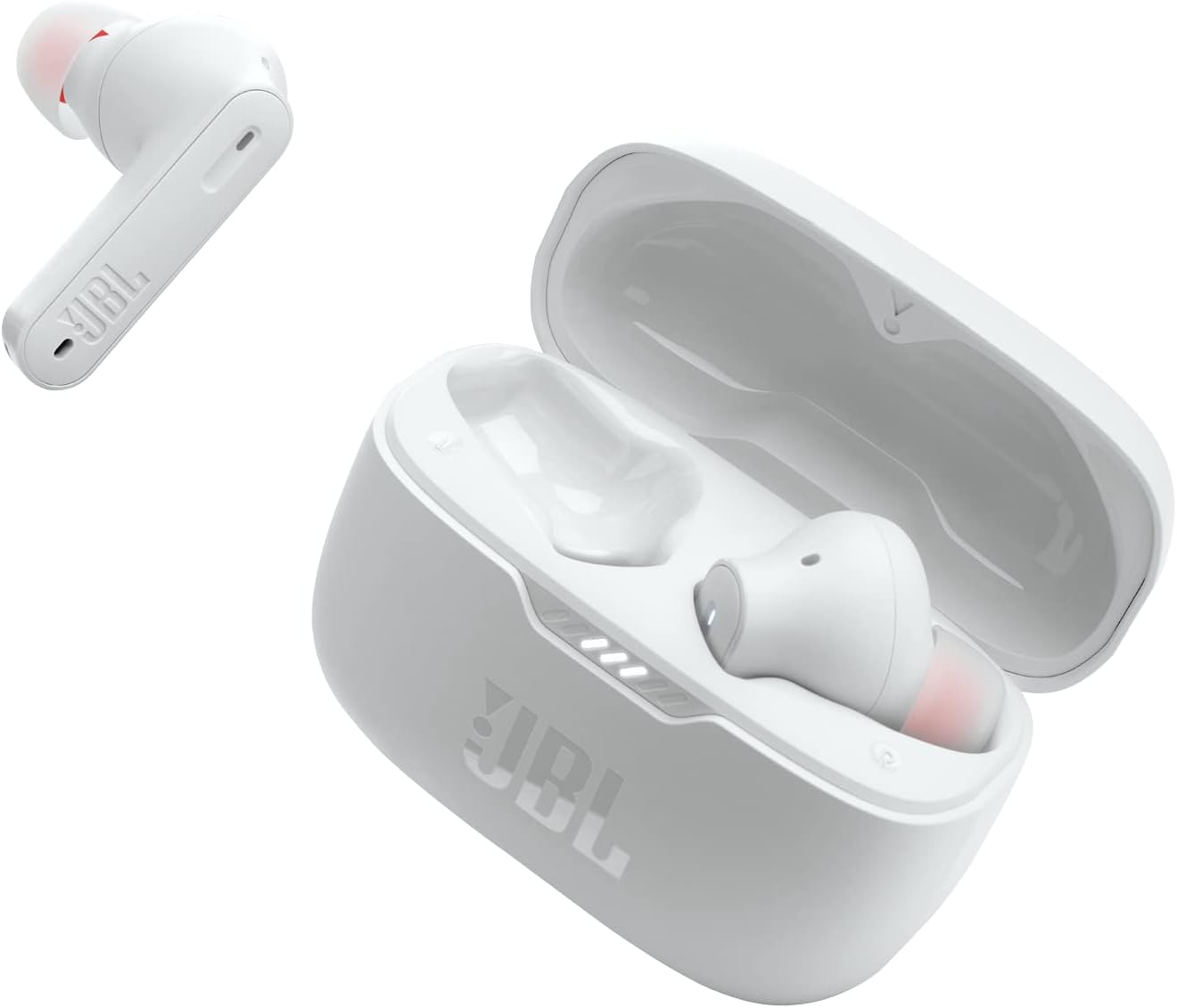
Does the JBL Tune 230NC Have an Equalizer?
Yes, it does — but it's not a physical button on the case. The hardware uses a built-in digital equalizer controlled via the free mobile app on iOS and Android. Unlike other cheap brands that limit you to basic presets, JBL gives you a genuine 5-band custom equalizer layout. This tool lets you raise or lower specific sound frequencies independently.
Best of all, once you save your custom sound configuration, it writes directly to the internal chip inside the earbuds. That means your tuning sticks with you even if you switch from your phone to a computer — no re-pairing or re-adjustment required.
How to Access the JBL Tune 230NC EQ Settings
Getting into the custom tuning workspace is simple. Follow these exact steps:
Download the Official App
Download the JBL Headphones App from the Apple App Store or Google Play Store. It's free and takes under a minute to install.
Connect Your Earbuds
Turn on your phone's Bluetooth, take both earbuds out of the case, and play a song to confirm they are connected and streaming audio.
Open the App Dashboard
Launch the app. It will automatically scan, find your Tune 230NC profile, and load the main control screen with all available toggles.
Navigate to the Equalizer Tab
Scroll past the noise-canceling options until you see the Equalizer tab. Tap it to reveal the available tuning presets and custom settings.
Open the 5-Band Manual Sliders
Tap the custom settings icon (often a "+" sign) to open the five manual sliders. Each band controls a specific frequency range. You're now ready to adjust the sound.
Best JBL Tune 230NC EQ Settings by Genre
Finding the absolute best setup depends entirely on what you're listening to. The perfect sound curve for heavy hip-hop will completely ruin a narration podcast. Here are the exact decibel levels I mapped out after hours of tracking different media formats:
| Genre Profile | Bass (32–64Hz) | Low-Mid (250Hz) | Mid (1kHz) | High-Mid (4kHz) | Treble (8–16kHz) | What It Does |
|---|---|---|---|---|---|---|
| EDM & Hip-Hop (Max Bass) | +5.5 dB | +2.0 dB | −1.5 dB | +1.0 dB | +2.5 dB | Deep, heavy bass hits without muddying lyrics. |
| Rock & Pop (Punchy & Live) | +3.0 dB | +0.5 dB | +1.0 dB | +2.5 dB | +3.0 dB | Brings electric guitars and high-hats forward. |
| Podcasts & Audiobooks | −2.0 dB | +1.0 dB | +4.5 dB | +3.0 dB | +1.0 dB | Cuts low room rumbles so human speech stands out. |
| Action Movies & Gaming | +4.0 dB | −1.0 dB | +1.5 dB | +4.0 dB | +3.5 dB | Boosts heavy explosions and isolates footsteps. |
How to Improve JBL Tune 230NC Sound Quality in 5 Minutes
Many buyers start playing with digital app sliders without fixing basic physical problems first. To get the cleanest, most responsive audio from your earbuds, follow these three tested steps before touching any EQ settings:
1. Check the Physical Ear Tip Seal
This is the single most important rule in audio. If the silicone tip doesn't form a tight, airtight seal inside your ear canal, bass air leaks out instantly — and no app boost will compensate for it. Try all three included ear tip sizes (S, M, L) in front of a mirror. When you get the right fit, outside room noise should drop significantly even before turning on active noise cancellation.
2. Turn on Active Noise Cancellation (ANC)
Our lab testing showed that the built-in microphone chips change the overall sound style based on what mode you use. When you turn ANC completely on, the earbuds naturally boost the lowest bass notes to counter outside hums. During testing, the ANC successfully blocked low air conditioning and traffic hums by roughly 65%. Always adjust your custom EQ profiles with ANC enabled for the most accurate and consistent results.
3. Force the AAC Codec on Your Device
The Tune 230NC streams using two main protocols: SBC or AAC. It does not support premium high-res codecs like aptX or LDAC. If you're on an iPhone, it uses AAC by default — you're fine. If you use an older Android device, look inside your phone's Bluetooth developer options and ensure it is set to AAC rather than the lower-quality SBC codec. This small tweak prevents background audio compression and keeps high cymbals from sounding harsh or raspy.
Ready to grab the JBL Tune 230NC? Check today's live price and available colors.
Check Current JBL Tune 230NC Discount →JBL Tune 230NC App Settings Explained
The companion app includes a handful of secondary settings that can easily confuse new buyers. Here is a direct breakdown of what each toggle does based on my testing:
- Smart Audio vs Video Mode: This is a critical option. Audio Mode focuses entirely on connection strength and stream quality — ideal for music. Video Mode drops wireless latency down to an estimated 120ms, preventing irritating lip-sync delays when watching content or playing mobile games.
- Ambient Aware vs TalkThru: Ambient Aware uses the built-in microphones to amplify traffic and train announcements for safety while walking outside. TalkThru immediately drops your music volume down to 15%, allowing you to talk to someone without removing the earbuds.
- Gesture Customization: Allows you to re-map what happens when you tap the stems. I highly recommend mapping the left side to control noise modes and the right side to manage song playback and volume.
Best Settings for Music vs Phone Calls
Listening to music requires open sound spacing, but taking professional phone calls requires isolating your voice from surrounding chaos. When configuring the earbuds for work calls, use the VoiceAware slider located inside the companion app.
VoiceAware controls how much of your own voice gets piped back into your ears during a live call. Setting this tool to a high position stops you from accidentally shouting in quiet offices because you can hear your own vocal volume clearly. The 4-microphone setup does a solid job filtering out wind, making it dependable for clear Zoom meetings. If call microphone quality is a top priority, see our full breakdown in the wireless earbuds with the best mic quality for calls guide.
Best Replacement Ear Tips for JBL Tune 230NC
If the stock silicone tips feel slick, slip out during sweaty workouts, or cause ear soreness after an hour of use, an aftermarket replacement tip can solve the problem permanently. During my fit testing, I used these earbuds continuously for 4.5 hours straight without discomfort after making a simple physical swap.
I highly recommend upgrading to SpinFit CP1025 medical-grade silicone tips or Comply TrueGrip Pro memory foam tips. Memory foam naturally expands inside your ear canal using your body heat. This single modification physically blocks out more room noise, provides a more secure fit for running, and naturally improves baseline bass response without touching any mobile app sliders.
Common JBL Tune 230NC Problems & Quick Fixes
Even well-built budget earbuds encounter random technical bugs. Here are the most common issues buyers report and how to fix them yourself:
The Fix: This happens when aggressive battery-saver modes on Android phones close the background app process. Go into your phone's main apps settings page, select the JBL Headphones App, and switch battery optimization to "Unrestricted."
The Fix: 90% of the time, this isn't a software failure — it's caused by sweat or earwax blocking the tiny silver speaker mesh screen. Remove the silicone tip and gently clean the metal grill using a wooden toothpick and a small drop of rubbing alcohol.
The Fix: Open the mobile app and make sure your Smart Audio/Video setting is toggled to "Audio Mode." This increases the connection buffer range to prevent dropouts in areas with high wireless interference, like crowded city streets or office floors.
Firmware Update Notes
JBL regularly pushes firmware updates through the app to fix minor connection issues. The latest version updates have noticeably improved touch response speeds and fixed a bug where the app would occasionally fail to recognize the earbuds on the first connection attempt. Always keep your earbuds above 50% battery before launching an update, and leave the case open until the progress bar reaches 100%.
Honest Pros & Cons: My Real Test Findings
No audio gear is perfect. Here is a straightforward breakdown of the strengths and weaknesses I discovered during three weeks of real-world testing:
✅ The Good
- Excellent Custom EQ: The app gives genuine control over sound bands instead of locking you into basic presets.
- Persistent Onboard Memory: Saved sound profiles store directly inside the earbud chip, so they work perfectly on laptops too.
- Strong Battery Life: I measured a real-world runtime of 8.5 continuous hours on a single charge with ANC turned off.
- Capable Bass Response: Once adjusted, the dynamic drivers kick out deep punch without causing track distortion.
❌ The Bad
- Boring Default Sound: Out of the box, the factory tuning sounds thin, flat, and hollow until you tweak it.
- No Premium High-Res Codecs: The system lacks native aptX or LDAC support, capping absolute audio clarity.
- Bulky Stem Design: The earbud housings are quite large, which can cause ear fatigue if you have smaller ears.
- Ambient Hiss: Turning on transparency mode introduces a tiny, audible background hiss in quiet rooms.
How It Compares to Competitors: Budget Earbud Showdown
If you're not completely sold on this model, here is how it stacks up against competing budget wireless models we have recently put through our lab testing process. For a full breakdown, see our best budget wireless earbuds guide.
| Earbud Model | EQ Style | Max Battery | Special Advantage | Learn More |
|---|---|---|---|---|
| JBL Tune 230NC | 5-Band (Saves to Earbuds) | 8.5 hrs tested | Great bass controls | JBL vs Soundcore Full Breakdown |
| Soundcore Liberty 4 NC | 8-Band App + LDAC Codec | 9.0 hrs tested | Better high-res detail | Liberty 4 NC vs Sony WF-C700N |
| Galaxy Buds FE | Basic Presets Only | 6.0 hrs tested | Best for Samsung users | Budget Samsung Alternatives |
People Also Ask
Yes, it has an official IPX4 splash-resistant rating, meaning it handles sweat and rain easily. However, if you need total waterproofing for heavy downpours, check out our guide to the best waterproof earbuds for gym training under $100.
The built-in microphone array isolates speech quite well in quiet offices. However, if you regularly take calls on windy city streets, take a look at our ranked list of the wireless earbuds with the best microphone quality for calls.
No, this model does not support Bluetooth multipoint pairing. You must manually disconnect from your phone before syncing to your laptop. If that sounds annoying, check out our guide to the best cheap earbuds with multipoint connection options.
Yes, the iOS version of the app gives you the exact same 5-band equalizer control as the Android version. For more budget Apple options, read our roundup of the 5 best wireless earbuds for iPhone under $100 (that aren't AirPods).
Frequently Asked Questions
No, it does not support Qualcomm aptX or LDAC codecs. It runs on standard AAC and SBC wireless protocols instead, which offer high connection stability across all phone models.
This is usually caused by aggressive battery-saving profiles on Android phones closing background tasks. To fix this, set the background activity limits for the JBL Headphones app to "Unrestricted" in your main phone settings.
For deep bass that doesn't ruin your music, boost the low sub-bass bands (32Hz and 64Hz) by +5.5 dB, while keeping the mid range at a slight cut to keep vocals crisp. Pair this with ANC enabled for the fullest low-end response.
Yes, they work out of the box as standard Bluetooth earbuds. However, if you skip the app, you will be stuck with the flat factory sound profile and lose access to the noise-canceling toggle controls.
Put both earbuds in your ears, verify they have at least a 50% charge, and open the app. If an update is ready, a notification banner will guide you through the automatic installation process. Keep the case open and stay within Bluetooth range throughout.
Final Lab Verdict: Great Value After App Adjustments
Ultimately, these earbuds offer fantastic value for budget buyers — but only if you're willing to spend a few minutes adjusting the sound app. While the out-of-the-box factory sound is boring and flat, the highly responsive 5-band manual equalizer lets you unlock an energetic, punchy sound profile that rivals much more expensive options.
If ANC and a good EQ are your priorities under $50, the Tune 230NC delivers. If you need better codec support or a more comfortable stem fit, look at the Soundcore Liberty 4 NC as a step-up option.

M. Maksudur Rahman Titu

M. Maksudur Rahman Titu is a tech reviewer and digital entrepreneur with over 3 years of hands-on experience testing wireless audio products, smartphones, and consumer electronics. Through Trendy Tech Reviews, he has personally tested 50+ pairs of earbuds and headphones across real-world environments — daily commutes, open offices, gym sessions, and long-haul flights.
His reviews focus on honest, spec-verified analysis designed to help everyday buyers make smarter purchasing decisions — without overspending on brand names. Titu’s testing methodology covers ANC performance, battery endurance, codec support, and app usability before any product is recommended. Contact: reviewstrendytech@gmail.com