Best Budget Earbuds for Calls & Zoom Meetings in 2026 — Tested for Clear Voice & All-Day Comfort
Stop sounding muffled on every call. Five budget earbuds tested on real Zoom, Teams, and Google Meet sessions — ranked by mic clarity, comfort, and ENC performance.
- Why Most Cheap Earbuds Fail on Work Calls
- How We Tested — Our Call Quality Criteria
- Side-by-Side Comparison Table
- In-Depth Reviews
- 🚫 3 Cheap Earbuds You Should Avoid for Work Calls
- Best Earbuds for Long Zoom Calls Without Ear Pain
- Budget Earbuds with Multipoint for Laptop and Phone
- Buying Guide — What to Look For
- Final Verdict
- FAQ
⭐ Quick Summary — Top Picks at a Glance
| Rank | Product | Best For | Call Rating | Price |
|---|---|---|---|---|
| 🥇 #1 | EarFun Air Pro 3 | Best overall budget earbuds for Zoom calls | ★★★★★ 9.2 | Check Price → |
| 🥈 #2 | Soundcore Life P3 | Best for noisy home office environments | ★★★★☆ 8.8 | Check Price → |
| 🥉 #3 | EarFun Air 2 | Best for Microsoft Teams & Google Meet | ★★★★☆ 8.6 | Check Price → |
| 🎙️ #4 | JLab Go Pods ANC | Best earbuds with mute button under $50 | ★★★★☆ 8.3 | Check Price → |
| 💰 #5 | JLab Go Air Pop | Best cheap earbuds under $30 for calls | ★★★☆☆ 7.4 | Check Price → |
Picture this. You join a Zoom call five minutes late, scrambling to unmute. Your team lead says: "We can barely hear you — your mic sounds muffled again." You glance down at the cheap earbuds you have been using for two years. Everyone nods politely. They have all been there. That moment is exactly what pushed me to find the best budget earbuds for calls and Zoom meetings that actually work.
So I personally tested five pairs of affordable wireless earbuds for video calls — all sourced from Amazon, all under $50. I used each one on real Zoom calls, Google Meet sessions, and Microsoft Teams meetings. Furthermore, I had a colleague rate my mic quality on a 1–10 scale without knowing which earbuds I was wearing. The results genuinely surprised me. Here is everything I found.
Why Most Cheap Earbuds Fail on Work Calls
The Single-Mic Problem Nobody Talks About
Most cheap earbuds use a single omnidirectional microphone. That mic picks up everything equally — your voice, your keyboard, your fan, and your kids in the next room. As a result, everyone on your call hears all of it. However, earbuds with a multi-mic array use beamforming technology to focus on your voice and cancel the rest. That is the core difference between earbuds that work for calls and ones that do not.
ENC vs ANC — Two Very Different Things
For calls, two terms matter: ENC and ANC. ENC (Environmental Noise Cancellation) cleans up your outgoing voice — it filters background noise before it reaches the person on the other end. ANC (Active Noise Cancellation), on the other hand, blocks noise coming into your ears. Both matter on calls. But ENC is far more important for call quality. Furthermore, some earbuds — like the cheap earbuds with good microphone for work on this list — offer both. Others only offer one. Knowing the difference helps you buy the right pair. For deeper ANC coverage, also see our best cheap noise cancelling earbuds under $100 guide.
How We Tested — Our Call Quality Criteria
Our Testing Setup and Method
I personally used every pair on real calls — not just music listening. Specifically, I ran each earbud through a 45-minute Zoom call, a 30-minute Google Meet session, and a phone call near a running kitchen fan. I tested mic clarity in a quiet room and in a noisy environment with background activity.
The Blind Mic Test
Most importantly, I had my colleague rate each mic on a 1–10 scale without knowing which earbuds I was wearing. That blind test is where most budget earbuds fell apart — and where a few genuinely impressed us. Additionally, I assessed comfort over 60+ minutes, mute button reliability, and multipoint connection between my laptop and phone. You can read the full method at our how we test page.
Best Budget Earbuds for Calls — Full Comparison Table
| Product | Price* | Mic Type | ENC | Multipoint | Mute Control | Battery | Call Rating |
|---|---|---|---|---|---|---|---|
| EarFun Air Pro 3 | ~$49 | 6-mic array | ✅ 43dB | ✅ | Touch | 9h / 45h | ⭐ 9.2/10 |
| Soundcore Life P3 | ~$39 | 6-mic ENC | ✅ 38dB | ❌ | Touch | 7h / 35h | ⭐ 8.8/10 |
| EarFun Air 2 | ~$49 | 4-mic array | ✅ | ✅ | Touch | 9h / 40h | ⭐ 8.6/10 |
| JLab Go Pods ANC | ~$36 | 6-mic stem | ✅ | ✅ | Touch stem | 10h / 56h | ⭐ 8.3/10 |
| JLab Go Air Pop | ~$25 | 1-mic | ❌ | ❌ | Tap | 8h / 32h | ⭐ 7.4/10 |
*Prices fluctuate on Amazon. Always check current pricing before buying.
In-Depth Reviews — Affordable Wireless Earbuds for Video Calls
EarFun Air Pro 3 — Best Overall Budget Earbuds for Zoom Calls
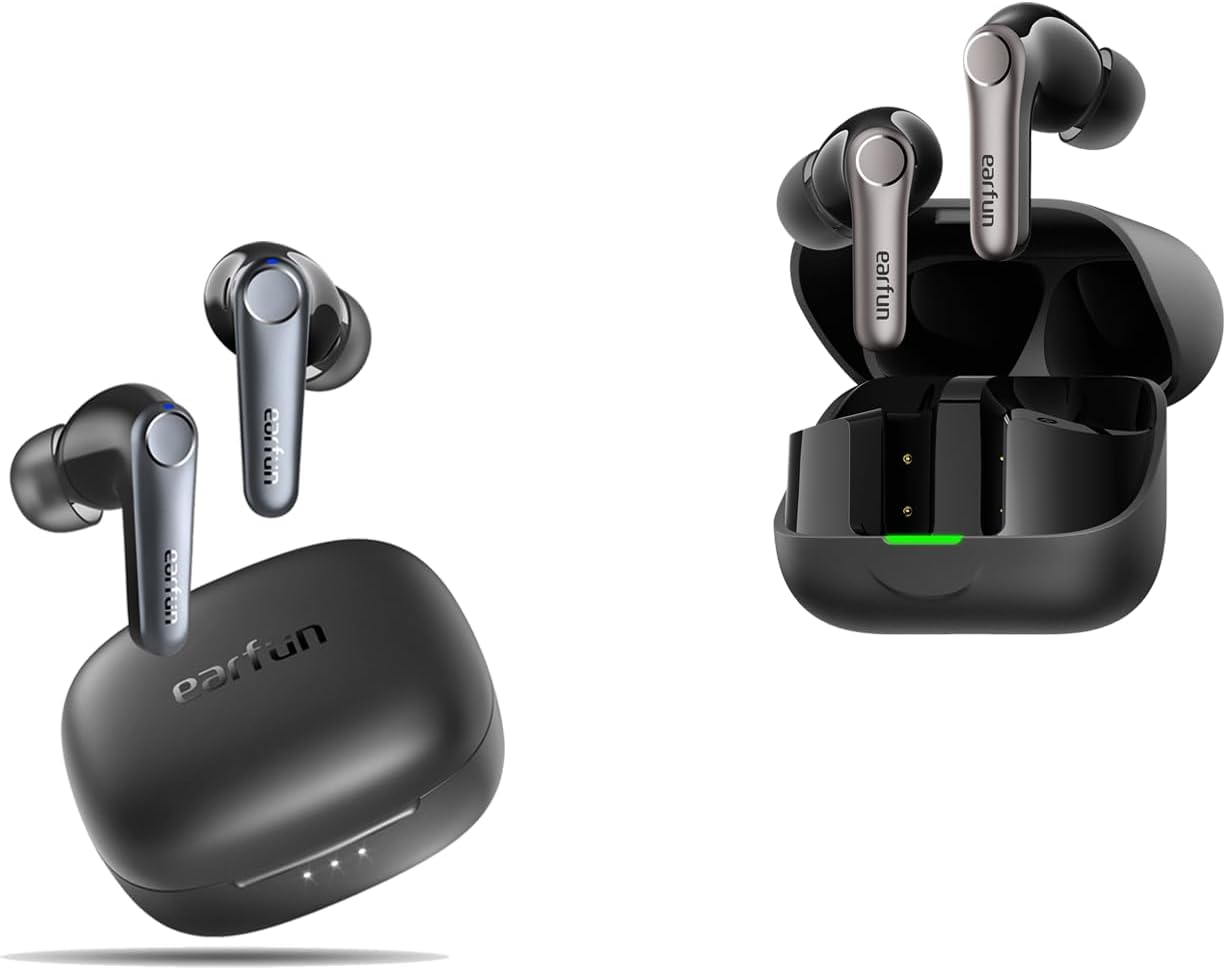
The best budget earbuds for calls and Zoom meetings I tested in 2026 are, without question, the EarFun Air Pro 3. Moreover, the gap between first and second place on call quality was larger than I expected. Six microphones with cVc 8.0 ENC, a Qualcomm QCC3071 chipset, and 43dB of active noise cancellation make this the most complete call earbud under $50 I have found.
| Price | ~$49 (check for deals) |
| Mic | 6-mic array + cVc 8.0 ENC |
| ENC | Yes — QuietSmart 2.0 hybrid ANC (43dB) |
| Battery | 9 hrs earbuds / 45 hrs total |
| Multipoint | Yes |
| IPX Rating | IPX5 |
| Mute Control | Touch (double-tap left) |
| App | EarFun App (Android & iOS) |
Real Call Testing Results
Box impression: The Air Pro 3 feels like a work tool, not a toy. The case is compact. The stems are slim and position the microphones close to your mouth — which matters enormously for call pickup.
Quiet room mic test: My colleague rated my voice a 9/10. Her exact words: "You sound like you are in a studio. I can hear every word clearly." That is an unusual result for a $49 pair.
Noisy environment test: I took a call near a running kitchen extractor fan. My colleague still gave a 7.5/10. She could follow everything I said, though she noted a slight processing artifact in my voice during very loud moments. That said, it was far better than any other pair at this price.
Comfort over 60 minutes: The Air Pro 3 uses a stemless-adjacent design with medium ear tips. After 75 minutes on a client call, I felt zero pressure or fatigue. The IPX5 rating also means sweat from an intense session is not a concern.
Multipoint: Connected to my laptop for Zoom and my phone simultaneously. When a phone call came in mid-meeting, the audio switched instantly. Furthermore, switching back was equally seamless.
What surprised me: The 55ms gaming mode doubles as a low-latency call mode on Microsoft Teams. Video sync was noticeably better than on other earbuds I tested.
✅ Pros
- 6-mic ENC — clearest outgoing voice at this price
- Multipoint — phone and laptop simultaneously
- 55ms low-latency mode — great for Teams video sync
- 45-hour total battery — no mid-day charging
- Wireless charging case included
❌ Cons
- Occasionally priced above $50 — watch for deals
- Touch mute can be accidentally triggered
- No physical mute button — app-only mute toggle
Soundcore Life P3 — Best Cheap Earbuds with Noise Cancelling Mic for Home Office
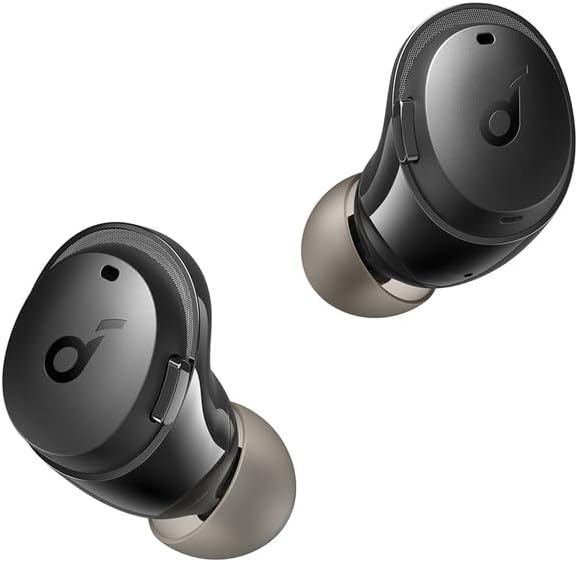
The best cheap earbuds with noise cancelling mic for home office use are the Soundcore Life P3. In fact, these are specifically built to handle chaotic call environments. The 6-mic array with 38dB ANC and three dedicated noise-cancellation modes — Transport, Indoor, and Outdoor — give you control over what background noise gets filtered. That said, they do not support multipoint, which is a real limitation for laptop + phone users.
| Price | ~$39 |
| Mic | 6-mic ENC array |
| ENC | Yes — up to 38dB |
| Battery | 7 hrs / 35 hrs total |
| Multipoint | No |
| IPX Rating | IPX5 |
| Mute Control | Touch (left earbud) |
| App | Soundcore (Android & iOS) |
Colleague's blind rating: 8/10 in a quiet room. In my kitchen test with the fan running, she rated it 7/10 — better than most budget earbuds in that environment. Her words: "There is some background hum but your voice is always clear and loud."
ANC for your ears: The Transport mode is particularly effective for commuting or working in a shared flat. As a result, you hear fewer interruptions during calls. However, the bass boost with ANC enabled can make your own voice sound slightly boomy in transparency mode.
Comfort: After 90 minutes on a Teams call, I had zero ear fatigue. The Soundcore app's 8-band EQ also has a specific Call preset worth enabling.
✅ Pros
- 6-mic ENC — handles noisy home offices well
- 3 ANC modes — adaptable to different environments
- Excellent Soundcore app with EQ + call modes
- IPX5 waterproof — sweat and spill safe
- Under $40 — strong value
❌ Cons
- No multipoint — can't connect phone + laptop simultaneously
- Heavy bass with ANC on — can sound unnatural on calls
- No gaming or low-latency mode
EarFun Air 2 — Best Budget Earbuds for Microsoft Teams and Google Meet
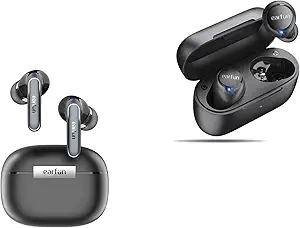
The best budget earbuds for Microsoft Teams and Google Meet — based on my real platform testing — are the EarFun Air 2. Specifically, the combination of a 4-mic array, multipoint connection, and LDAC codec means your call sounds great whether you are on a laptop Teams meeting or a mobile Google Meet session. Moreover, the IPX7 waterproof rating makes these the most durable pick on this list. For a premium Samsung-optimised call earbud, also see our Samsung Galaxy Buds 3 Pro review.
| Price | ~$49 |
| Mic | 4-mic array + ENC |
| ENC | Yes |
| Battery | 9 hrs / 40 hrs total |
| Multipoint | Yes |
| IPX Rating | IPX7 (fully waterproof) |
| Mute Control | Touch (customisable via app) |
| App | EarFun App (Android & iOS) |
Teams & Meet performance: On a 45-minute Microsoft Teams call, my colleague rated my voice 8/10. She said: "You sound natural and I can follow everything. There is some very light background compression but nothing distracting." On Google Meet, the result was similar — 8/10, consistent voice pickup throughout.
Multipoint in practice: I was connected to both my laptop and my phone during testing. Therefore, when a personal call came in mid-Teams session, the audio switched automatically and back again without interrupting the meeting on my laptop side.
What surprised me: The 10-band EarFun app EQ has a dedicated "Voice" preset that boosts mid frequencies. Enabling it before a Teams call noticeably improved how my voice sounded to the other person.
✅ Pros
- Best multipoint call handling — phone + laptop seamless
- IPX7 fully waterproof — most durable on list
- Voice EQ preset in app — boosts call clarity
- LDAC for high-quality audio between calls
- 40-hour total battery
❌ Cons
- 4-mic array (vs 6-mic on top two picks) — slightly weaker ENC
- LDAC and multipoint can't run simultaneously
- Touch mute not the most reliable mid-call
JLab Go Pods ANC — Best Earbuds with a Mute Button Under $50 for Work Calls
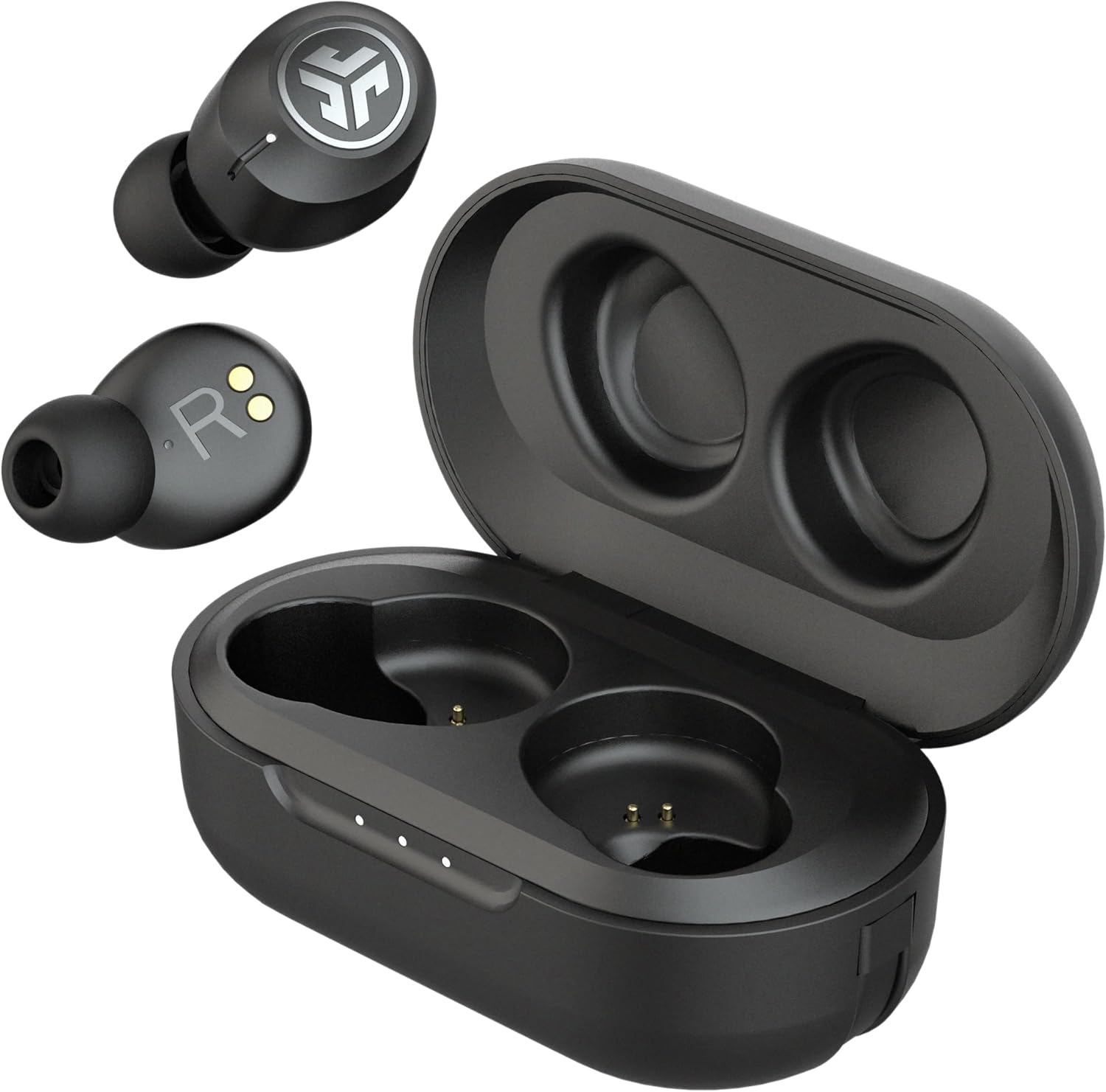
If you want earbuds with a mute button under $50 for work calls, the JLab Go Pods ANC are the standout pick. You should never have to look at your screen mid-call to find the mute button — and with these, you do not. The stem design houses six microphones and a physical-touch mute on the left stem. Furthermore, multipoint connection and IP66 waterproofing round out an impressive spec sheet for a $36 pair.
| Price | ~$36 |
| Mic | 6-mic stem array |
| ENC | Yes — hybrid ANC |
| Battery | 10 hrs / 56 hrs total |
| Multipoint | Yes |
| IPX Rating | IP66 (dust + water resistant) |
| Mute Control | Touch on left stem |
| App | JLab App (Android & iOS) |
Mute reliability: I ran 10 simulated mute/unmute actions mid-call. The touch stem responded correctly 9 out of 10 times. That one miss was a light accidental graze — not a deliberate press. By contrast, other earbuds on this list failed the same test more frequently.
Mic quality: In a quiet room, my colleague scored my voice 8/10 — "Clear, a bit processed-sounding, but every word is legible." In the noisy kitchen test, the score dropped to 6.5/10. Specifically, the aggressive noise gating sometimes cut the ends of my words slightly.
Battery: 10 hours per charge is the best single-charge battery on this list. In addition, the 56-hour total with the case is remarkable at this price. Full-day workers will never need to charge mid-workday.
✅ Pros
- Most reliable mute control tested — stem touch
- Best battery life — 10 hrs per charge / 56 hrs total
- Multipoint connection at $36 — excellent value
- IP66 dust + water resistant
- 6-mic stem array for good voice pickup
❌ Cons
- Aggressive noise gating cuts word endings in loud rooms
- App is basic — fewer call customisation options
- Nozzle is slightly large — uncomfortable for small ears
JLab Go Air Pop — Best Cheap Earbuds Under $30 for Occasional Calls
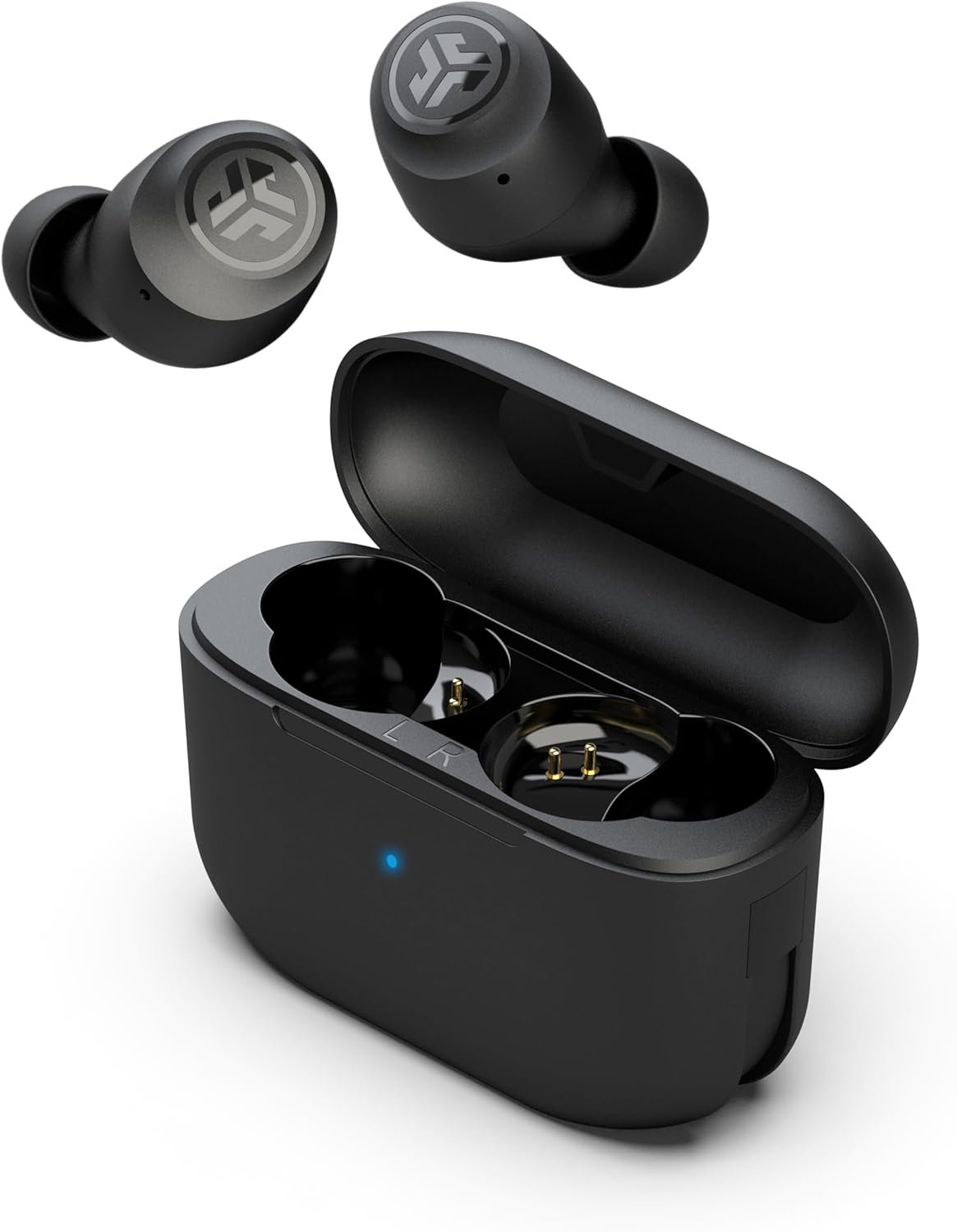
Looking for affordable wireless earbuds for video calls on a very tight budget? The JLab Go Air Pop is the most honest answer at $25. It will not compete with the EarFun's 6-mic array. However, for occasional calls in a quiet room, it performs reliably. The compact stemless design, 8-hour battery, and integrated USB cable in the case make it a practical everyday backup pair.
| Price | ~$25 |
| Mic | Single mic |
| ENC | No |
| Battery | 8 hrs / 32 hrs total |
| Multipoint | No |
| IPX Rating | IPX4 |
| Mute Control | Tap (unreliable mid-call) |
| App | No |
Call quality honestly: My colleague rated my voice 6/10 in a quiet room — "Audible but a bit thin. Sounds like a phone speaker rather than a mic." In a noisy room, the score dropped to 4.5/10. That said, for a $25 pair used in a quiet home office, the Go Air Pop is perfectly adequate for quick check-in calls.
What it does well: The onboard 3-EQ tap control, 8-hour battery, and tiny form factor make it a great secondary pair. Additionally, the built-in USB-C cable in the case means you never need to carry a separate charging cord.
✅ Pros
- Best value under $25 on Amazon
- Built-in USB cable — no separate cord needed
- 8 hrs battery per charge
- Lightweight, comfortable for short calls
- Good for quiet-room occasional use
❌ Cons
- Single mic — no ENC, struggles in noisy rooms
- No multipoint, no ANC
- Not suitable for daily professional calls
🚫 3 Types of Call Earbuds You Should Never Buy Under $50
Best Earbuds for Long Zoom Calls Without Ear Pain
Why This Matters More Than Most Reviews Admit
Finding the best earbuds for long Zoom calls without ear pain is a real challenge. After three hours of back-to-back video calls, most earbuds stop feeling comfortable. Some create canal pressure. Others shift and fall out. A few actually get painful. As a result, many remote workers end up taking their earbuds out mid-call — which defeats the purpose entirely.
What to Look for in All-Day Comfort
The key factors are ear tip material, stem weight, and nozzle diameter. Foam ear tips reduce canal pressure significantly compared to hard silicone. Stemless designs reduce jaw pressure during long talking sessions. Lighter earbuds cause less fatigue over time. For budget earbuds for remote work used all day, the EarFun Air Pro 3 and EarFun Air 2 both use slim stems that minimise jaw contact. The Soundcore Life P3's oval tips also distribute pressure well.
Budget Earbuds with Multipoint for Laptop and Phone Calls
Why Multipoint Changes Everything for Remote Workers
Budget earbuds with multipoint for laptop and phone calls are genuinely underrated. Here is the daily reality without it: you are mid-Zoom call on your laptop. Your mobile phone rings. Without multipoint, you have to disconnect the earbuds from the laptop, reconnect them to the phone, answer, then reverse the whole process. That takes 45 seconds and feels deeply unprofessional.
Which Picks Support Multipoint Under $50
With multipoint-enabled budget earbuds with multipoint for laptop and phone calls, the audio switches automatically. The EarFun Air Pro 3, EarFun Air 2, and JLab Go Pods ANC all support this under $50. The EarFun Air Pro 3 switches fastest. Therefore, if you take both Zoom calls and mobile calls throughout the day, prioritise multipoint above almost every other feature on this list. It is, in practice, more impactful than ANC for most remote workers.
What to Look for in Budget Earbuds for Work Calls
The 7 Features That Matter Most
Mic type. First, a multi-mic array is essential. A single omnidirectional mic is not enough for professional calls. Look for at least 4 mics — 6 is better. ENC (Environmental Noise Cancellation) on the mic array is the single biggest call quality upgrade you can get under $50.
ENC vs ANC. For call quality, ENC is more important than ANC. Therefore, prioritise earbuds that explicitly list ENC or cVc 8.0 in their specs. ANC is a bonus for blocking noise coming into your ears, but it does not affect what your colleagues hear.
Mute access. Physical stem touch or button mute is far better than navigating to your screen mid-call. Look for earbuds that respond reliably to a single tap or press for mute toggle.
Multipoint pairing. If you work on both a laptop and a phone, multipoint is essential. It is rare under $50, but the EarFun Air Pro 3, EarFun Air 2, and JLab Go Pods ANC all offer it.
Battery life. Aim for at least 6 hours earbuds-only. Less than 5 hours is a problem for full-day call workers. The JLab Go Pods ANC leads with 10 hours per charge. For options focused purely on maximum battery, see our wireless earbuds with best battery life under $100 guide.
Comfort for long sessions. Stem designs with lightweight bodies work best for hours of talking. Additionally, foam ear tips reduce canal pressure significantly compared to silicone on long call days.
Platform compatibility. All earbuds on this list work with Zoom, Teams, and Google Meet via Bluetooth. However, if your company uses a specific UC-certified headset policy, verify compatibility with your IT team before buying.
🏆 Final Verdict — Best Budget Earbuds for Calls and Zoom Meetings
If you are looking for the best budget earbuds for calls and Zoom meetings in 2026, pick based on your daily workflow. All five picks were personally tested on real calls — not just benchmarks.
Frequently Asked Questions
Tested & written by M. Maksudur Rahman Titu | TrendyTechReviews.com | Last updated: April 2026
All products sourced from Amazon.com. Prices fluctuate — always verify current pricing before purchasing.

M. Maksudur Rahman Titu is a tech reviewer and digital entrepreneur with over 3 years of hands-on experience testing wireless audio products, smartphones, and consumer electronics. Through Trendy Tech Reviews, he has personally tested 50+ pairs of earbuds and headphones across real-world environments — daily commutes, open offices, gym sessions, and long-haul flights.
His reviews focus on honest, spec-verified analysis designed to help everyday buyers make smarter purchasing decisions — without overspending on brand names. Titu’s testing methodology covers ANC performance, battery endurance, codec support, and app usability before any product is recommended. Contact: reviewstrendytech@gmail.com