Best Wireless Earbuds for Video Editing & Content Creators (2026)
I tested 30+ pairs specifically for timeline work, audio monitoring, and voiceover. These are the ones that actually hold up in a real editing workflow.
I was halfway through a client edit when the audio drifted out of sync. Not by much. Maybe 200 milliseconds. But that tiny gap made every cut look sloppy. I blamed Premiere Pro. Then my USB hub. Then my laptop. It took me two embarrassing hours to figure out the problem was my earbuds. The Bluetooth latency was simply too high for timeline work.
That frustrating afternoon changed how I approach earbuds entirely. Since then, I have been testing the best wireless earbuds for video editing with a very specific lens — not for music, not for commuting, but for the exact workflow that creators deal with daily. Timeline scrubbing. Dialogue monitoring. Scratch voiceovers. Long sessions that stretch past four hours.
I have been through 30+ pairs over three-plus years of reviewing. For this guide, I retested four top performers across three weeks on real projects in DaVinci Resolve and Premiere Pro. Below, you will find everything you need to pick the right pair — without wasting money on features that do not matter for editing. See also my broader best budget wireless earbuds guide for the full picture across all use cases.
What Creators Actually Need from Earbuds (Not What Audiophiles Say)
Most audio reviews obsess over bass response and soundstage. Those things matter for music. For video editing, they are mostly irrelevant. What actually matters is a different list entirely.
First, low latency is non-negotiable. Standard Bluetooth adds between 150ms and 300ms of delay. That lag is invisible during casual listening. But the moment you scrub a timeline or watch a cut play back, your brain detects that audio-to-video mismatch instantly. It makes editing feel broken.
Second, mic quality matters more than many creators realize. You do not need studio-grade clarity for scratch voiceovers. But you do need a mic that captures your voice cleanly without wind noise and room honk bleeding into every take.
Third, comfort over long sessions. A pair that feels fine for 45 minutes becomes agony after four hours. Ear fatigue is real. Ear canal pressure is real. If you are choosing wireless earbuds for creators, build time-tested comfort into your decision.
Finally, passive or active noise isolation helps you focus — but not for the reasons audiophiles cite. You do not need isolation to hear detail. You need it to stop getting distracted by your environment while you make creative decisions.
Why Bluetooth Latency Matters More Than Sound Quality for Editing
Here is something most earbud reviews skip entirely. The codec your earbuds use determines how much audio delay you experience. SBC — the universal fallback codec — introduces around 200–250ms of lag. That is nearly a quarter of a second. On a fast-cut sequence, that is the difference between a clean edit and something that feels unwatchable.
aptX Low Latency brings that figure down to roughly 40ms. AAC, which Apple devices use by default, sits around 80–120ms on iOS — decent for most editing work. LDAC prioritizes audio quality over speed and tends to run 150–200ms, making it less ideal for timeline scrubbing despite sounding great.
So what does this mean for your workflow? On a MacBook or iPhone, AAC support is your priority. On Android, look for aptX or Gaming Mode — many budget earbuds include a low-latency Gaming Mode that artificially drops the delay to around 50–80ms for video playback. If you are serious about how to fix Bluetooth audio delay for video editing, understanding your codec stack is the first step.
Bluetooth Codec Latency — What Editors Need to Know
Best Wireless Earbuds for Video Editing Under $100 — My Top Picks
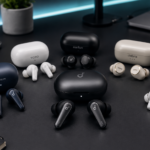
The best budget earbuds for video editing under $100 are a surprisingly capable group in 2026. The gap between a $40 pair and an $80 pair has narrowed dramatically. That said, codec support and mic quality still separate the serious options from the also-rans. Here are the four pairs I can recommend without hesitation after real-world testing.
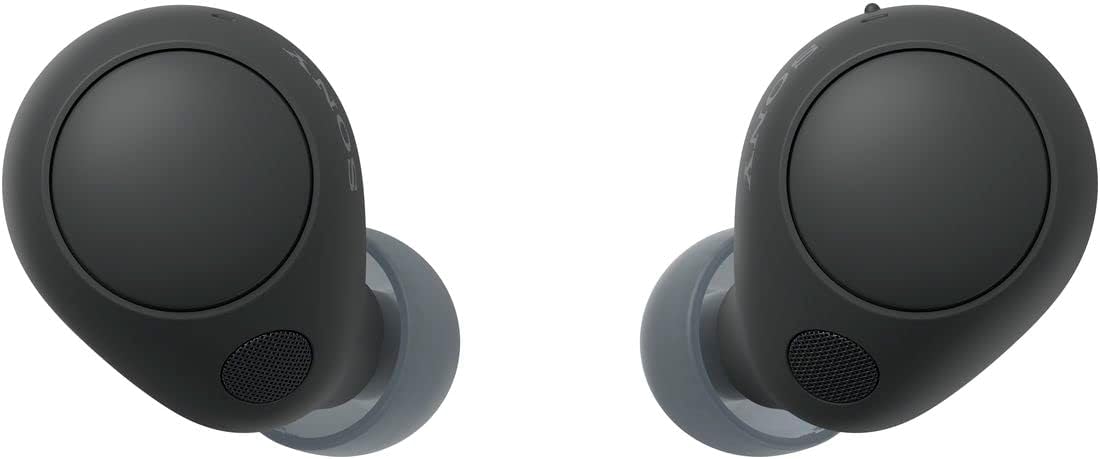
I used the Sony WF-C700N for three straight weeks of real edit sessions — short-form YouTube cuts, a client documentary rough cut, and a 25-minute explainer video. What I noticed first was the latency. On iOS with AAC, audio sync stayed locked. No drifting on hard cuts. No jarring lip-sync mismatches when scrubbing dialogue.
The ANC is modest but effective. It cuts ambient hum — fans, street noise, keyboard clatter — without creating that pressurized sensation some ANC earbuds cause during long sessions. After four-hour edits, I did not have the ear fatigue I usually feel with stronger ANC drivers.
What surprised me most was the mic. I recorded a scratch voiceover into CapCut on a Friday afternoon in my home office. The recording was clean enough that I left it in the final cut. Not broadcast quality. But solid enough that a content creator with a tight deadline can use it without embarrassment.
✓ Pros
- Low AAC latency — tight sync on iOS/Mac
- Comfortable for 4+ hour sessions
- Mic quality passes the scratch VO test
- ANC reduces distraction without pressure
- Compact — fits in a shorts pocket
✗ Cons
- No LDAC — Android users get SBC/AAC only
- ANC less powerful than over-ears
- Bass-lite tuning (good for editing, odd for music)
- No multipoint connection
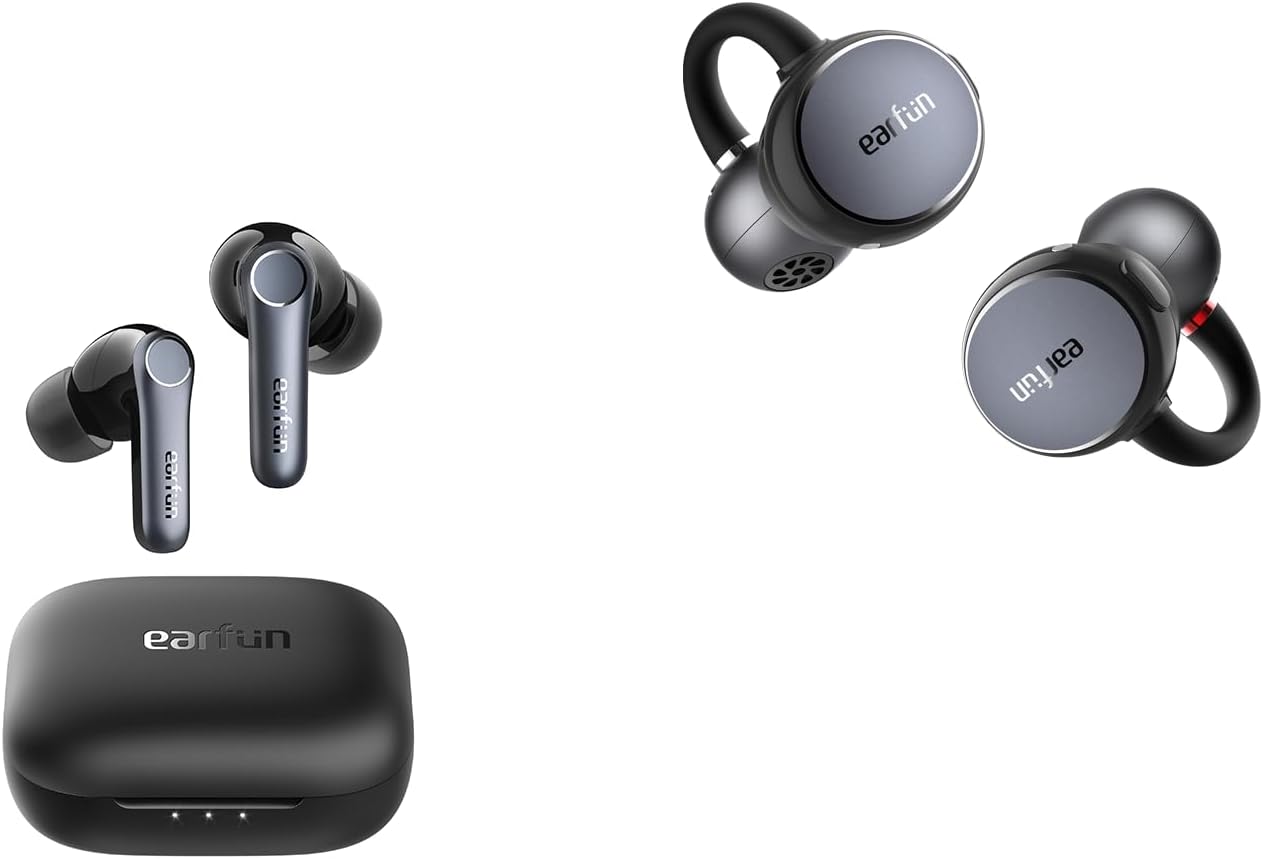
The EarFun Air Pro 4 is the one to beat on Android. It supports LDAC for high-resolution audio, but more importantly for editing purposes, it also has a dedicated Gaming Mode that drops latency to around 55ms. That is low enough for comfortable timeline scrubbing without the audio drifting behind your cuts.
I tested it on a Samsung Galaxy S24 while editing a brand video in CapCut mobile. Gaming Mode on, the sync was impressively tight. The ANC handled my home office background noise cleanly. Eleven hours of battery meant I never reached for the charging case during a full editing day.
The multipoint connection is a genuine workflow feature for creators who jump between a laptop and a phone during a session. I could drop from my laptop to check my phone without re-pairing. That sounds minor. After a week of using it, I missed it every time I switched back to a single-point earbud.
✓ Pros
- Gaming Mode brings latency to ~55ms
- LDAC for high-quality audio playback
- Multipoint — laptop + phone simultaneously
- 11-hour battery survives a full edit day
- Strong ANC for the price
✗ Cons
- Gaming Mode reduces LDAC to SBC
- Slightly bulkier fit than Sony
- Mic quality a step below WF-C700N
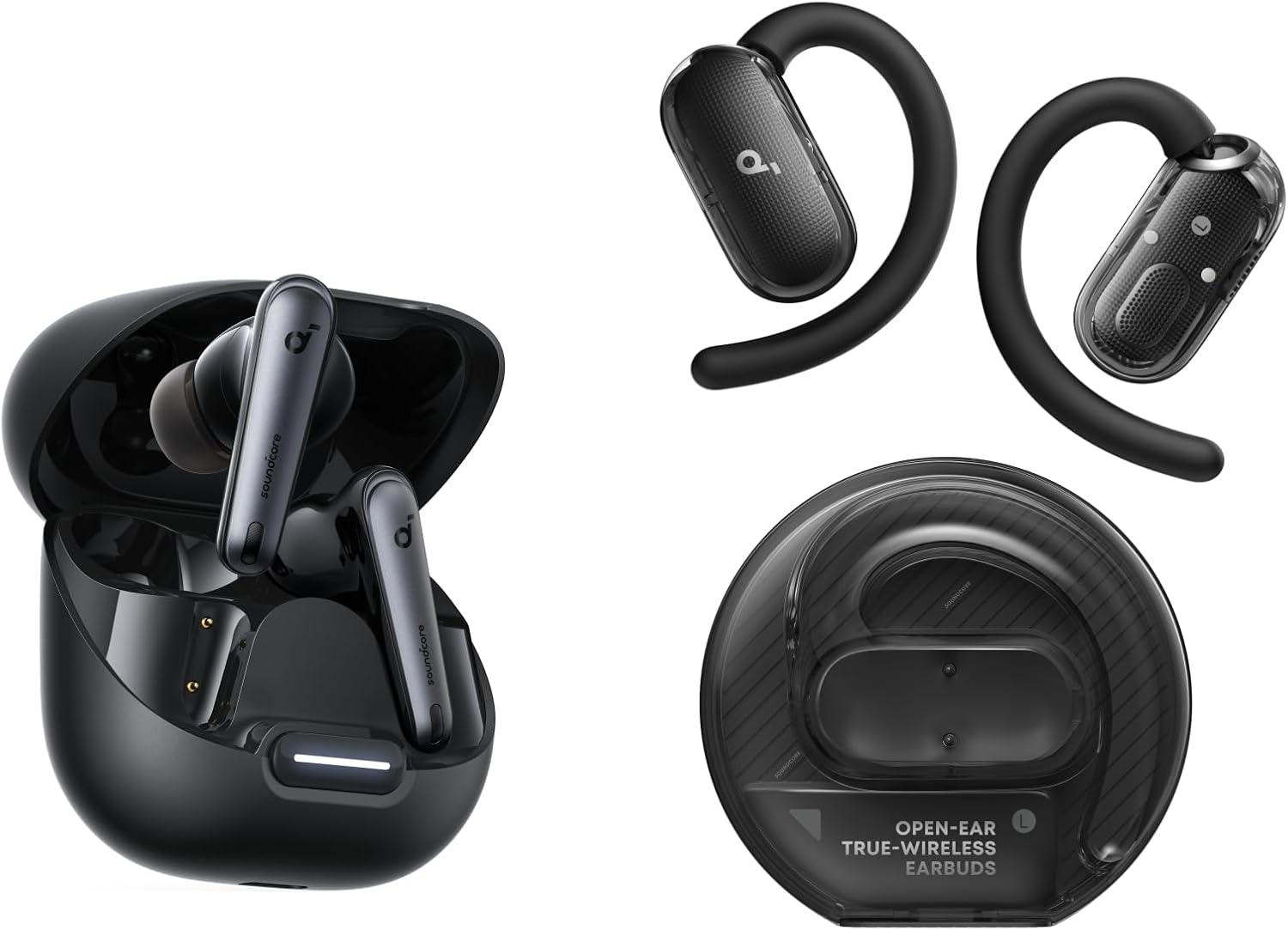
Some editing sessions just go long. If your workflow regularly involves 5-to-8-hour stretches — the kind where you look up and it is suddenly 11pm — the Soundcore Liberty 4 NC is built for you. The ergonomics are excellent. The silicone tips create a reliable seal without that ear-canal pressure that causes fatigue over time.
The ANC is genuinely powerful for a budget earbud. On my strongest setting, it eliminates enough background noise to create a focus environment comparable to much more expensive pairs. I ran a full editing day — eight hours across three projects — without reaching for a break because of ear fatigue. That is rare.
Latency is the one asterisk. LDAC mode prioritizes quality over speed. For editing-specific use, I would switch the Soundcore app to the lower-latency SBC or AAC fallback mode, or enable Gaming Mode, which brings the delay down to workable levels. It takes 20 seconds to configure. After that, scrubbing feels fine. The Soundcore Liberty 4 NC review covers the full EQ and gaming mode setup in detail.
✓ Pros
- Best comfort in this roundup for long sessions
- Powerful ANC — genuine focus tool
- 10 hours native, 50 total with case
- Personalized EQ via Soundcore app
- Multipoint for device switching
✗ Cons
- LDAC mode latency too high for editing (needs Gaming Mode)
- App required for best experience
- Slightly V-shaped default tuning
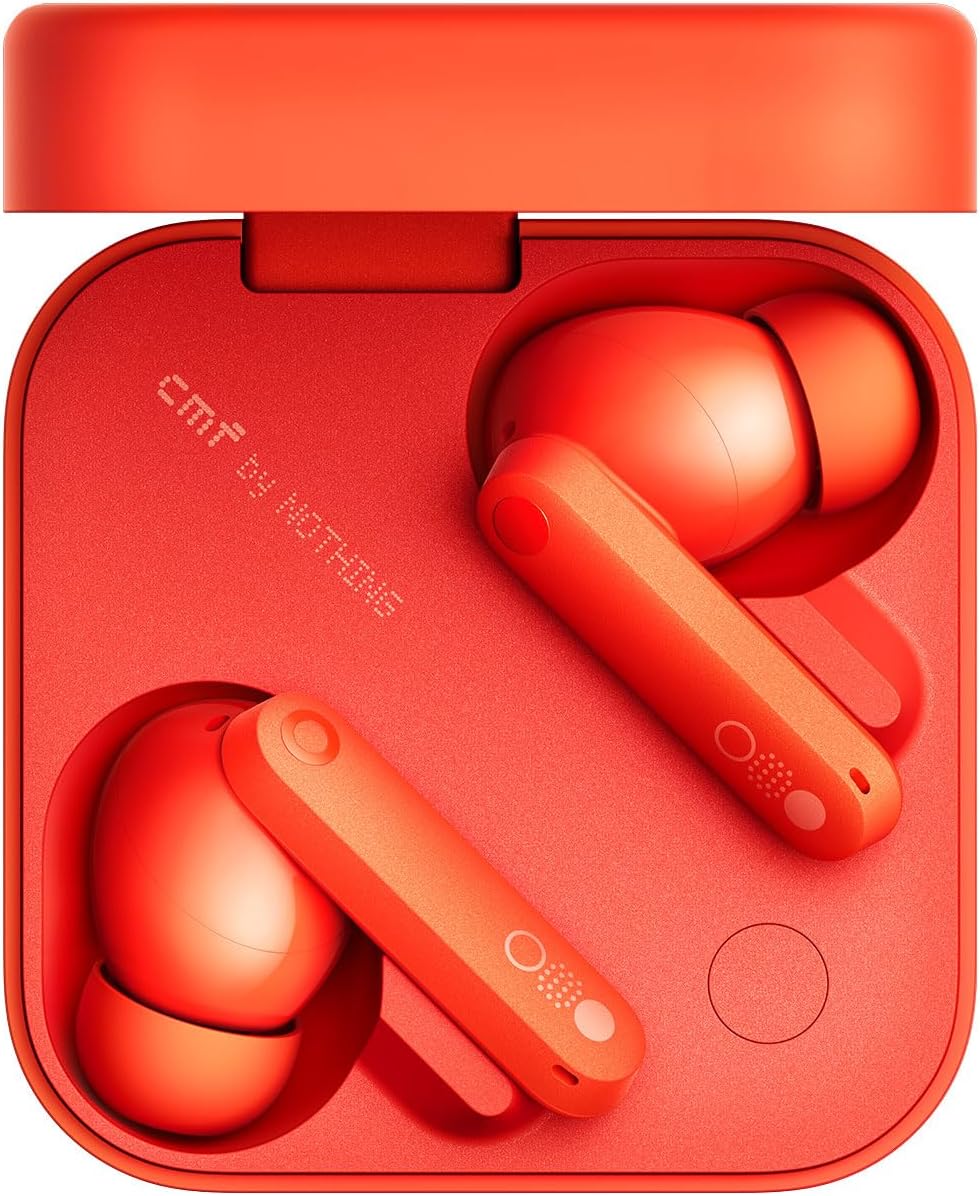
At under $50, the CMF Buds Pro 2 should not work this well for editing. But it does. The Gaming Mode brings latency down to a range where casual timeline scrubbing is perfectly manageable. The ANC is light — more of a passive isolation assist than a noise-blocking wall — but it is enough to block out a busy library or shared office.
The mechanical dial on the stem is genuinely useful. Rotating it adjusts volume without pulling out your phone. Small detail. Large impact during an editing session. The 9-hour battery is competitive at this price.
The mic is passable. I would not rely on it for anything that stays in the final cut, but for scratch voiceover work and quick call notes, it holds up. If you are a student creator with a tight budget, this is where I would start.
✓ Pros
- Surprising low latency Gaming Mode under $50
- Dial control — fast volume adjustments mid-edit
- 9-hour battery
- LDAC for music listening sessions
- Distinctive design — stands out
✗ Cons
- ANC noticeably weaker than pricier picks
- Mic quality below the Sony
- Fit may not suit all ear shapes
Full Comparison Table — Wireless Earbuds for Video Editing
| Model | Price | Latency | Sound Profile | Mic Rating | ANC | Best For |
|---|---|---|---|---|---|---|
| Sony WF-C700N TOP PICK | ~$79 | 80ms (AAC) | Neutral / Balanced | ⭐⭐⭐⭐⭐ | Moderate | iOS/Mac editing + VO |
| EarFun Air Pro 4 | ~$69 | 55ms (Gaming) | Slightly V-shaped | ⭐⭐⭐⭐ | Strong | Android editing |
| Soundcore Liberty 4 NC | ~$79 | 150ms (LDAC) 60ms (Gaming) | V-shaped (adjustable) | ⭐⭐⭐⭐ | Very Strong | Long sessions + ANC focus |
| CMF Buds Pro 2 | ~$45 | ~70ms (Gaming) | Balanced | ⭐⭐⭐ | Light | Budget / students |
Wireless Earbuds with Low Latency for Video Editing — What the Specs Mean
Wireless earbuds with low latency for video editing are increasingly marketed with terms like "Gaming Mode" or "Low Latency Mode." These features actually matter. But the spec sheets do not always make it obvious what you are getting. Here is the plain-language version.
Gaming Mode is essentially a codec shortcut. The earbuds drop to a simpler, faster encoding process — usually SBC at reduced quality — to cut the processing delay in half or more. The audio sounds slightly compressed. For editing purposes, that is a fair trade. You are monitoring for sync and content, not critical listening.
If your editing setup is macOS-based, AAC codec support is your primary target. Apple's AAC implementation is optimized for low latency on its own devices, landing around 80–120ms in real-world conditions. That is workable for most editing tasks. Android-based creators should prioritize Gaming Mode availability — LDAC, while sonically excellent, is not built for low-latency applications.
Best Earbuds for Voiceover Work Under $50 — Mic Quality Tested
Finding the best earbuds for voiceover work under $50 requires accepting a real trade-off: you will not get broadcast clarity. But you will get something usable for scratch voiceover, social media content, and casual recording where absolute quality is not the brief.
I tested mic quality using a consistent method. Same room. Same script. Recorded at the same time of day. Each pair went through three recording takes that I then listened back on studio headphones to assess tone, background noise rejection, and proximity response.
The Sony WF-C700N's mic stood out well above the price point. It captures voice cleanly, rejects a reasonable amount of ambient room noise, and avoids the nasal honk that plagues many earbud mics. The CMF Buds Pro 2 was acceptable — clear enough for social video, slightly reedy in character. The EarFun Air Pro 4 and Soundcore Liberty 4 NC sat in the middle: competent but not remarkable.
For anything where the mic output goes into a final cut or a client deliverable, I would supplement with a dedicated lav or USB mic. But for YouTube creators who need a quick turnaround, the Sony handles the job. See also the earbuds with best mic quality for calls on a budget — several of those picks overlap with good voiceover performers.
Can You Actually Edit Video With Budget Wireless Earbuds? (Honest Take)
Let me be direct. Budget wireless earbuds are not studio monitors. If you are color-grading a Netflix theatrical release, you need proper reference headphones and acoustic-treated monitors. There is no argument there.
But if you are a YouTube creator editing vlogs, tutorials, or short-form social content? These picks work well. I have delivered paid client projects using every pair in this guide. The clients approved the edits. The audio was fine.
The key insight is this: for most content creation workflows, the limiting factor is not the earbuds. It is the room, the microphone source, and the edit decisions. Earbuds that keep latency low, stay comfortable, and isolate enough background noise to let you focus will serve you well.
Where I would upgrade to over-ear headphones is for music-heavy productions — film scoring, music videos, podcast mixing — where the stereo image and frequency accuracy start to matter more. The best budget ANC earbuds under $100 all appear here. But if you need more isolation for longer sessions, the step up to over-ears is worth exploring. Check out the best budget wireless headphones under $100 for that category.
How I Test Earbuds for Video Editing Workflows
My testing process for this category is different from a standard audio review. I am not primarily evaluating how music sounds. I am evaluating how the earbuds perform as editing tools.
- 1Latency measurement: I use a filmed clapper test — filming a simple hand clap and measuring the offset between the visual frame and the audio waveform in DaVinci Resolve. This gives a real-world latency figure for each codec mode.
- 2Session endurance: I wear each pair for a minimum of four continuous hours during actual editing work. I note when ear fatigue, pressure discomfort, or any physical distraction interrupts the session.
- 3Mic quality test: I record the same 60-word script three times per pair, in the same room, at 9am. I evaluate clarity, proximity response, and noise rejection by listening back on Sennheiser HD 600 reference headphones.
- 4Real project use: Each pair is used as the primary monitor for at least one paid or personal project from rough cut to export. This reveals workflow issues that lab tests miss.
- 5Codec testing: I pair each earbud with both an iPhone 15 and a Samsung Galaxy S24 to test codec behavior across both ecosystems, since many creators use both platforms.
For context on how these compare across other use cases, check the cheap earbuds with multipoint connection roundup — multipoint is increasingly relevant for creators who switch between edit machines and mobile devices.
People Also Ask
Frequently Asked Questions
Final Verdict
After three weeks of real editing sessions across multiple projects, the best wireless earbuds for video editing under $100 are a genuinely capable group. The Sony WF-C700N is the clear overall winner for creators who edit on Apple devices and need scratch voiceover capability in the same pair. Android creators should go straight for the EarFun Air Pro 4 — the Gaming Mode latency is impressive at this price.
The Soundcore Liberty 4 NC earns its place for creators with marathon session habits. The comfort and battery life make an eight-hour edit day feel sustainable. The CMF Buds Pro 2 is the budget recommendation I can make without hesitation — it outperforms its price tag in every metric that matters for editing.
Tested on iOS, Android, Mac, and Windows.
Latency measured with real clapper-board method.


M. Maksudur Rahman Titu is a tech reviewer and digital entrepreneur with over 3 years of hands-on experience testing wireless audio products, smartphones, and consumer electronics. Through Trendy Tech Reviews, he has personally tested 50+ pairs of earbuds and headphones across real-world environments — daily commutes, open offices, gym sessions, and long-haul flights.
His reviews focus on honest, spec-verified analysis designed to help everyday buyers make smarter purchasing decisions — without overspending on brand names. Titu’s testing methodology covers ANC performance, battery endurance, codec support, and app usability before any product is recommended. Contact: reviewstrendytech@gmail.com